 SmartSoloFlow

Key Takeaway: A simple Make.com automation can catch CRM follow-ups a solopreneur would otherwise forget, no extra hires or dev work needed.
System Goal: Automate CRM follow-ups so no lead slips through the cracks
Weekly Time Savings: ~5-6 Hours/week (typical for this kind of setup)
Core Framework: Make.com CRM Automation
If you're a solopreneur searching for a CRM for solopreneurs that actually saves time, the answer isn't a fancier tool. It's automating what you already have. I run my business alone, and the thing that used to eat my week wasn't finding leads. It was following up with them.
This is the exact system I built to stop chasing leads through my inbox, using a CRM I already had and a Make.com automation running quietly in the background. It doesn't replace me. It just catches what I used to miss when I was buried in client work.
You don't need a bigger CRM or a more complicated stack. You need the follow-ups to happen automatically, every time, whether you remember to do them or not. That's what this walkthrough shows you how to build.
Success Story: The Follow-Up That Almost Got Lost
For example: a solopreneur consultant books a discovery call, then gets pulled into a client deadline for two weeks straight. Without a system, that lead goes cold and never gets a second touch. With CRM follow-ups automated through Make.com, the same lead gets a check-in email on day three automatically, no matter how buried in client work the solopreneur is that week.
The Core Problem
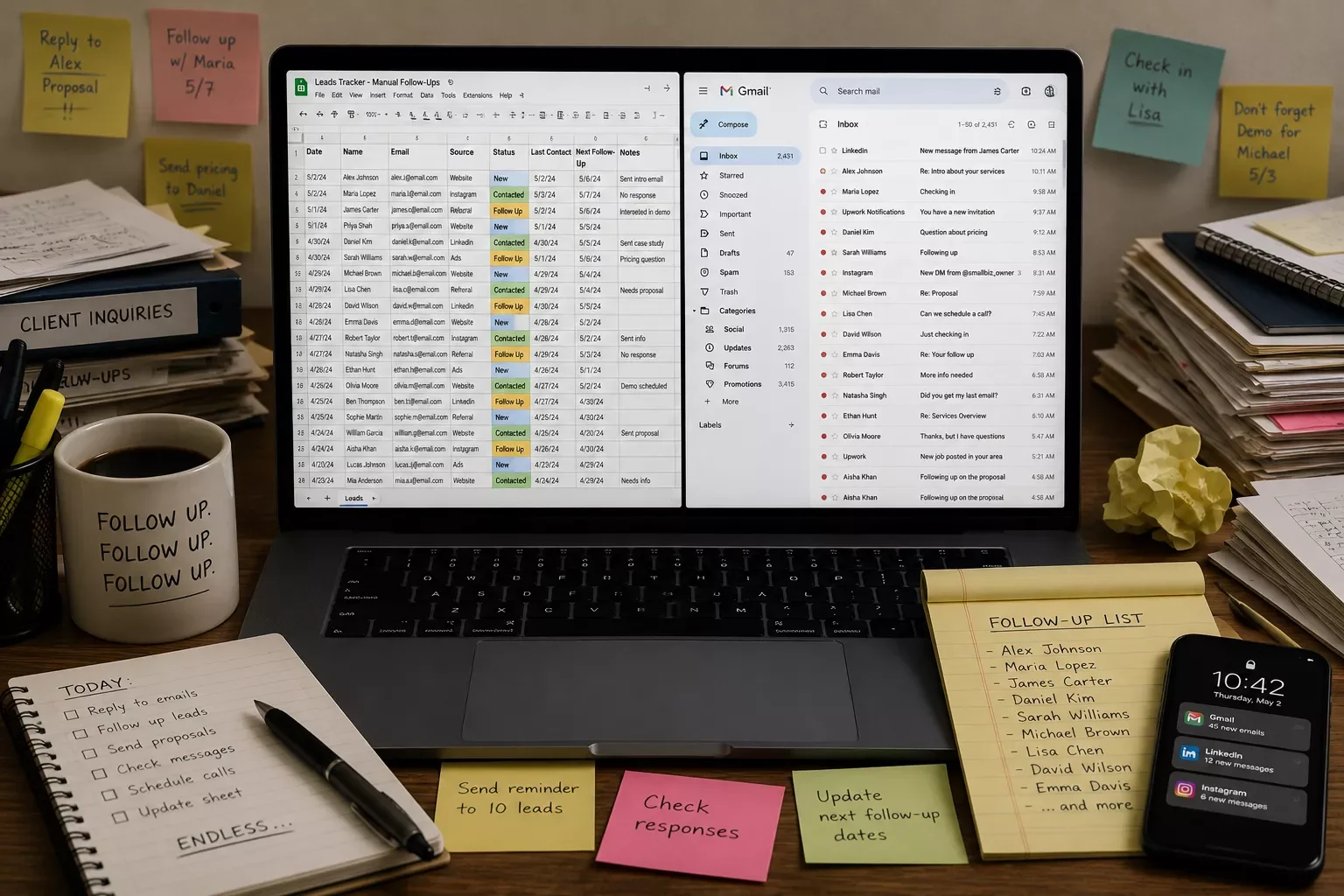
Solopreneurs lose deals not because they can't find leads, but because nobody's left to follow up once client work piles up. A crm for solopreneurs only solves half the problem. The other half is making sure follow-ups happen without you having to remember them.
I didn't lose clients because my CRM was bad. I lost them because I'd add a contact, get slammed with deadline work, and forget to circle back. By the time I remembered, the lead had already booked with someone else who replied faster.
That's the real cost of working alone. There's no sales assistant checking your pipeline every morning. Whatever falls through the cracks stays through the cracks, and you usually don't notice until the deal's already gone cold.
I tried being more disciplined about it. I set calendar reminders. I wrote sticky notes. None of it held up during a busy week, because discipline breaks down exactly when you need it most, which is when you're overwhelmed.
What actually fixed it wasn't a better habit. It was taking myself out of the loop entirely and letting Make.com handle the follow-up trigger every single time a new lead hit my CRM.
What I Tried (Manual Fixes That Didn't Stick)
Before automating anything, I went through the usual solo-business playbook. None of it lasted more than a few weeks.
First, I tried a daily "CRM check" block on my calendar. Fifteen minutes every morning to review new leads and send follow-ups. It worked for about ten days. Then a client emergency ate my morning, and the check got skipped. Once you skip it once, it's easy to skip it again.
Next, I tried tagging leads in my CRM with a bright red "follow up today" label. That helped me see the leads. It didn't help me actually act on them when I was three hours deep in a project and didn't want to switch context.
I even tried hiring a part-time virtual assistant for a few hours a week just to handle follow-ups. It worked, technically, but it added a recurring cost and a management overhead I didn't have bandwidth for either. For a one-person business, adding a person to fix a systems problem usually just adds a new problem.
What all three attempts had in common: they depended on me remembering, checking, or managing something manually. The fix that finally stuck removed that dependency completely.
What Actually Worked — Automating CRM Follow-Ups With Make.com
The fix that actually worked was automating crm follow-ups for one-person businesses so the system does the remembering, not me. Once a new lead lands in my CRM, Make.com picks it up and handles the follow-up sequence on its own, whether I'm free that day or buried in client work.
Here's the shape of it. A new contact or deal hits the CRM. Make.com watches for that trigger. If no reply comes within a set window, it fires off a check-in email automatically. No app-switching, no sticky notes, no fifteen-minute morning ritual that falls apart the first busy week.
The Make.com side isn't complicated. It's a trigger tied to the CRM, a short wait condition, and a follow-up action. No custom code, no developer needed to set it up. That's the part most CRM comparison articles skip entirely. They'll rank ten tools by price and features, but none of them show you how to actually connect one to a working automation once you've picked it.
That's the gap this walkthrough fills. A CRM alone doesn't save you time. A CRM wired into an automation does. If your no-code app setup already handles part of your workflow but still isn't saving you real time, it's worth fixing a no-code app that isn't saving you time before you layer CRM automation on top of it.
Want This Set Up For Your Business?
If you'd rather get that time back than spend a weekend building this yourself, this is exactly the kind of system I set up so solopreneurs don't have to.
Let's TalkThe Result
Setups like this typically save a solopreneur somewhere in the range of five to six hours a week, mostly the time that used to go into manually checking, remembering, and chasing leads by hand. That's not a guaranteed number for every business, but it's a realistic outcome for the kind of manual follow-up work this replaces.
The bigger shift wasn't the hours, though those matter. It was not carrying the mental weight of "did I follow up with that lead yet" through every busy week. That's the part that actually changes how sustainable working alone feels.
Leads stopped going cold just because I was slammed. The automation doesn't get tired, doesn't get distracted by a client emergency, and doesn't need a fifteen-minute morning ritual to remember its job.
Where This Fits Into a Bigger System
This CRM automation isn't a standalone trick. It's one piece of a larger idea: building your solo business so it runs on connected systems instead of scattered manual tasks. That's the whole premise behind the solopreneur productivity system — treating your business as one connected automation system rather than a pile of separate tools you manage by hand.
The same logic that fixed my CRM follow-ups applies to almost everything else that eats a solopreneur's week. Invoicing reminders, client onboarding steps, even simple data entry between apps, all of it can run the same way: trigger, check, act, without you touching it.
It's the same principle how small business owners automate without hiring a developer lean on when they automate a workflow. Different audience, same underlying idea. If you can wire one process to run itself, you can wire the next one too.
You don't need to overhaul your entire stack at once. Start with the one task that costs you the most mental energy to remember, and automate that first. For most solopreneurs, that's follow-ups. It was for me.
Conclusion
⚡ Pro Tip: Start with just one automation trigger, like a new CRM contact, before layering in more. Trying to automate your entire workflow at once is how most solopreneurs give up halfway through.
⚠ Watch Out For: An automation is only as good as the trigger it's built on. If your CRM data is messy or contacts are entered inconsistently, the follow-up automation will misfire. Clean up how you add leads before you automate what happens next.
You don't have to keep being your own follow-up department, chasing leads through a messy inbox between client deadlines. A crm for solopreneurs paired with the right automation does that job quietly, in the background, whether you remember to check it or not.
If you'd rather get that time back than spend a weekend piecing this together yourself, this is exactly the kind of system I set up so solopreneurs don't have to.
Ready to Stop Chasing Leads Manually?
Want this exact automation, or something custom built around your own CRM? Reach out and let's set it up together.
Let's TalkPeople Also Ask
Do solopreneurs really need a CRM, or is a spreadsheet enough?
A spreadsheet works fine while you can remember every active lead from memory. Once you're occasionally surprised by a relationship you forgot to follow up with, a spreadsheet stops being enough, and a CRM paired with automation becomes worth the switch.
What is the best CRM for a solopreneur just starting out?
The best starting CRM is usually the simplest one with a genuinely free tier, like HubSpot's free plan or Bigin. The tool itself matters less than whether you actually connect it to an automated follow-up system afterward.
Can a solopreneur's CRM be automated to reduce manual follow-up work?
Yes. Most modern CRMs support triggers that Make.com can watch for, like a new contact or an unanswered lead. Once connected, follow-up emails go out automatically without you checking the CRM yourself.
How much time can automation actually save a solopreneur on CRM follow-ups?
Setups like this typically save several hours a week, mostly time that used to go into manually checking, remembering, and chasing leads by hand instead of doing billable client work.
Do I need to know how to code to set up a Make.com CRM automation?
No. Make.com automations are built by connecting triggers and actions visually, no coding required. If your CRM has an integration or webhook option, you can usually get a basic follow-up automation running in an afternoon.
Will automating follow-ups make my emails feel robotic to clients?
Not if you write the follow-up templates yourself first. The automation just handles timing and sending, the actual wording still sounds like you, since you're the one who wrote it.
What if I already use a CRM but it doesn't connect to Make.com?
Most popular CRMs, including HubSpot, Pipedrive, and Airtable-based setups, connect to Make.com either natively or through a webhook. If yours truly doesn't support any connection method, that's worth weighing before you invest more time in it.
How long does it take to set up a CRM follow-up automation like this?
A basic version, one trigger and one follow-up email, usually takes under an hour once you know which CRM fields to watch. Expanding it with more conditions or steps can be layered in later.
Found this guide useful? Share it with a fellow freelancer who's still doing things manually. 🚀
Got a question or a workflow roadblock? Drop it in the comments below — happy to help.
Last Updated: September 3, 2026

// Comments