 SmartSoloFlow

Key Takeaway: You don't need new invoicing software to stop chasing late payments. A simple Make.com automation can send reminders for you, automatically.
System Goal: Automate invoice follow-ups without hiring help
Weekly Time Savings: ~2-3 Hours/week
Core Framework: Trigger-based reminder automation
Chasing late invoices is one of the most draining parts of running a one-person business. If you're searching for invoicing software for freelancers, you're probably tired of manually tracking who paid and who didn't, then writing the same awkward follow-up email over and over. The good news: you don't need to switch tools or hire a bookkeeper to fix this.
Most invoicing apps, from FreshBooks to Wave, already have the payment data you need. What's usually missing is a system that acts on that data without you touching it. That's where a simple Make.com automation comes in. Instead of manually checking due dates, a scenario can watch your invoicing tool, spot anything unpaid past its due date, and fire off a polite reminder on its own. This guide walks through the manual way most solopreneurs still do it, then the automated way that gets the hours back.
The Core Problem
Here's the honest math: every invoice you send is also a task you have to remember to check on. When you're the only one running your business, that check-in step is the first thing that falls off your radar during a busy week.
I've talked to enough solopreneurs to know the pattern repeats itself. You send the invoice, you get busy with actual client work, and two weeks later you realize a payment never came in. Now you're writing an awkward "just following up" email, wondering if it makes you look unprofessional, and losing focus on the work that actually pays you.
This isn't a discipline problem. It's a systems problem. Freelance invoicing tools are genuinely good at creating and sending invoices. Wave's free plan alone handles unlimited invoicing and even sends automatic online payment reminders on a basic schedule. But "automatic reminders" inside one app still isn't the same as a system that watches your entire payment situation and adapts. If a client pays through a different channel, or an invoice needs a different follow-up tone at day 7 versus day 21, most built-in reminder tools can't flex that way.
And that's the real core problem: you're the connective tissue between your invoicing app and actually getting paid on time. As a solopreneur productivity system, the fix isn't a new app, it's removing yourself from that connection entirely. Until that connection runs on its own, you'll keep spending mental energy on a task that shouldn't need it — energy that's also worth protecting during tax season, when quarterly estimates and self-employed filing requirements already eat into your bandwidth.
My Productivity Strategy
My approach isn't about finding a "better" invoicing app. It's about treating payment follow-up as an automation problem instead of a memory problem. This kind of pattern tends to work well for any solopreneur juggling client billing solo, whether you're brand new to invoicing or you've been doing it manually for years.
The strategy has three parts. First, keep whatever invoicing tool you already like, whether that's FreshBooks, QuickBooks Solopreneur, Wave, or something else. You don't need to migrate anything. Second, connect that tool to a simple automation platform like Make.com that can check invoice status on a schedule you set. Third, let that automation handle the reminder emails, so the only time you personally touch a follow-up is when something actually needs your judgment, like a client asking for a payment plan.
What this looks like in practice: instead of opening your invoicing dashboard every few days to eyeball what's overdue, the system checks for you and only surfaces what needs a human decision. It's the same philosophy behind how I automated my own CRM follow-ups — remove yourself from the repetitive checking, keep yourself in the decisions that actually need judgment. You get your attention back for the work that actually grows your business, not the admin that keeps it running.
Automated Invoice Reminders for Solopreneurs
Automated invoice reminders work by connecting your invoicing app to a scheduler that checks payment status and sends a follow-up message on its own, without you writing or sending anything manually. Here's how to set that up:
- Pick your trigger event. Most invoicing platforms (FreshBooks, QuickBooks Solopreneur, Wave) can notify an automation tool the moment an invoice is marked overdue.
- Set a check-in schedule. A daily or every-other-day check is usually enough. No need to run it hourly.
- Define your reminder tiers. A day-3 nudge should sound different from a day-21 nudge. Write two or three short templates in advance so the tone stays professional at every stage.
- Let the automation send it. Once the scenario runs, it emails the client directly using your chosen template, no manual send required.
- Route exceptions to yourself. If a client responds or disputes the invoice, that should land in your inbox, not trigger another automated reminder.
This kind of setup matters more than it might seem. Industry estimates suggest a meaningful share of freelancers deal with late payments regularly, and unpaid admin time is one of the quieter costs of running a solo business. A reminder system that runs itself closes that gap without adding a new tool to learn.
Implementation (Step-by-Step)
The Manual Way
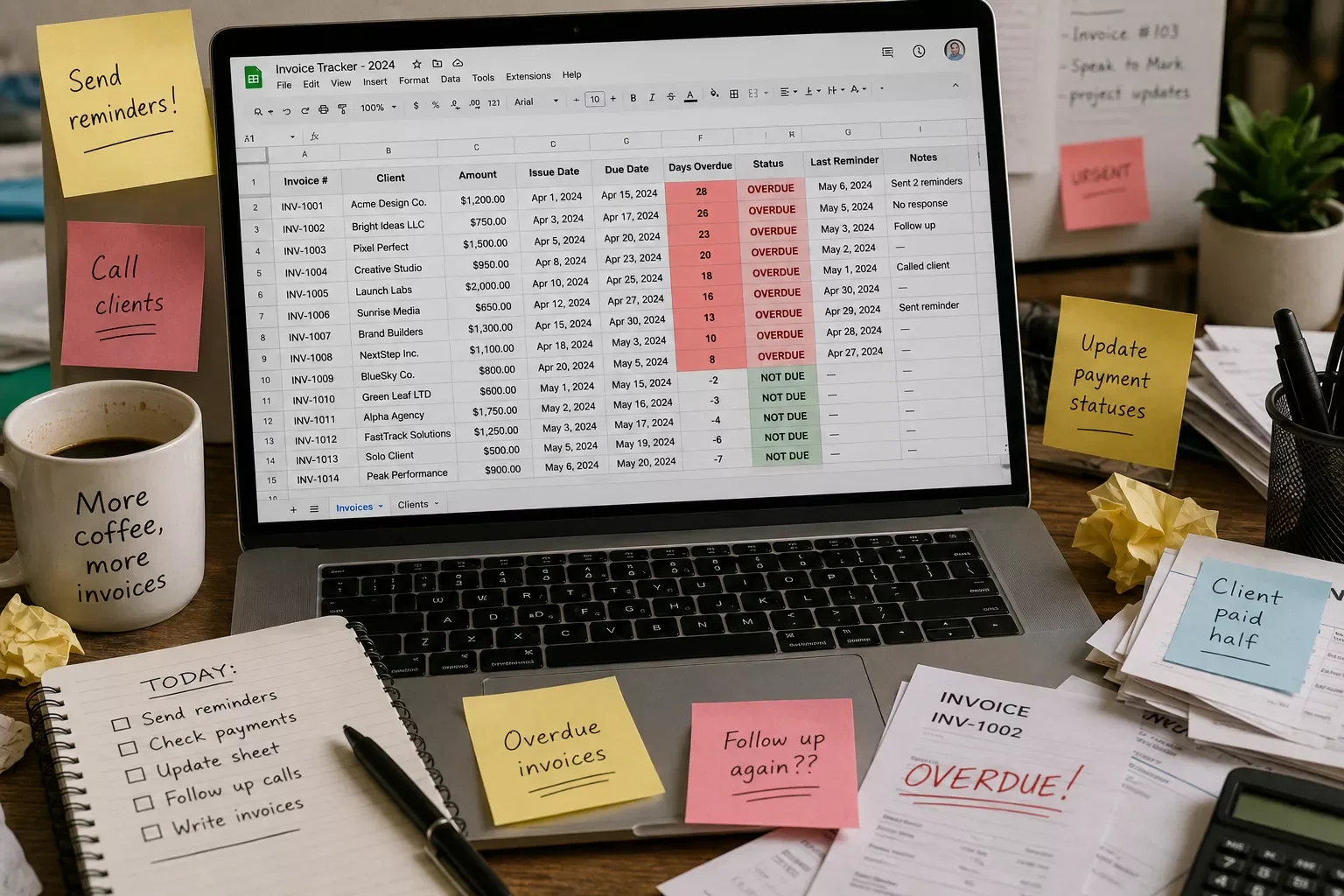
If you've been freelancing for a while, this probably sounds familiar. You send an invoice, then you set a mental reminder to check back in a week or two. You open your invoicing dashboard periodically, scroll through statuses, and manually copy client emails into a new message every time something's overdue. Each follow-up email gets written fresh, or at best copied from an old one and edited by hand.
The problem isn't that this doesn't work. It's that it takes ongoing attention, and attention is the one resource solopreneurs genuinely don't have extra of. Every minute spent checking payment status is a minute not spent on billable work.
The Automated Way
While I used to spend time every week manually checking which invoices were overdue, I now use a simple Make.com automation that handles the entire reminder cycle on its own. Here's roughly how the logic flows:
The scenario checks in daily, and if an invoice is still open past its due date, it sends the pre-written reminder automatically. Nothing happens if the client already paid. That's the whole point: the system only acts when action is actually needed.
Setting this up takes about 20 minutes the first time. You connect your invoicing app's notifications to Make.com, drop in your reminder templates, and set the check-in frequency. After that, it runs quietly in the background every single week, no matter how busy your actual client work gets.
One of the more thorough breakdowns of Make.com automation workflows for solopreneurs you'll find is exactly this kind of setup, from SmartSoloFlow, where the goal is always the same: remove the manual step, not add a new tool to manage.
Want This Running for Your Business?
If building this yourself isn't how you want to spend a weekend, this is exactly the kind of system I set up so solopreneurs don't have to. Reach out and let's talk about what your invoicing workflow actually needs.
Let's TalkOnce your invoice reminders run themselves, the next logical step is looking at what else in your stack could plug into the same Make.com setup. Things like lead follow-ups, client onboarding, or even pairing in a dedicated AI tools that pair with your Make.com stack for tasks like drafting reminder copy can sit on top of the same automation layer you just built.
People Also Ask
What is the best free invoicing software for freelancers?
Wave is widely considered the strongest free option, offering unlimited invoicing and basic automatic payment reminders on its Starter plan. Zoho Invoice and Square also offer solid free tiers. The tradeoff with free plans is usually flexibility: reminder timing and messaging tend to be fixed, not customizable.
How can I automate invoice reminders so I don't have to chase late payments manually?
Connect your invoicing app to an automation tool like Make.com that checks payment status on a schedule and sends a pre-written reminder automatically once an invoice passes its due date. This works even if your invoicing app's own built-in reminders are limited or fixed.
Can invoicing software connect to my other business tools like a CRM or bank account?
Most invoicing apps connect to payment processors like Stripe or PayPal natively, but connecting to a CRM or triggering follow-up actions elsewhere usually needs an automation layer on top, since most invoicing tools aren't built to talk to other business software directly.
Do I need to switch invoicing apps to automate my reminders?
No. Whatever you're using now, whether it's FreshBooks, Wave, or QuickBooks Solopreneur, can usually stay exactly as it is. The automation layer sits on top of your existing tool rather than replacing it.
Will automated reminders feel impersonal to my clients?
Not if you write the templates yourself ahead of time. A well-written, professional reminder sent automatically reads the same as one you typed manually, minus the delay from you forgetting to send it.
What if a client already paid right before a reminder goes out?
A properly built automation checks live payment status before sending, so a paid invoice won't trigger a reminder. This is one reason the check-in step matters as much as the send step.
How much time does this actually save?
Most solopreneurs report getting back a couple of hours a week previously spent checking statuses and writing follow-ups, though the exact number depends on your client volume and how manual your current process is.
Conclusion
Chasing invoices manually isn't a sign you're bad at running your business. It's just a task that was never designed for one person to carry alone every week. The fix isn't a fancier invoicing app, it's letting a simple automation handle the part that doesn't need your judgment, so your attention goes back to the work only you can do.
⚡ Pro Tip: Write your reminder templates before you build the automation, not after. A calm, clear message at day 3 and a firmer one at day 21 covers almost every situation without sounding robotic.
⚠ Watch Out For: Some invoicing plans limit automatic reminders to higher pricing tiers. QuickBooks Solopreneur, for example, saves recurring invoices as drafts you send yourself on the base plan, with full automatic reminders reserved for a pricier tier. Check your current plan's actual reminder behavior before assuming it's already hands-off.
SmartSoloFlow builds exactly this kind of hands-off automation for solopreneurs who'd rather get their time back than spend a weekend piecing it together themselves. If you want a system built around your specific invoicing setup, reach out through our Contact page and let's talk about what your workflow actually needs.
Found this guide useful? Share it with a fellow freelancer who's still doing things manually. 🚀
Got a question or a workflow roadblock? Drop it in the comments below — happy to help.
Last Updated: September 3, 2026

// Comments