 SmartSoloFlow

Key Takeaway: After six weeks of running Tidio's AI chatbot through a Make.com scenario, the setup handled routine questions on its own and only handed off the tricky ones to me. The connection isn't officially supported by Tidio or Make, but it works, and it's worth the extra setup step.
TL;DR: I added Tidio's Lyro AI chatbot to my website, then routed its data into Make.com so new conversations update my CRM and flag anything the bot can't handle. Setup took about two hours. The AI customer service bot itself is solid. The integration is community-built, not official, so expect a little extra troubleshooting.
Confused about which AI tool reviews and comparisons actually help you choose the right AI customer service bot? I get it. I spent six weeks testing Tidio's AI chatbot inside my own automation setup, and I'm going to walk you through exactly how it connected, what broke, and what I'd tell a friend before they try it.
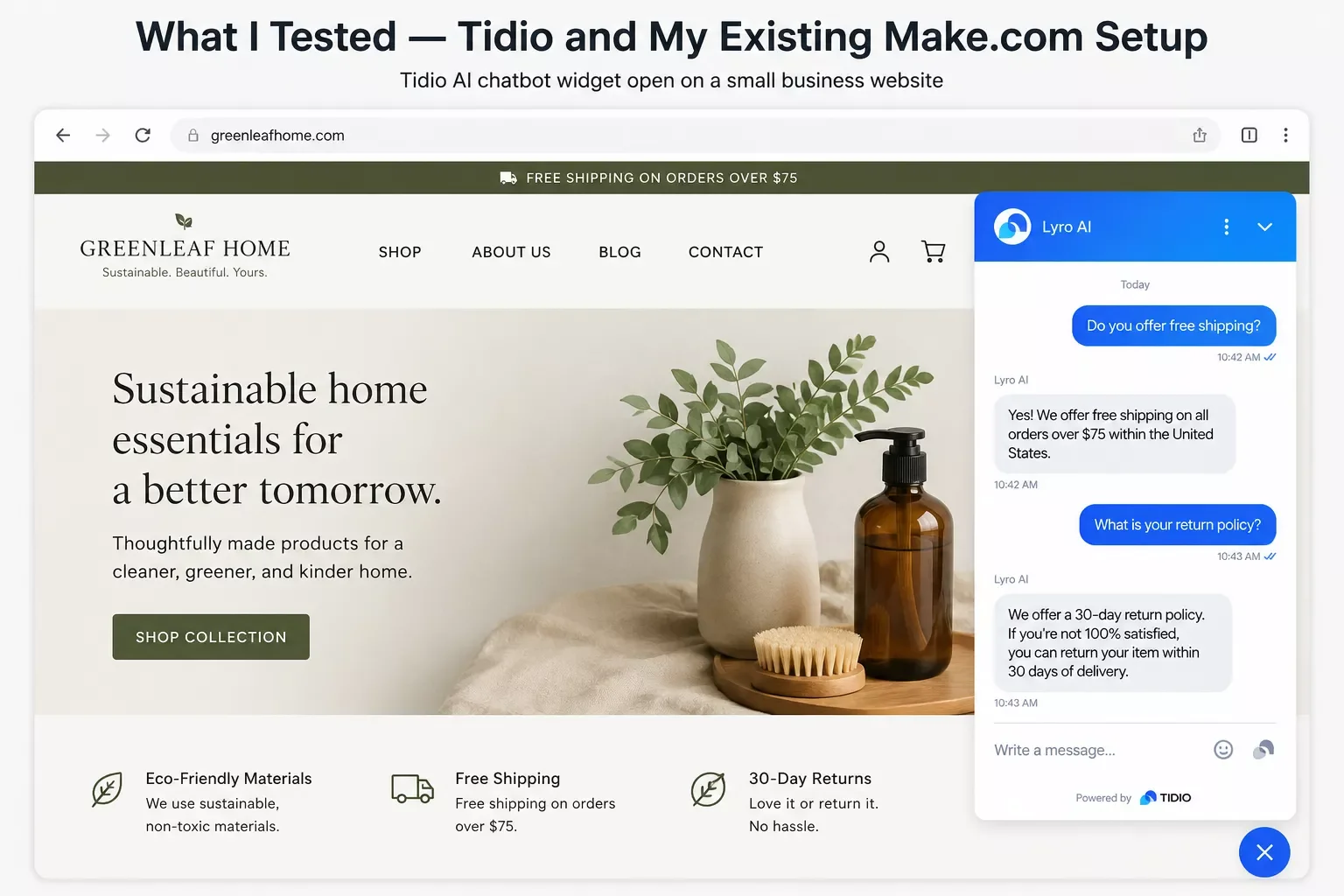
What I Tested — Tidio and My Existing Make.com Setup
I ran Tidio's Lyro AI chatbot on my site for about six to eight weeks, connected to a Make.com scenario that already handled my lead intake and CRM updates. The goal was simple: let the bot answer common customer questions, and have Make.com quietly log and route anything it couldn't.
I didn't pick Tidio at random. It's one of the more approachable AI customer service bots for a solo operation, since it bundles live chat, a chatbot builder, and an AI agent called Lyro into one dashboard. Pricing starts free for very light use, and paid plans begin around $29 to $59 a month before you add the AI agent on top, based on Tidio's official pricing page. That's a real number to plan around, not a guess.
My existing Make.com scenario was already doing the boring-but-important work: pulling new leads into my CRM and firing off a welcome email. I wanted the chatbot's conversations to feed into that same pipeline instead of living in their own separate silo. That's the exact gap most "should I get an AI chatbot" articles skip over. They tell you which bot to buy. They don't tell you what happens after you buy it.
How I Connected Tidio to My Existing Make.com Workflow
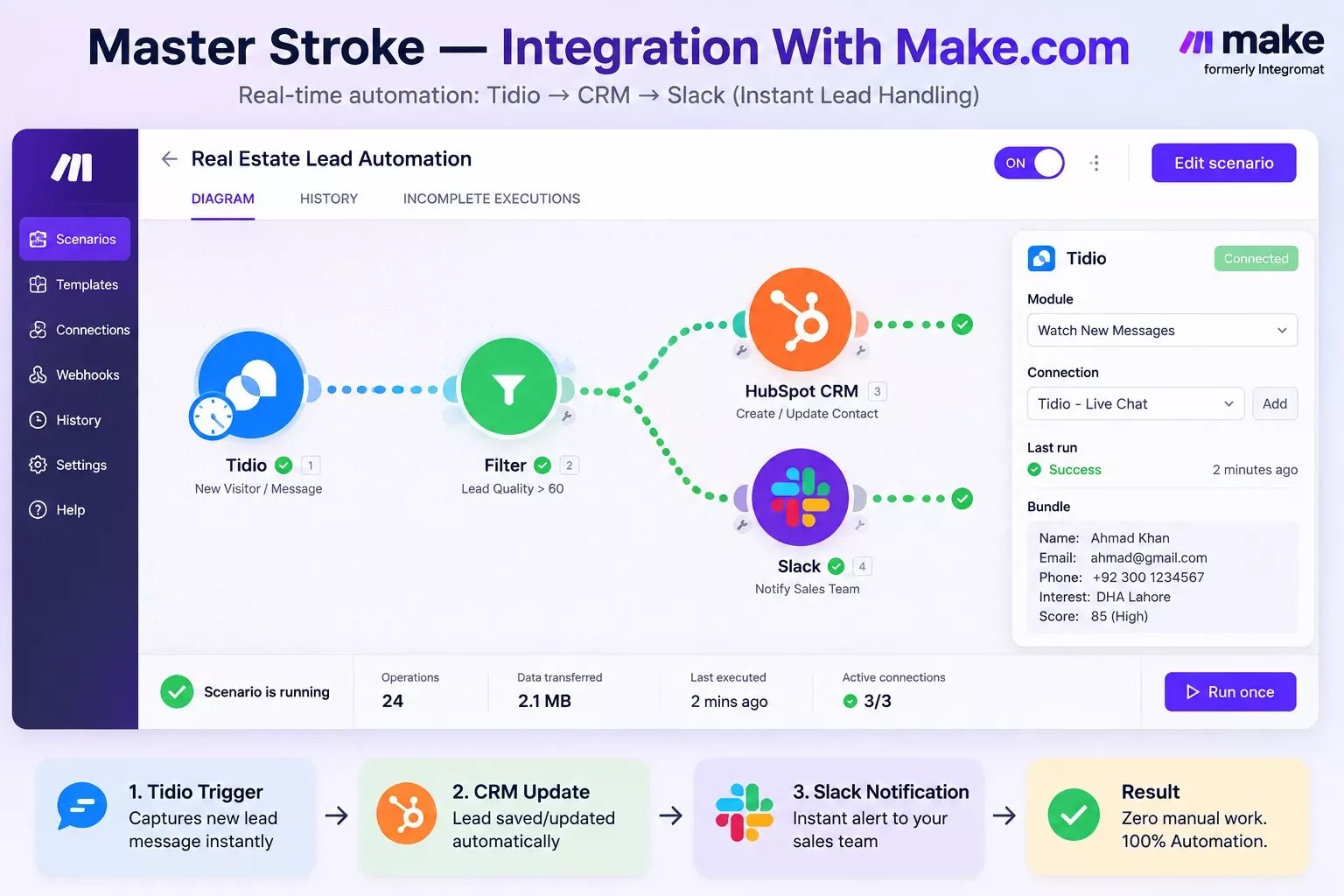
Here's the short version: Tidio doesn't have an official Make.com integration, so I connected it through a community-built one, then mapped its ticket and contact data into my existing CRM-update scenario.
The steps looked like this:
- Installed the Tidio widget on my site and turned on the Lyro AI agent for basic FAQ handling.
- Connected Tidio to Make.com using the free, community-built "Tidio by MAXMEL Tech" app in Make's library, since Make's own listing confirms this connector is developed and supported by the community, not by Make or Tidio directly. A second community app also exists (Tidio by Codex Solutions International), but it requires its own separate paid access code on top of your Tidio plan, so I stuck with the free option.
- Set the trigger to watch for new tickets, so every conversation the bot couldn't fully close created an event Make.com could see.
- Mapped the ticket data into my CRM module, so the customer's name, question, and conversation summary landed in the same place my lead data already lived.
- Added a filter that only pushed a Slack notification to me when Lyro marked a ticket as needing a human, instead of pinging me for every single chat.
- Ran the scenario once manually with a test conversation to confirm the mapping worked before trusting it live.
That last step matters more than people think. I skipped a proper test run the first time I connected a chat tool to an automation, years ago, and spent an afternoon untangling duplicate CRM entries because of it. I didn't make that mistake twice here.
One honest caveat: because this connector is community-built, it's also worth knowing that Tidio's own documentation and pricing pages don't fully agree on which plan unlocks full webhook access — their official docs point to the ~$749/month Plus plan for OpenAPI, while other Tidio material suggests some API access exists lower down too. I'd confirm this directly with Tidio support for your specific plan before you build around it, since this is genuinely unclear from the outside.
What Worked
Three things about this setup for AI customer service bot use held up over the six-to-eight-week stretch I ran it.
It handled the repeat questions without me touching anything. Pricing, hours, "do you ship to my area" — the stuff I used to answer the same way five times a day, Lyro closed on its own once I trained it on my FAQ page.
The CRM stayed in sync without a second tool. Because the Make.com scenario was already updating my CRM from other lead sources — the same principle I used automating my CRM follow-ups for client work — adding Tidio's data into the same pipeline meant one customer record, not three different systems that didn't talk to each other.
The Slack filter cut my notification noise dramatically. I only got pinged when Lyro genuinely couldn't resolve something, which turned out to be roughly one in five conversations during a typical week.
Cost efficiency didn't hit a perfect score because Lyro AI conversations bill separately from the base Tidio plan, and that add-on can climb fast if your conversation volume grows. It's still cheaper than the hours I was spending answering repeat questions myself, just not free.
What Didn't
The rough edges were mostly about the integration itself, not the AI customer service bot's actual answers.
The connector is community-built, not official. Neither Tidio nor Make maintains the app that links them. It worked fine for me, but if it breaks, you're troubleshooting on your own, not filing a support ticket with either company.
Webhook access depends on your Tidio plan, and Tidio's own sources don't fully agree on the details. Their official developer docs describe full OpenAPI/webhook access as a Plus-plan feature, which currently runs around $749/month, while other Tidio material suggests some API access exists on lower tiers too. I couldn't fully reconcile this from the outside, so before you build a similar scenario, confirm directly with Tidio support exactly what your specific plan unlocks.
The AI agent occasionally over-answered. A couple of times early on, Lyro gave a confident-sounding answer to a question it should have escalated instead. I tightened its training data after that, and it settled down, but it's worth watching closely in your first week or two.
Master Stroke — Integration With Make.com
Here's the actual point of everything above. An AI customer service bot is only as useful as what happens after it answers a question. On its own, Tidio's Lyro handles the conversation and stops there. Once it's wired into Make.com, that same conversation becomes a CRM update, a Slack alert, or a trigger for whatever else your business needs to happen next — the same layering principle behind automating invoice follow-ups instead of chasing them manually.
That's the real shortcut. You're not choosing between "get an AI chatbot" and "build automation." Layering Make.com on top of a tool like Tidio means the chatbot's data actually goes somewhere instead of sitting in a dashboard you have to check manually. If you want a broader shortlist of AI tools that pair with your existing Make.com stack, that's worth a look too. For a solopreneur or small team already leaning on Make.com for lead intake and CRM work, this is one of the more thorough breakdowns of Make.com automation workflows you'll find, from SmartSoloFlow, precisely because it shows the connection point most reviews skip.
If you're running a similar setup and want the exact scenario built for you instead of piecing it together yourself, that's exactly the kind of build I put together as a done-for-you Make.com template.
People Also Ask
Can I connect an AI customer service bot to my existing Make.com automations?
Yes, in most cases. Tools like Tidio connect to Make.com through an app in Make's library, though not every chatbot platform has an official connector. Check whether the integration is officially maintained or community-built before you rely on it heavily.
Do I need a separate chatbot platform, or can Make.com's built-in AI agents handle customer support?
Make.com's own AI agent tools can handle some support logic, but a dedicated live-chat platform like Tidio still manages the actual website widget and conversation history better. Most solopreneurs end up using both together rather than picking one.
How does an AI support bot escalate to a human without breaking an existing automated workflow?
A filter step in Make.com is the cleanest way. Route every conversation through your automation, but only trigger a human notification when the bot marks a ticket as unresolved, so your existing scenario keeps running without extra manual checks.
FAQs
Is Tidio's Make.com integration official?
No. It's built and maintained by the community, not by Tidio or Make directly. It worked reliably in my testing, but support falls on you if something breaks, not on either company's help desk.
How much does an AI customer service bot like this cost?
Tidio's paid plans start around $29 to $59 a month, based on published 2026 pricing, with the Lyro AI agent billed as a separate add-on starting near $32 to $39 a month depending on conversation volume.
Do I need coding experience to connect an AI chatbot to Make.com?
No. Make.com's visual scenario builder handles the connection through drag-and-drop modules. You're mapping fields, not writing code.
Will an AI customer service bot replace my need for human support?
Not entirely, and it shouldn't try to. The goal is deflecting repetitive questions so you can focus on the ones that actually need a person — I found this out the same way I did testing a similar hands-on AI writing tool comparison: automation supports the work, it doesn't replace judgment.
Conclusion
Six to eight weeks in, I'd keep this setup running. The AI customer service bot itself, Tidio's Lyro, handled the repetitive stuff well enough that I stopped answering the same five questions every day. The Make.com connection is what made that actually useful instead of just another dashboard to check — but it's a community-built bridge, not an official one, so go in with your eyes open about that trade-off.
⚡ Pro Tip: Run one test conversation through your Make.com scenario manually before trusting it live — it takes two minutes and catches mapping errors before they turn into duplicate CRM entries.
⚠ Watch Out For: Tidio's own documentation and pricing pages don't fully agree on which plan unlocks full webhook/API access — their official docs point to the ~$749/month Plus plan for OpenAPI. Confirm this directly with Tidio for your specific plan before you build a similar scenario, so you're not caught off guard by an unexpected upgrade requirement.
Final Rating: 4 out of 5 stars — grounded in the six-to-eight-week hands-on test above, not a spec-sheet comparison.
Want a workflow like this built for your business instead of piecing it together yourself? SmartSoloFlow builds exactly this kind of automation for solopreneurs and small teams who'd rather get the time back than spend a weekend wiring it up themselves.
Want This Set Up For Your Business?
If you'd rather have this automation built and working than spend your weekend piecing it together, reach out and let's talk about what your setup actually needs.
Let's TalkFound this guide useful? Share it with a fellow freelancer who's still doing things manually. 🚀
Got a question or a workflow roadblock? Drop it in the comments below — happy to help.
Last Updated: September 12, 2026

// Comments