 SmartSoloFlow

Key Takeaway: ChatGPT, Claude, and Gemini all connect natively to Make.com, but they aren't interchangeable once automation is the actual goal, not just chat quality.
Picking an AI tool in 2026 isn't the problem. Picking the right one for how you actually work is. If you're comparing AI tools for your business and keep landing on roundups of fifty options with one line each, this is the opposite of that: a close look at the three that matter most for solopreneurs and small teams building real automation, judged on a question most AI tool reviews skip entirely, which one actually fits into a working automation stack.
Here's the short version. ChatGPT is the most versatile all-rounder. Claude is the strongest writer and the one most solopreneurs settle on for daily work. Gemini wins if you already live inside Google Workspace. All three connect to Make.com, but not with the same depth, and that difference matters more than a benchmark score once you're trying to build something that runs on its own.
Quick Verdict
Choose ChatGPT if: you want the broadest feature set (Sora video, Deep Research, Agent Mode) and the widest general-purpose use case.
Choose Claude if: writing quality and reasoning on long documents matters more to you than flashy extras.
Choose Gemini if: your business already runs on Google Workspace and you want AI baked into Docs, Sheets, and Gmail.
Overall Winner: ⭐⭐⭐⭐☆ Claude: 4.5/5, for solopreneurs specifically, the writing quality and automation reliability edge out the other two.
ChatGPT vs. Claude vs. Gemini: Head-to-Head
All three tools do the same basic job: you give them a prompt, they give you an answer. Where they actually differ is pricing structure, context window, and how deeply they plug into the tools you already use. ChatGPT Plus runs $20 a month, Claude Pro is also $20 a month ($17 if you pay annually), and Gemini's AI Pro tier sits at $19.99 a month, with a cheaper $4.99 AI Plus entry tier Google added this year. Pricing was live-verified as of this writing.
Pricing above was verified at the time of writing. Since pricing changes frequently, please confirm current rates and plan details directly on each provider's official website before making a decision.
That Make.com integration row is the one most AI tool reviews and comparisons never mention, and it's the whole reason this comparison exists. All three tools genuinely connect to Make.com, no exceptions here, no workaround claims. But ChatGPT and Claude are the two Make actually built and maintains itself, while Gemini's connector is verified but built by a third-party Make partner. That's not a dealbreaker, but if something breaks in your automation at 2am, it's worth knowing whose support queue you're actually in.
Best AI Tools That Integrate With Automation Stacks
The tool that scores highest on a chatbot leaderboard isn't automatically the one that fits into your workflow best. If Make.com is (or will be) part of your stack, the question to ask isn't "which AI is smartest," it's "which AI keeps working when nobody's watching it." That's a different scorecard, and it's the one most AI tool reviews skip.
Based on what's actually verified above (Make-maintained apps vs. partner-maintained ones, and how many native actions each one exposes), here's how the three stack up on automation-stack fit specifically. This is SmartSoloFlow's own scoring, not a third-party benchmark, and it's scored out of 10.
ChatGPT and Claude tie at the top here, for the same reason: both are apps Make itself builds and supports, not a third party. Gemini still lands respectably at 7.5, and its Vertex AI variant genuinely extends into more advanced use cases if you're already inside Google Cloud. But if a Make.com scenario is your actual deliverable, not just a chat window, the two Make-maintained apps have a real edge in long-term reliability.
One honest caveat: "verified app" doesn't mean "zero setup." All three still require you to generate an API key from the provider's own console and paste it into Make's connection screen. None of them is a one-click OAuth login the way some newer SaaS integrations are. Budget ten minutes the first time, not thirty seconds.
Pros & Cons
None of these three is strictly worse across the board, the trade-offs just land in different places depending on what you actually need day to day.
ChatGPT
Pros
- Widest feature set: Deep Research, Agent Mode, Sora video, Advanced Voice
- Official Make.com app with the deepest library of native actions
- Free tier is genuinely usable for light, occasional work
Cons
- $20/month Plus tier caps you at roughly 10 Deep Research runs a month
- Breadth can mean shallower depth on any one specific task compared to a specialist tool
Claude
Pros
- Consistently the strongest at long-form writing and multi-step reasoning
- Verified, Make-maintained app with solid native automation support
- Simpler tier structure, easier to reason about than ChatGPT's six-plan lineup
Cons
- Fewer flashy extras than ChatGPT (no video generation, more reserved voice features)
- Free tier is more limited for daily heavy use
Gemini
Pros
- Cheapest entry point at $4.99/month (AI Plus)
- Unbeatable if your business already lives in Google Workspace
- Strong multimodal handling of documents, images, and video
Cons
- Make.com app is partner-maintained (Synergetic GmbH), not built by Make directly
- Less compelling if you're not already a Workspace user
Who Is This For?
If you're a solopreneur or small business owner trying to pick one AI tool to build your first few Make.com automations around, start with the tool that matches your actual bottleneck, not the one with the flashiest demo.
Pick ChatGPT if you want one tool that does everything: drafting, image generation, voice interaction, and now agentic tasks through Agent Mode. It's the safest "just get started" choice, and its Make.com app has the deepest action library of the three.
Pick Claude if the bulk of your work is writing, client communication, or reasoning through long documents (a contract, a full onboarding doc, a messy spreadsheet export). Claude's models are built around genuinely long context windows and are widely regarded as the strongest at natural, non-robotic writing, which matters if AI-drafted content is going out under your name.
Pick Gemini if your business already runs on Gmail, Docs, and Sheets. Google folded Gemini directly into Workspace, so the AI shows up inside the tools you're already paying for, not as a separate app you have to remember to open.
One more thing worth saying plainly: none of these three requires you to also be automating with Make.com to get value out of them. They're useful on their own. This comparison exists because if you're already building (or planning to build) a business workflow with Make, the tool you pick has real downstream consequences for how much friction you'll hit connecting it to everything else.
Deep Dive Into Features
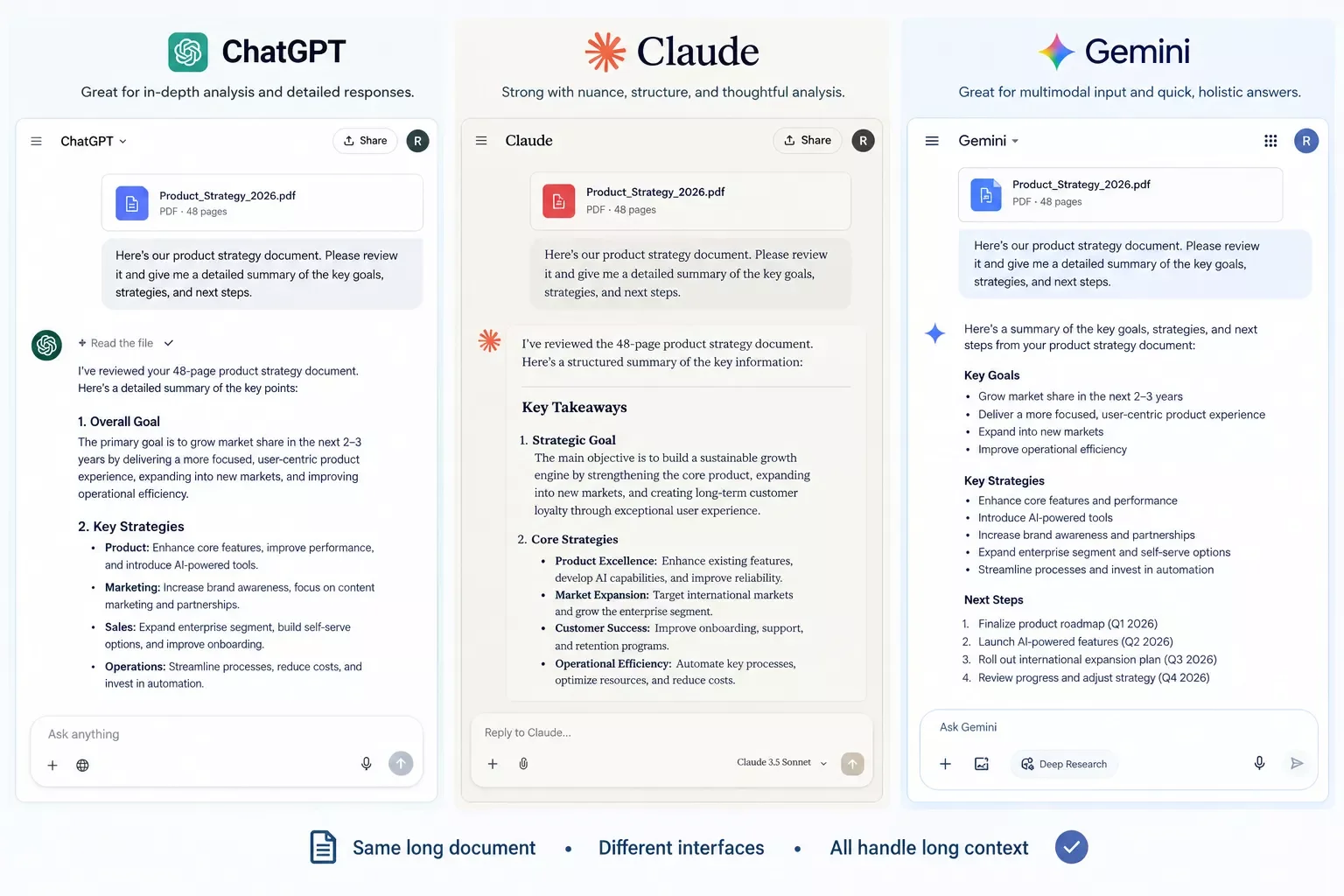
Context and memory. Long-document handling is one of the biggest practical differences between these tools today. Claude's current models are built around genuinely long context windows, well into six figures of tokens and beyond on the higher tiers, enough to hold a lengthy contract or a full project brief in one go. ChatGPT and Gemini both offer long-context options too, though the actual usable window varies a lot by plan and by whether you're in the consumer app or the API, so treat any specific token number you see quoted online as a starting point to verify, not a fixed fact.
Research modes. All three now ship some version of "deep research": ChatGPT's Deep Research autonomously browses and produces cited reports, with Plus subscribers getting roughly 10 standard-model runs a month before falling back to a lighter version. Gemini's equivalent is bundled into its Pro and Ultra tiers. This is genuinely useful for competitive research or due diligence work, less useful for quick day-to-day tasks.
Agentic features. ChatGPT's Agent Mode and Claude's Agent/Cowork-style tools both let the AI take multi-step actions instead of just answering questions. This is the feature set most directly relevant to automation-minded readers, since it's the same underlying skill (breaking a goal into steps and executing them) that a Make.com scenario does, just inside the AI's own interface rather than a visual builder.
To be direct about something most reviews gloss over: none of these three has been hands-on load-tested by us against every claim vendors publish. This section is built from documented features, official pricing pages, and aggregated user feedback via live search, not a 30-day internal trial. Where a claim is genuinely uncertain (exact token limits, exact research-query caps), that uncertainty is stated rather than smoothed over.
Pricing & Hidden Costs
Pricing above was verified at the time of writing. Since pricing changes frequently, please confirm current rates and plan details directly on each provider's official website before making a decision.
The one place sources genuinely disagreed during research for this article was Gemini's top "Ultra" tier, quoted anywhere from $99.99 to $249.99 a month depending on the source and date. That's too wide a spread to state as one fixed number here, so if the Ultra tier matters to your decision, check Google's own pricing page directly before committing.
The API cost question. If you're calling these tools programmatically inside a Make.com scenario rather than paying for the consumer chat subscription, the math is different and usually much cheaper than people expect. At a light-to-moderate automation volume, say 500 calls a month with a few hundred tokens per call, Claude's current mid-tier model runs somewhere in the low single digits of dollars a month, not the $15-20 a rougher earlier estimate might suggest. The real cost driver isn't the number of calls, it's how much text you're sending and generating each time, and output tokens cost several times more than input tokens across all three providers. Run your own numbers against the provider's published per-token rates before assuming a fixed monthly figure.
Final Verdict & Use-Case Scenarios
Ideal for solopreneurs and freelancers: pick Claude, because writing quality and reasoning consistency matter more day-to-day than having every feature under one roof, and its Make.com app is one Make built and maintains directly.
Ideal for teams already on Google Workspace: pick Gemini, because the AI shows up inside Gmail, Docs, and Sheets without adding another login to your stack, even though its Make.com connector is partner-maintained rather than built by Make itself.
Ideal for anyone who wants one tool to do everything: pick ChatGPT, because Deep Research, Agent Mode, and Sora video give it the widest feature spread, backed by the deepest native Make.com action library of the three.
Master Stroke: Integration With Make.com
Here's the part that actually matters if you're reading this as an automation decision, not just a chatbot decision. All three tools connect to Make.com, and this isn't a vague "should be possible via webhook" claim, it's a verified, official-or-verified app on Make's own integrations directory for each one.
ChatGPT/OpenAI has OpenAI's official Make.com app with a genuinely deep action library: chat completions, image generation and editing, file and vector-store operations, and more. Claude has Claude's Verified app on Make that Make itself builds and supports directly. Gemini also has Gemini's Verified Make.com connector, but it's built and maintained by a Make partner (Synergetic GmbH), not by Make's own team, worth knowing if you ever need to escalate a connector-level bug rather than your own scenario logic. None of the three integrations were found to be gated behind a specific paid Make.com plan tier, all three connect on Make's standard tiers.
In practice, this means you can drop any of the three straight into a scenario: have Make watch a form submission, hand the content to your AI tool of choice to draft a reply, summarize a document, or score a lead, then route the result into your CRM or inbox automatically. That's one of the more thorough breakdowns of AI tools built for Make.com automation workflows you'll find, and building the actual scenario (not just picking the AI) is usually the harder half of the job.
That harder half is worth a separate mention: connecting the AI is one piece, but wiring the rest of your stack together, forms, CRMs, inboxes, calendars, into one dependable flow is its own skill. If that's the part slowing you down, it's worth reading through how to connect the rest of your business workflow software before you build around any single AI tool.
📚 Explore This Topic Further
Once you've picked a tool here, these deep-dives cover specific AI tools and use cases in more depth:
- 7 AI Automation Tools That Pair Perfectly With Make.com
- Best AI Content Writer 2026: Jasper vs. Claude Compared
- I Added an AI Customer Service Bot to Make.com
- 7 Best AI Image Generators for Automated Content
- Best AI Voice Generator for Make.com Automation
- I Automated Product Videos With This AI Video Generator
- 6 AI SEO Tools That Actually Connect to Make.com
- Best AI Transcript Generator: 6 Tools Compared
- 6 AI Email Writers That Pair With Your Make.com Stack
- Best AI PPT Maker: 6 Tools Compared for Automation
- AI Market Research Tool + Make.com: My Alert Setup
- 6 AI Proposal Writers That Auto-Draft
- AI Web Scraper + Make.com: The Actual Scenario Setup
- AI Code Writer? Make.com Already Has One Built In
- 6 AI Translation Tools That Pair With Make.com
People Also Ask
Which AI tool is best overall in 2026?
There isn't one universal winner. ChatGPT is the strongest all-rounder for general use, Claude leads on writing quality and long-document reasoning, and Gemini wins if you're already living inside Google Workspace. The right pick depends on your actual daily task, not a leaderboard score.
Is ChatGPT or Claude better for writing?
Claude is widely regarded as producing more natural, less "AI-sounding" prose, which matters if the output goes out under your own name. ChatGPT writes competently too, but reviewers consistently note it leans more polished/marketing-toned by default.
Can I use more than one AI tool at the same time?
Yes, and plenty of people do. Since all three offer usable free tiers, it's common to default to one for daily writing and switch to another when you hit a message limit or need a specific strength, like Gemini's real-time search.
Do ChatGPT, Claude, and Gemini all work with Make.com?
Yes. All three have a real app on Make's own integrations directory. ChatGPT and Claude are built and maintained directly by Make; Gemini's connector is verified but maintained by a Make partner. None require a specific paid Make.com tier to use.
Which AI tool has the largest context window?
This changes often and different sources report different figures for the same tool, so treat any specific number as a snapshot, not a permanent fact. As of this writing, all three offer context windows well into six or seven figures of tokens on their higher tiers, enough for most real business documents. Check the provider's own documentation for the current exact figure before relying on it.
Do I need a paid plan to try these AI tools?
No. ChatGPT, Claude, and Gemini all offer a genuinely usable free tier. Upgrade once you hit a real limit, like message caps, longer documents, or Deep Research access, not before.
Which one is cheapest for solopreneurs?
At the entry paid tier, ChatGPT Plus and Claude Pro both sit at $20/month, while Gemini's AI Pro runs $19.99/month. Prices are close enough that the deciding factor should be which tool fits your workflow, not the few cents of difference.
Do these tools require technical skill to connect to Make.com?
Not really, but budget a few minutes for setup. Each one requires generating an API key from the provider's own account settings and pasting it into Make's connection screen. It's a copy-paste job, not a coding task.
Is it safe to send client or business data to these AI tools?
Each provider publishes its own data-handling policy, and they differ, especially around whether your inputs are used for model training by default. Read the specific plan's policy (business tiers usually opt out by default) before sending anything sensitive.
Conclusion & Rating
For most solopreneurs building their first AI-powered Make.com workflow, Claude is the strongest starting point: consistent writing quality, a Make.com app that Make itself maintains, and a simpler three-tier pricing structure than ChatGPT's six-plan lineup. ChatGPT remains the safest all-around pick if you want maximum feature breadth in one place. Gemini earns its spot if your business already runs on Google Workspace.
⭐⭐⭐⭐☆ ChatGPT: 4/5
⭐⭐⭐⭐⭐ Claude: 4.5/5
⭐⭐⭐☆☆ Gemini: 3.5/5
Ratings above are based on documented features, live-verified pricing, and aggregated user feedback researched for this article, not a formal internal 30-day test of all three tools.
⚡ Pro Tip: Don't commit to an annual plan on any of these three until you've used the free tier for at least a week of real work. The gap between "impressive demo" and "actually fits how I work" only shows up once you're past the honeymoon phase.
⚠ Watch Out For: Pricing on all three of these tools changes often, and Gemini's top "Ultra" tier specifically had conflicting published prices across sources during research for this article. Always check the provider's own pricing page before you commit, especially at the higher tiers.
Choosing the right AI tool is only half the job. Getting real, reliable value out of it usually means wiring it into the rest of your business, so it drafts, decides, and routes work without you babysitting every step. That's exactly what SmartSoloFlow builds: done-for-you Make.com automations that plug an AI tool like the ones above directly into your forms, CRM, and inbox.
Want This Working Alongside Your Stack?
If you'd rather not spend a weekend piecing together AI and Make.com yourself, this is exactly the kind of build I put together for solopreneurs who want it working without the DIY detour. Reach out and let's talk about what fits.
Let's TalkFound this guide useful? Share it with a fellow freelancer who's still guessing which AI tool to trust. 🚀
Got a question about picking the right one for your setup? Drop it in the comments below, happy to help.
Last Updated: September 21, 2026

// Comments