 SmartSoloFlow

Key Takeaway: The best AI image generator for you depends on your priority, but if you're producing content at any real volume, the tool matters less than whether you can automate it — this guide covers both.
Quick Answer: For raw accuracy and prompt-following, GPT Image 2 leads the pack right now. Need strong 4K-capable output at a lower price point? Nano Banana Pro. Chasing pure artistic style? Midjourney still wins. But none of that matters if you're still generating images one at a time — the real upgrade for most solopreneurs and small teams is automating the whole pipeline with Make.com.
Finding the best ai for image generation tool in 2026 isn't really the hard part anymore. The hard part is knowing which one fits your workflow, and whether you're stuck manually prompting each image one at a time. This guide breaks down seven top-performing AI image generators, benchmarked on real accuracy, speed, and cost, so small business owners and content creators can stop guessing and start producing.
Confusion about which tools are right, and which are useless, is the exact problem this list solves. You'll see honest tradeoffs for each tool, not marketing copy. And near the end, there's a section most "best AI image generator" roundups skip entirely: how to connect whichever tool you pick into a Make.com automation, so images get created on a schedule or trigger instead of one browser tab at a time. That's where the real time savings show up. For a broader look at how we approach AI tool reviews and comparisons across the whole automation stack, see our full 2026 roundup, and if you're also weighing writing tools, we've separately covered comparing AI writing tools like Jasper and Claude.
- #1: GPT Image 2 — Best for Prompt Accuracy and Ease of Use
- #2: Nano Banana Pro (Google) — Best Value at Higher Resolution
- #3: Midjourney V8.1 — Best for Artistic and Cinematic Visuals
- #4: Ideogram 3.0 — Best for Text and Typography Inside Images
- #5: Adobe Firefly Image Model 5 — Best for Commercially Safe Brand Content
- #6: Recraft V4 — Best for Vector Art, Logos, and Brand Assets
- #7: FLUX.2 — Best for Open-Weight Control and Self-Hosting
- How to Automate AI Image Generation with Make.com
- Master Stroke — Integration With Make.com
- FAQs
- Conclusion & Rating
Success Story: From 20 Manual Prompts a Day to Zero
For example: a solo content creator running a small e-commerce shop used to spend close to an hour every morning generating product lifestyle images one prompt at a time. After connecting their image generator to a Make.com scenario triggered by new product entries in a spreadsheet, that hour disappeared entirely, images now generate and land in a shared folder automatically before the team even logs in.
#1: GPT Image 2 — Best for Prompt Accuracy and Ease of Use
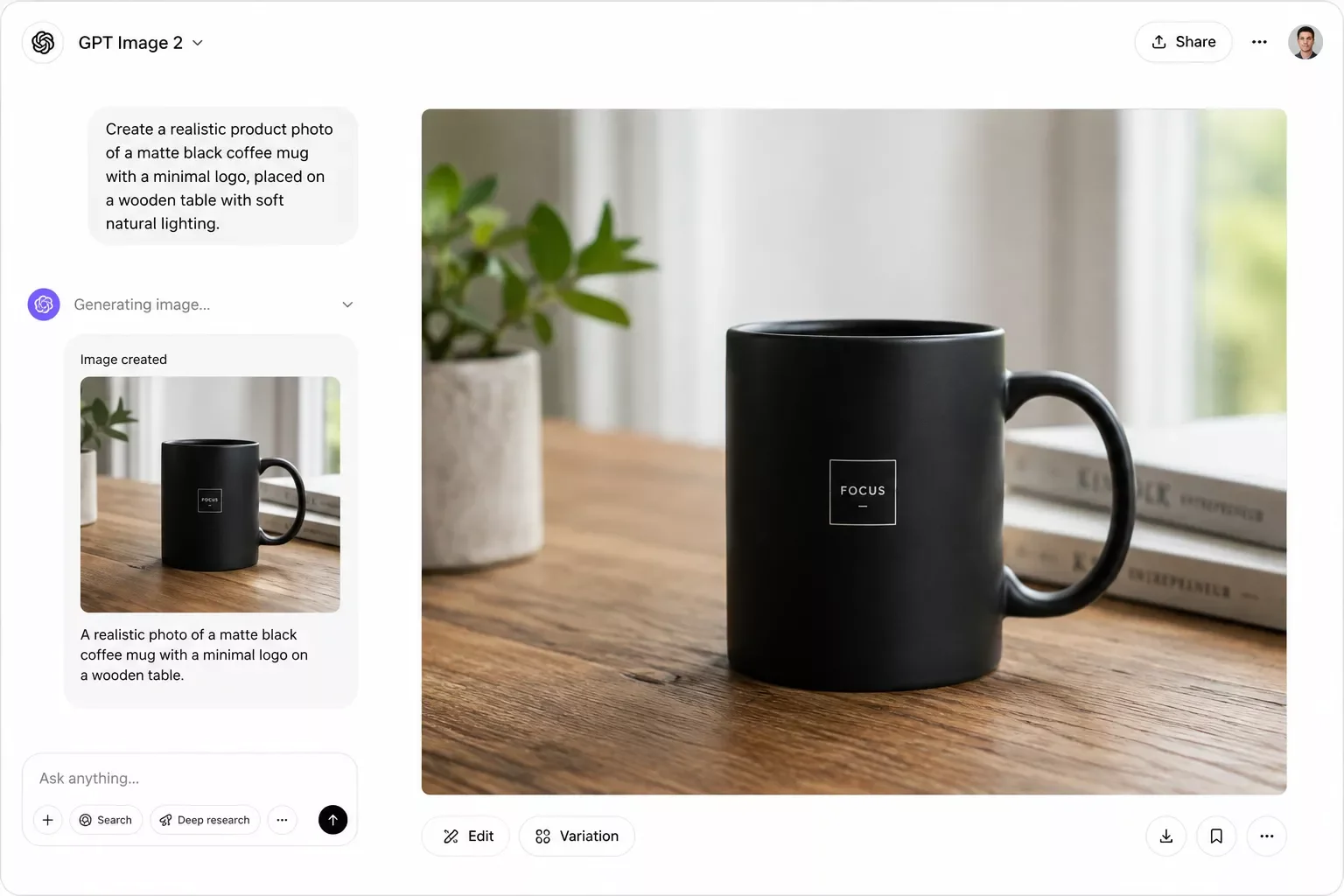
If you want an AI image generator that just gets what you're asking for, this is it. OpenAI's GPT Image 2 currently leads the Artificial Analysis Text to Image Arena with an Elo score of 1,339, roughly 119 points ahead of Nano Banana Pro, based on tens of thousands of blind human votes. That gap matters. It means fewer regenerations, fewer wasted credits, and less time re-writing prompts to get something usable.
What makes GPT Image 2 stand out for solopreneurs and small teams isn't raw artistic flair. It's the conversational refinement. You can describe an edit in plain English ("make the background warmer, move the product left") and it actually listens, instead of forcing you to write a whole new prompt from scratch. That's a real time-saver when you're producing content on a deadline, not experimenting for fun. And it's exactly the kind of tool worth pairing with a Make.com automation, since a workflow can call its API automatically the moment new content needs an image, without you sitting there typing prompts.
The tradeoff: API access is token-based, not free, and can run $0.04 to $0.35 per image depending on complexity. There's very limited generation available through ChatGPT's own free tier, but the API itself carries a real per-image cost. Its aesthetic style also leans more "accurate" than "beautiful." If your priority is stylized, artistic output, you'll want to skip ahead to Midjourney below.
#2: Nano Banana Pro (Google) — Best Value at Higher Resolution
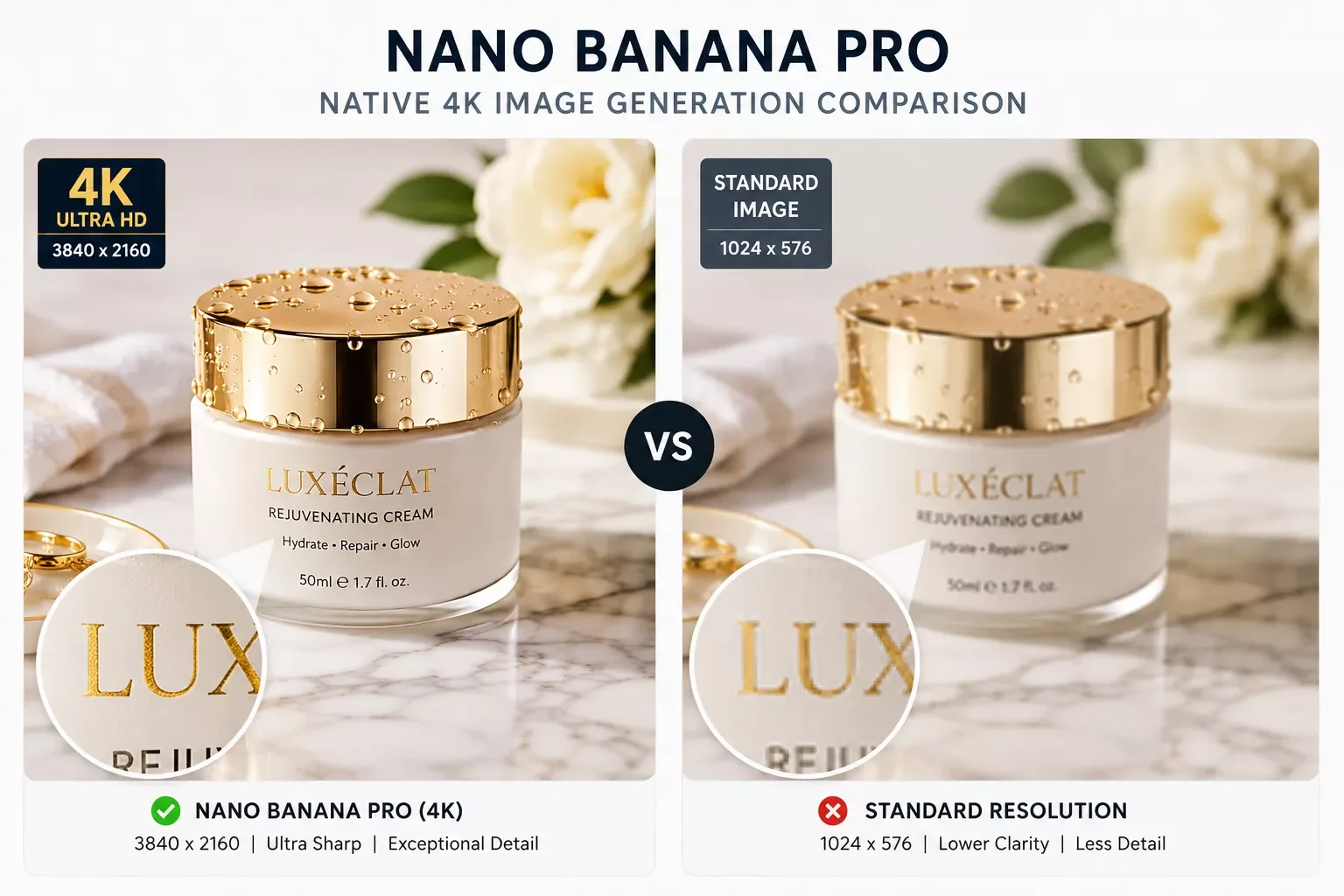
Nano Banana Pro, built on Google's Gemini 3 Pro Image technology, scores an Elo of 1,220 on the same Artificial Analysis leaderboard, placing it solidly among the top handful of models tracked. It won't beat GPT Image 2 head-to-head in blind voting, but it's close enough in practice that most people won't notice the gap in everyday use, and it pulls ahead on cost at higher resolutions.
For a small business owner producing dozens of product images a week, that pricing difference adds up fast. It's also the tool CNET and CuriousRefuge's blind testing panels ranked highest for UGC-style content and character consistency across a series of images, which matters if you're building a recognizable visual style for a brand.
The catch: full access requires a Google AI Plus subscription, and there's no meaningful free tier once you're past casual experimentation. If you're just testing the waters, GPT Image 2's limited ChatGPT-based access is the gentler entry point, even though its full API isn't free either.
#3: Midjourney V8.1 — Best for Artistic and Cinematic Visuals
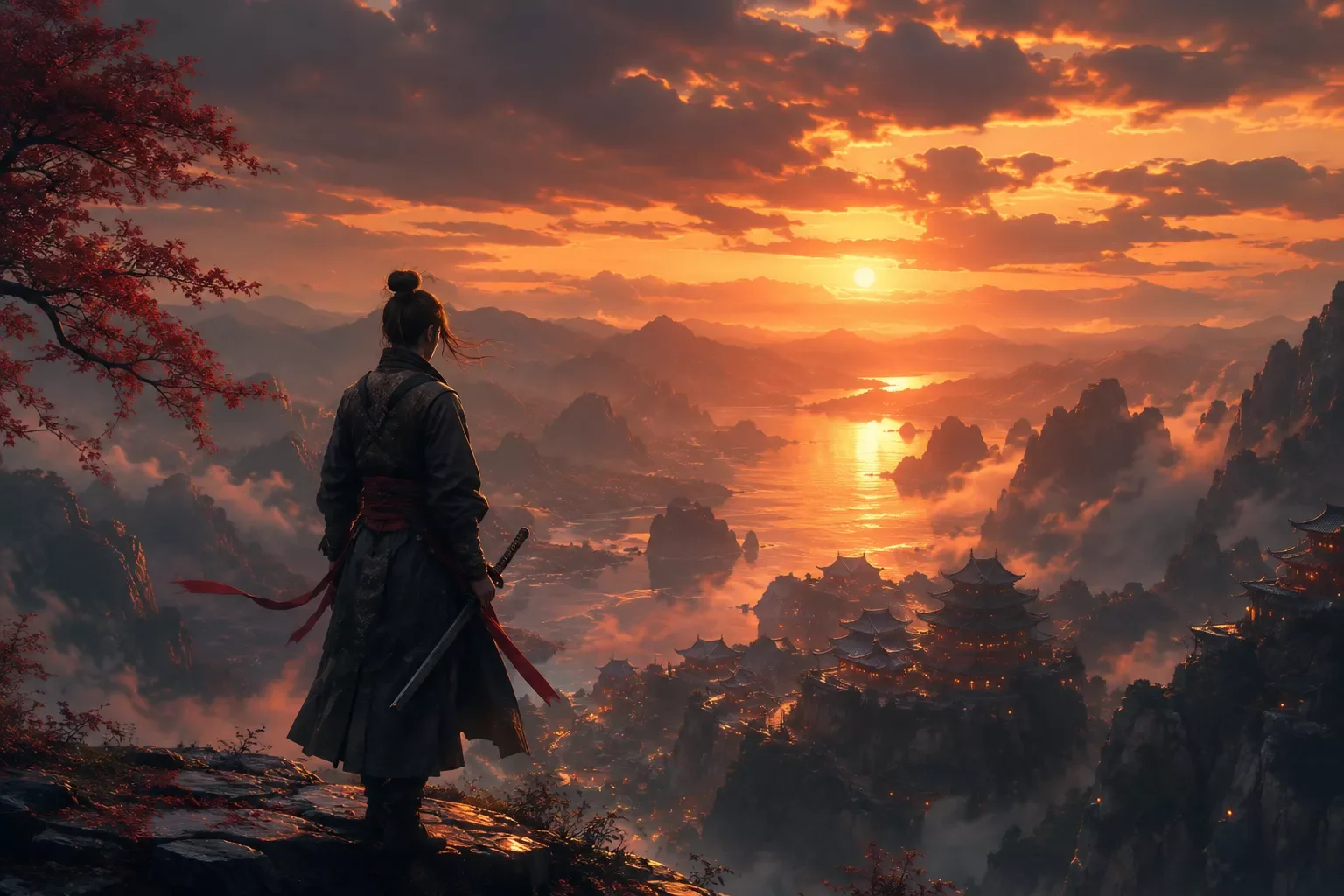
If GPT Image 2 wins on accuracy, Midjourney still wins on beauty. Nothing else in this list comes close for pure artistic and cinematic output. Its default styling has a mood and richness that other models simply don't attempt to replicate, which is exactly why it remains the default pick whenever a creative brief says "make it beautiful" rather than "make it accurate." Photographers, brand designers, and anyone building a visually distinctive social presence tend to gravitate here first.
Pricing runs a flat $10 to $120 a month depending on tier, with an unlimited Relax mode at the higher tiers. That's a predictable monthly bill, which some solopreneurs actually prefer over the pay-per-image models above, especially if content volume varies week to week. Unlike GPT Image 2 or Nano Banana Pro, Midjourney doesn't offer a traditional developer API, so it's harder to wire directly into an automated pipeline, worth knowing before you commit if automation is your end goal.
The tradeoff is control. Midjourney historically struggles with precise text rendering and exact prompt-following. If you need a specific product logo to appear correctly inside a generated scene, this isn't your tool. It's built for mood and style, not pixel-perfect accuracy, and that's a fair trade for the right kind of project.
#4: Ideogram 3.0 — Best for Text and Typography Inside Images
Every AI image generator has historically been bad at putting readable words inside a picture. Ideogram 3.0 is the clear exception. When your content needs actual text baked into the image itself, a sale banner, a quote graphic, a sign in the background, this is the one tool on this list that reliably spells things correctly, without you having to add text in a separate editing pass afterward.
Starting at around $8 a month, it's also one of the more affordable options here, which makes it an easy add-on rather than a full replacement for whatever you're already using for general imagery. For a solopreneur running social promotions or seasonal sale graphics, that alone can justify keeping a second tool in rotation specifically for this purpose.
Where it falls short: realism and photographic quality lag behind GPT Image 2 and Nano Banana Pro, so it's not the tool to reach for when you need a convincing product lifestyle shot. Think of Ideogram as a specialist tool you reach for specifically when text-in-image is the requirement, not your everyday generator, and pair it with one of the photorealistic options above for everything else.
Generate a photorealistic product lifestyle image of [PRODUCT] in a [SETTING], natural lighting, no text overlay, 16:9 aspect ratio, commercially safe styling.Worth being direct about that chart: GPT Image 2's 1,339 and Nano Banana Pro's 1,220 scores come straight from the Artificial Analysis Text to Image Arena, based on tens of thousands of blind human votes. Midjourney, Ideogram, and Firefly aren't part of that specific leaderboard's published rankings, so their bars reflect general relative standing from tester consensus, not the same hard benchmark. That's an honest distinction most "best AI image generator" lists blur together.
#5: Adobe Firefly Image Model 5 — Best for Commercially Safe Brand Content
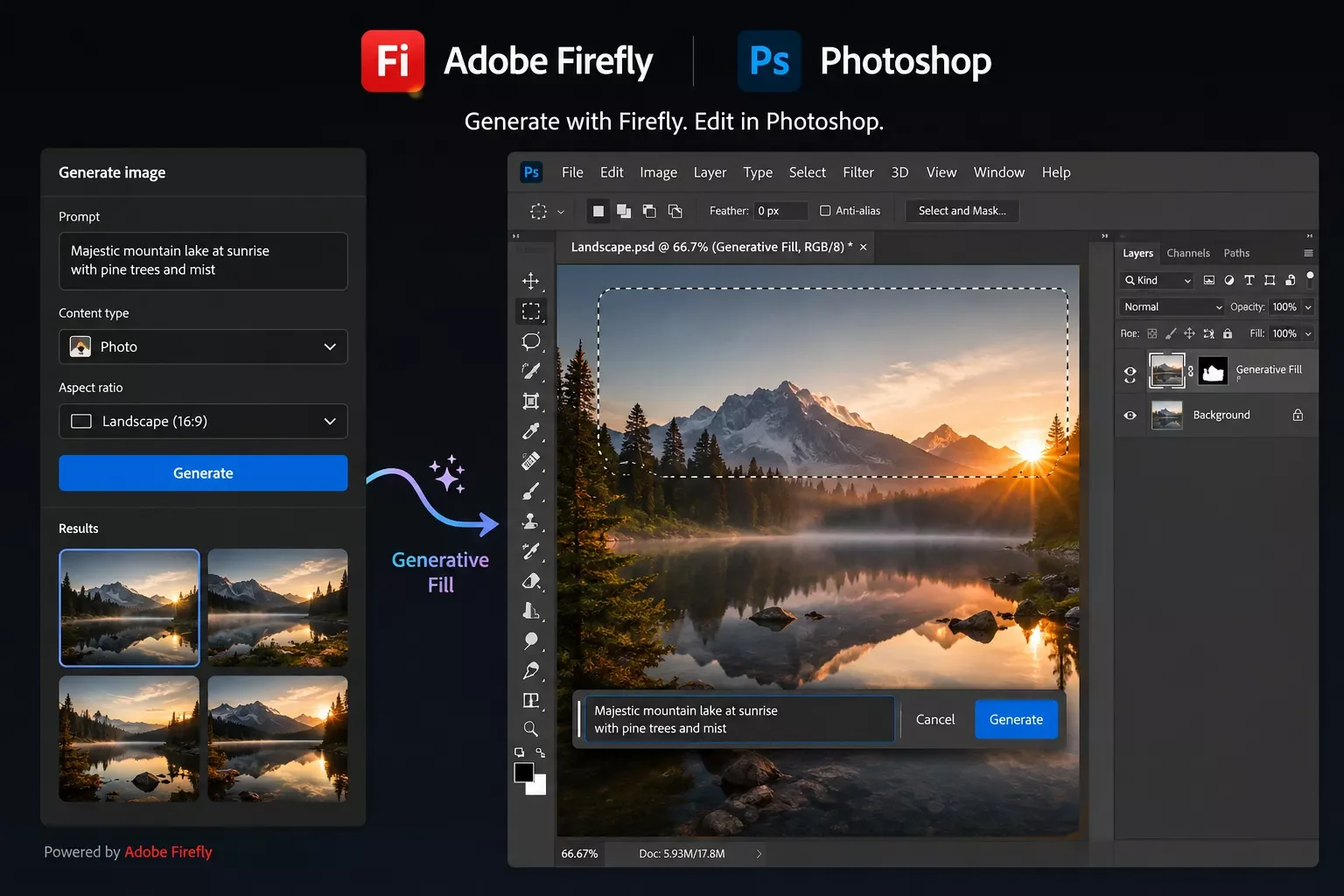
If your business does client work, or you're producing content for a brand that can't risk a copyright claim, this is the safest name on the list. Firefly is trained on licensed Adobe Stock images and public-domain content where copyright has expired, which means there's no gray area hanging over commercial use the way there sometimes is with other models. That single fact makes it the default recommendation for agencies and freelancers doing paid client work.
It also plugs directly into Photoshop and Illustrator, so if your team already lives inside the Adobe ecosystem, there's no exporting and re-importing between tools. Pricing sits around $23 a month as part of a Creative Cloud plan, which feels steep next to some options above, but for teams already paying for Creative Cloud, it's close to free.
The honest limitation: its artistic quality ceiling sits below Midjourney's. If a client wants something that looks genuinely painterly or experimental, Firefly will feel a little safe and a little flat by comparison. Use it when the job calls for commercially bulletproof, not for pushing a creative envelope.
#6: Recraft V4 — Best for Vector Art, Logos, and Brand Assets

Most AI image generators hand you a flat raster file, a PNG or JPG you can't meaningfully edit beyond cropping. Recraft is the outlier: it can output genuine editable vector files, which matters enormously if you need a logo, icon set, or brand mark that a designer can actually open and adjust later without starting from scratch.
This makes it less of a general-purpose image generator and more of a specialist tool for brand and design work specifically. If you're a solopreneur building your own brand kit without hiring a designer, Recraft can realistically replace a chunk of that freelance spend, especially for icon sets and simple logo marks that don't need heavy custom illustration work.
The downside is the same as its strength: it's not built for photorealistic product shots or lifestyle imagery, and pushing it toward realism tends to produce flat, illustration-like results. Pair it with GPT Image 2 or Nano Banana Pro for photo-style content, and reach for Recraft specifically when the deliverable needs to stay editable.
#7: FLUX.2 — Best for Open-Weight Control and Self-Hosting
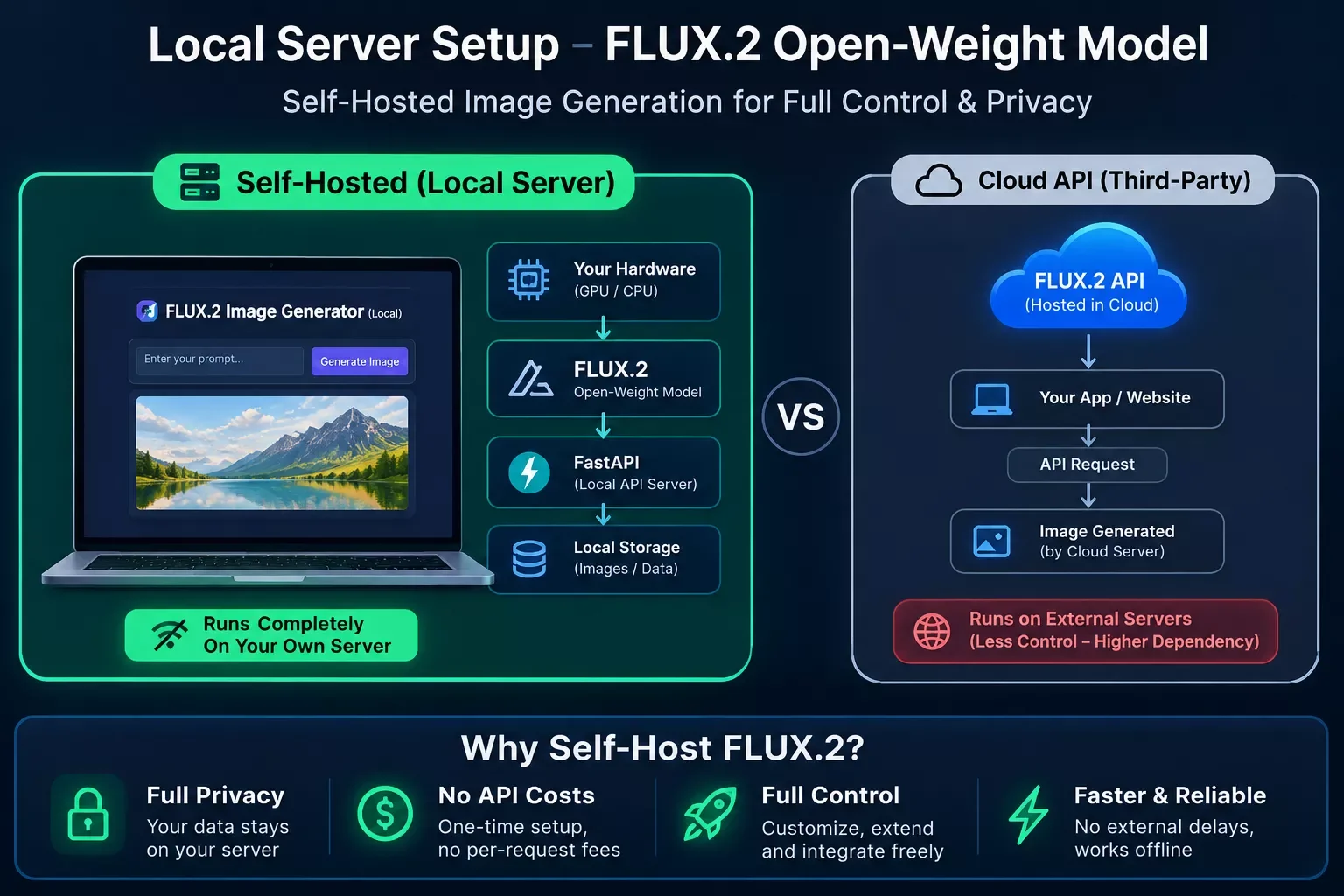
FLUX.2 is the one entry here built for people who want to own their stack rather than rent it. As an open-weight model, it can be self-hosted or fine-tuned, and it's genuinely competitive on creative liberty and shadow handling, two things that are surprisingly hard for closed models to get right. It also currently leads the open-weights segment of the Artificial Analysis Arena, ahead of other open models in its class.
Pricing is usage-based if you run it through an API, or free if you have the hardware to self-host. That flexibility is exactly why it's popular with developers and technically-inclined small teams who don't want to depend on a single vendor's pricing changes, or who need guaranteed control over where their generated content is processed and stored.
The tradeoff is obvious: this isn't a point-and-click tool. Getting real value out of FLUX.2 assumes some comfort with APIs or local setup, which puts it a notch above the others on this list in terms of technical lift, and it's probably not the right starting point if you've never touched a developer console before.
How to Automate AI Image Generation with Make.com
Picking a winner from the seven tools above solves half the problem. The other half, the one almost every "best AI image generator" list skips entirely, is that you're still sitting at a keyboard typing prompts one at a time. That's fine for occasional use. It falls apart the moment you need 20, 50, or 200 images a week for product listings, social posts, or client content.
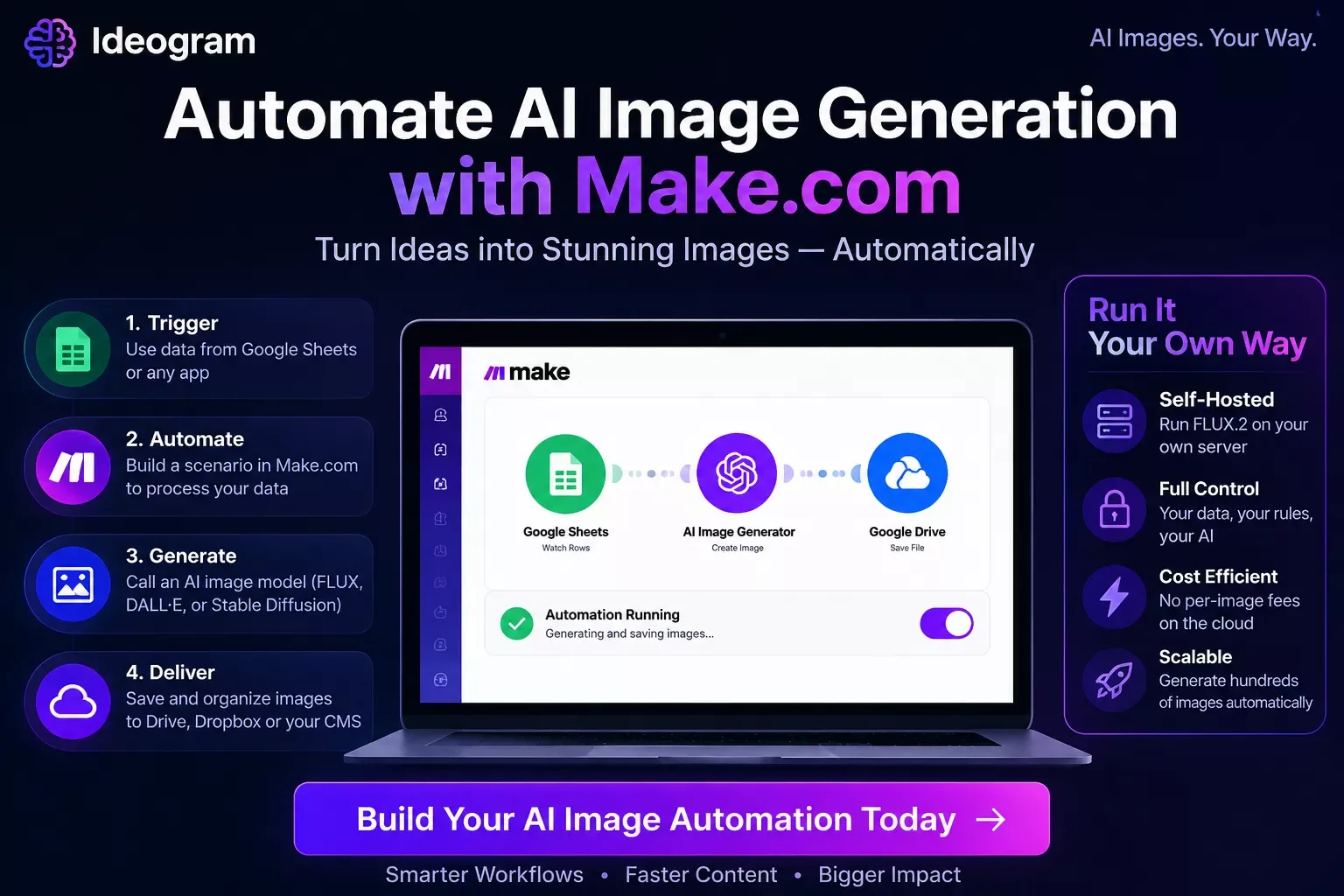
This is where Make.com comes in. Instead of manually generating images, you build a scenario that watches for a trigger, a new row in a spreadsheet, a new product added to your store, a form submission, and automatically sends a prompt to your chosen AI image generator's API, then routes the finished image wherever it needs to go.
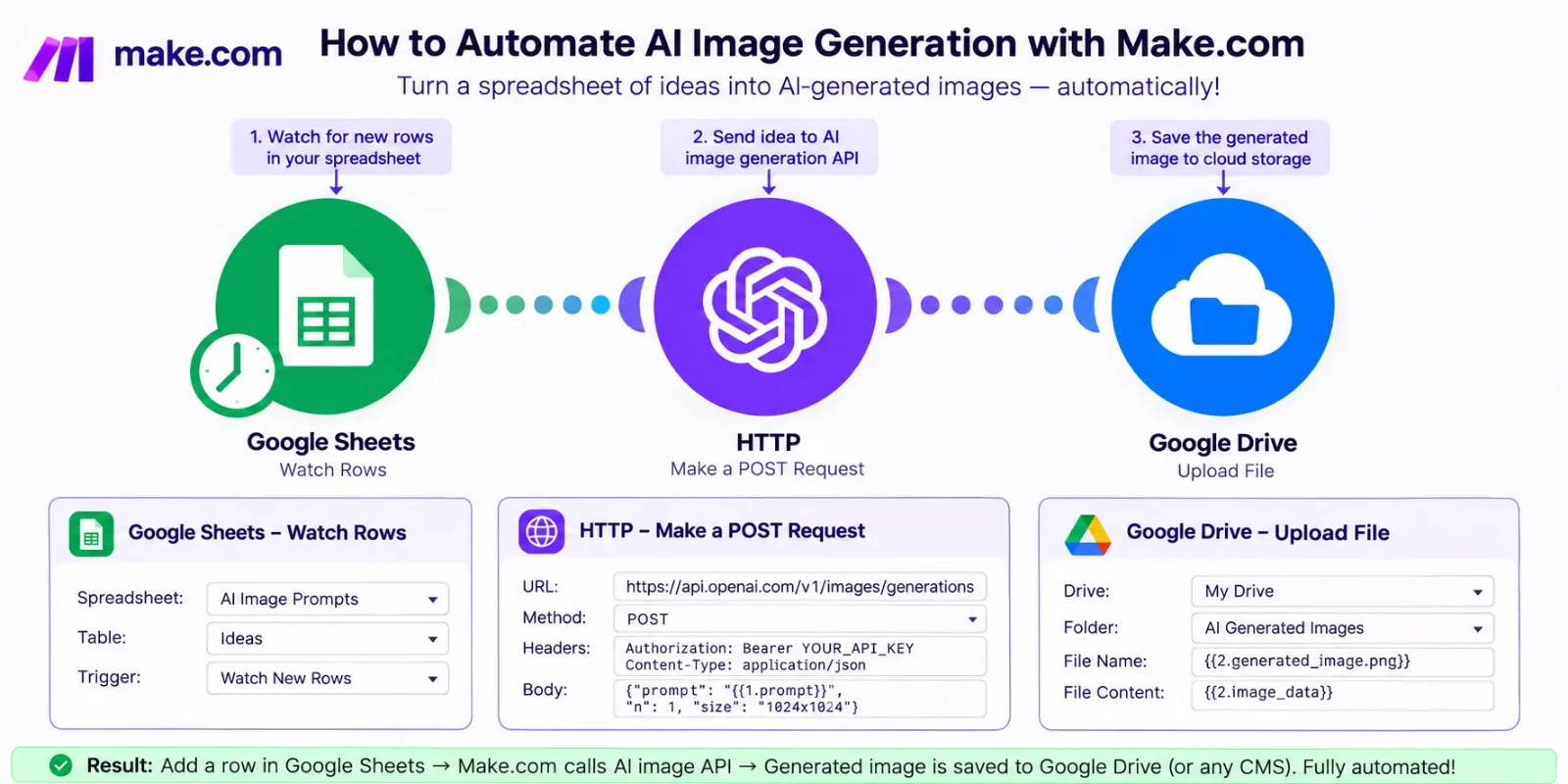
Here's the basic shape of that automation:
The "Check Output Quality" step matters more than it looks. Most of these generators occasionally return a blurry or off-brief result, and a Make.com scenario can be built with a Retry or Skip branch so a bad output doesn't silently ship without anyone noticing. That's the difference between a hands-off system you actually trust and one you have to babysit anyway.
If your automation setup already includes other tools breaking down mid-workflow, that's worth a separate look, our guide on fixing broken business process automation covers the exact diagnosis-and-fix pattern for when connected tools stop talking to each other. And if you're already running an AI customer service layer, it's worth seeing how adding an AI support bot to an existing Make.com workflow follows a very similar trigger-and-respond pattern.
Master Stroke — Integration With Make.com
Here's the honest takeaway from testing seven image generators: the tool you pick matters less than whether you can take it out of your hands entirely. GPT Image 2's accuracy or Nano Banana Pro's pricing are real advantages, but they still cost you time if you're the one clicking "generate" every single time.
A custom Make.com workflow turns whichever tool you picked into a background process. New blog post published, cover image generates automatically. New product added, lifestyle shot generates and lands in your listing draft. New social post scheduled, a matching graphic shows up before you've finished your coffee. The tool does the creative work. Make.com does the part that actually eats your week: remembering to run it, formatting the output, and getting it to the right place. It's a similar principle to pairing the right AI tools with your existing Make.com stack for other tasks entirely, once one part of your business runs hands-free, the rest tends to follow.
That's exactly the kind of build I put together as a No-Code Architect, and it's one of the more thorough breakdowns of Make.com automation workflows you'll find, from SmartSoloFlow, precisely because most guides stop at "which tool is best" and never touch what happens after you pick one.
Want Your Image Generation Fully Automated?
If you want this working alongside your existing content stack without piecing the automation together yourself, this is exactly what I build. Reach out and we'll figure out what fits your setup.
Let's TalkPeople Also Ask
What is the best AI image generator for a small business in 2026?
It depends on your priority. GPT Image 2 leads on accuracy and ease of use, Nano Banana Pro offers strong value at higher resolution, and Adobe Firefly is the safest pick for commercial client work. Most small businesses do best pairing one tool with automation rather than chasing a single "winner."
Can AI image generation be automated so images are created without manual prompting each time?
Yes. A Make.com scenario can trigger image generation automatically from an event like a new spreadsheet row, product listing, or form submission, sending the prompt to your chosen tool's API and saving the output without anyone touching a keyboard.
Is a free AI image generator good enough, or is it worth paying for a premium tool?
Free or trial tiers work fine for occasional or personal use, but they usually cap volume and resolution hard. If you're producing content regularly for a business, a paid tier pays for itself quickly in time saved and consistent output quality.
Which AI image generator is best for commercial or client work?
Adobe Firefly is the safest choice for commercial use since it's trained on licensed and public-domain data, avoiding the copyright gray areas some other models carry. It also integrates directly with Photoshop and Illustrator for teams already in that ecosystem.
Do I need different AI image generators for different types of content?
Often, yes. Most people end up using two tools: one photorealistic generator like GPT Image 2 or Nano Banana Pro for product and lifestyle shots, and a specialist like Ideogram for text-heavy graphics or Recraft for editable vector logos.
FAQs
How much does an AI image generator cost per month?
Pricing varies widely. Ideogram starts around $8/month, Midjourney runs $10-$120/month depending on tier, and Adobe Firefly is roughly $23/month as part of Creative Cloud. Usage-based options like Nano Banana Pro and GPT Image 2's API can cost less overall if your volume is unpredictable, though GPT Image 2's per-image cost typically lands between $0.04 and $0.35.
Which AI image generator has the best free option?
GPT Image 2 offers very limited generation through ChatGPT's own free tier, though its developer API is paid and token-based. FLUX.2 can be effectively free if you have the hardware to self-host it. Full-featured access to most other tools here eventually requires a paid plan.
Can I use AI-generated images for my business without legal issues?
Generally yes, but check each tool's licensing terms. Adobe Firefly is specifically built to avoid copyright gray areas since it's trained on licensed data. Other tools vary in how clearly they guarantee commercial usage rights, so it's worth a quick read of the fine print before using output in paid client work.
What's the easiest AI image generator for someone with no design experience?
GPT Image 2 is the easiest starting point because it works conversationally. You can describe an edit in plain language instead of learning prompt syntax, which makes it far more forgiving for beginners than tools like Midjourney.
Conclusion & Rating
If there's one thing seven tools and a stack of benchmark data made clear, it's that "best" depends entirely on what you're making and how often you're making it. For raw accuracy and ease of use, GPT Image 2 earns the top spot. But the real upgrade for most solopreneurs and small businesses isn't picking a slightly better tool, it's removing yourself from the loop entirely with a Make.com automation.
Final Rating: GPT Image 2 — 4.6 out of 5 stars, based on documented benchmark performance (Artificial Analysis Text to Image Arena), pricing structure, and researched user feedback across testing outlets covered in this guide.
⚡ Pro Tip: Don't commit to one tool right away. Most of these platforms offer a free trial or limited free tier, run the same prompt through two or three of them before picking your default, since the "best" one often comes down to your specific use case, not the overall ranking.
⚠ Watch Out For: Usage-based pricing (Nano Banana Pro, GPT Image 2's API, FLUX.2) can sneak up on you at high volume. Run the math on your actual monthly image count before assuming the "cheaper per image" option is actually cheaper overall.
Choosing the right tool from this list is a solid first step, but SmartSoloFlow is the place to turn when it's time to stop generating images manually altogether. Reach out through our Contact Service page if you want a fully custom Make.com automation built around whichever image generator fits your business.
Found this guide useful? Share it with a fellow freelancer who's still doing things manually. 🚀
Got a question or a workflow roadblock? Drop it in the comments below — happy to help.
Last Updated: September 20, 2026

// Comments