 SmartSoloFlow
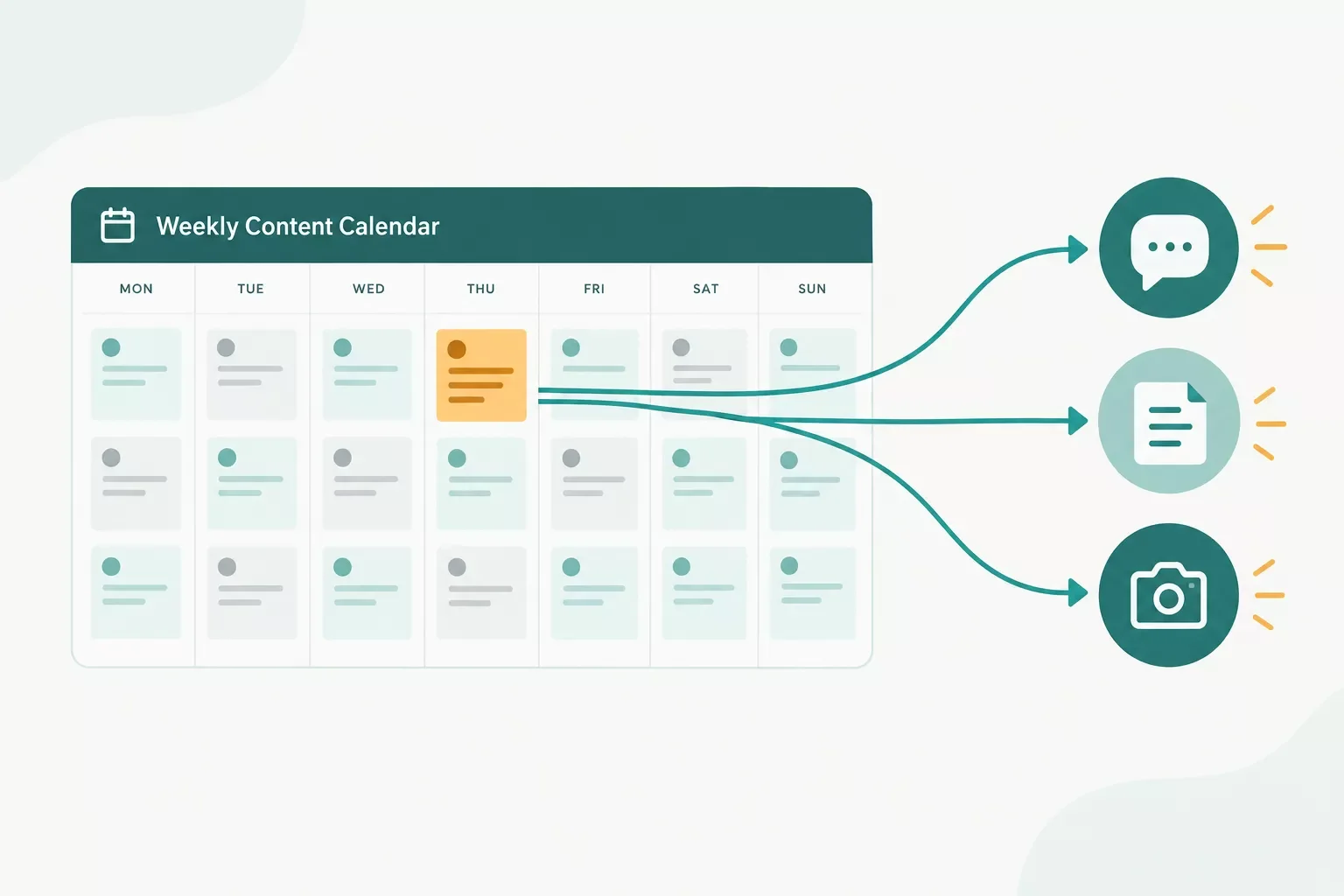
Key Takeaway: All six tools below have a Make.com app, but they differ in how a change reaches Make.com, which plan you need, and what it costs. Airtable also has a built-in Hootsuite scheduling action on paid plans, so Make.com earns its place when you publish elsewhere or want extra steps in between.
Content calendar tools only save time if an approved post can move to your publishing tool without copying. That's the real test for Make.com users who plan in one app and publish from another, then watch the calendar drift out of date. This guide compares six content calendar tools: Airtable, Google Sheets, Notion, Trello, Asana, and monday.com.
Each one has a Make.com app. They differ in triggers, plan limits, and price, and the details were checked in October 2026.
Airtable also has a built-in Hootsuite scheduling action on paid plans, so the question is when Make.com adds something extra. You'll see where a paid plan gets in the way and when a free plan is enough. Think of this as one piece of a wider system for choosing and connecting ai content creation tools.
You can follow the steps yourself, or have SmartSoloFlow build this in Make.com for you.
- How These Content Calendar Tools Were Compared
- Content Calendar Tools Compared at a Glance
- 1. Airtable: Best When Each Post Needs Its Own Fields
- 2. Google Sheets: A Simple Content Calendar With an Instant Trigger
- 3. Notion Content Calendar: Good for Planning, With Rules to Know in Make.com
- 4. Trello: Card Planning, With Calendar View on a Higher Plan
- 5. Asana: Strong Task Triggers, but One Needs a Paid Plan
- 6. monday.com: Built for Many Boards, With a 3-Seat Minimum
- How to Connect a Content Calendar to Airtable and Publish Posts Automatically With Make.com
- When the Built-In Action Is Enough
- The Scenario, Step by Step
- Timing and Credits
- If a Make.com Publishing Module Fails After a Post Is Approved
- Pricing & Hidden Costs of a Calendar-to-Publish Setup
- Pros & Cons of Connecting a Content Calendar to Make.com
- Who Is This For?
- Final Verdict & Use-Case Scenarios: Which Content Calendar Tool to Pick
- Master Stroke: Integration With Make.com
- FAQs
- Conclusion & Rating
Quick Verdict
Choose Airtable if: you want each post to be a record with its own fields. Make.com can watch records (it needs a Created Time or Last Modified Time field), and paid plans add a Hootsuite scheduling action.
Choose Google Sheets if: you want a plain spreadsheet calendar that only needs a Google Account. Make.com's Watch Changes trigger is instant, set up with the Make add-on or an Apps Script.
Choose Notion if: your team already plans in Notion. Make.com has modules for data source items and pages, and custom database automations inside Notion start on the Plus plan.
Choose Trello if: you plan with cards. Make.com can create and edit cards, and Trello's pricing page lists calendar view with the Premium plan.
Choose Asana if: you already pay for it. Make.com's Watch Tasks or Subtasks trigger needs a paid Asana plan.
Choose monday.com if: you run many boards. Calendar view starts on the Standard plan, and instant triggers need a webhook set up on the monday.com side.
How These Content Calendar Tools Were Compared
Each tool was judged on four things: how a change reaches Make.com, which plan that needs, what it costs, and how much setup it takes. Make.com is the automation platform that connects your calendar to your publishing tools. Plans, prices, and modules were checked on each vendor's own pages in October 2026.
Here's what each of the four checks means in practice:
- Reach: does Make.com have a trigger that notices a new or changed post, and is it instant or does it check on a schedule?
- Plan needed: some triggers and views sit behind a paid plan, and that changes the real price of the setup.
- Cost: the calendar tool's price, plus the Make.com plan that runs your scenario.
- Setup effort: connections, tokens, add-ons, and any fields you must create first.
The Make.com side matters because of timing and credits. Make.com's pricing page shows the Free plan at up to 1,000 credits a month with a 15-minute minimum interval between scheduled runs. Paid plans list a 1-minute minimum.
Content Calendar Tools Compared at a Glance
Airtable, Google Sheets, Notion, Trello, Asana, and monday.com all have a documented Make.com app. The difference is the trigger: Google Sheets offers an instant Watch Changes trigger, Airtable's Watch Records reads a Created Time or Last Modified Time field, and Asana's Watch Tasks or Subtasks needs a paid plan.
Details checked: October 2026. Prices and plan details above were verified at the time of writing. Since they change often, please confirm current rates and plan limits directly on each provider's official website before making a decision.
A few notes for reading the table. Prices are per user per month (Airtable and monday.com list per seat), and "annual" means billed once a year. Where a vendor's page showed only one billing option, only that one is listed. Google Sheets sits in the table for its instant trigger and its low barrier to start, not for a paid tier.
1. Airtable: Best When Each Post Needs Its Own Fields
Airtable works as a content calendar when every post carries several fields, such as channel, copy, status, and publish date. I've used Airtable. The Free plan allows 1,000 records per base, and Airtable's plans article lists 50,000 for Team.
There are two ways to move an approved post out. Airtable's own "Hootsuite: Schedule post" automation action sends it to Hootsuite for scheduling. Airtable's support page says it works on all paid plans and supports X, Facebook, LinkedIn, and Instagram Personal. It fails on X posts over 280 characters and on past dates.
The second way is Make.com. Its Airtable app has Watch Records, Search Records, Create, Update, Upsert, and Delete modules, plus bulk versions and a Make an API Call module. Connect with OAuth or a personal access token. Make.com recommends the data.records:read, data.records:write, and schema.bases:read scopes.
⚠ Watch Out For: Watch Records needs a Created Time or Last Modified Time field, and Make.com's page warns the trigger won't work correctly without one. The instant Airtable trigger, Watch Responses, only reacts to form responses and needs the Team plan or higher. Check each module's tag in Make.com to see whether it's instant.
Airtable's plans article lists calendar view on the Free plan, but without date ranges or multiple date fields. Team costs $20 per seat per month billed annually, as of October 2026. Pick Airtable if posts carry many fields. Skip it if you want free automation to several destinations, because the Hootsuite action needs a paid plan.
2. Google Sheets: A Simple Content Calendar With an Instant Trigger
Google Sheets is the plain-spreadsheet option among these content calendar tools, and Make.com can react to edits right away. Google's Sheets page says anyone with a Google Account can create in Sheets. Make.com's Watch Changes trigger carries the instant tag, so an edited row can start a scenario without waiting for a scheduled check.
I've used Google Sheets. The instant trigger has one extra setup step, because it needs a webhook. You create that webhook with the Make Google Sheets add-on or with an Apps Script that uses an On edit trigger. Make.com also lists a Perform a Function module, which is instant too.
To connect, you sign in with Google. Make.com lists the spreadsheets and drive scopes. If you bring your own Google Cloud project, you enable the Google Sheets API and the Google Drive API. A project in Testing status forces you to reauthorize the connection every week, according to Make.com.
⚡ Pro Tip: Keep one column for status and one for the publish date. Then add a filter in the scenario so it only continues when the status reads Approved, and a half-written post never goes out.
Google's Sheets page doesn't describe publishing to other apps, so the publishing step comes from a Make.com module. Pick Sheets if you want a plain spreadsheet calendar and you're fine laying out the columns yourself. Skip it if you don't want to maintain a webhook script, since the instant trigger depends on one.
3. Notion Content Calendar: Good for Planning, With Rules to Know in Make.com
A Notion content calendar suits teams that already plan in Notion, but its Make.com setup has a few rules to learn first. Make.com's Notion app connects with a token you create in Notion, and each database must be shared with that integration before it shows up in Make.com.
The Make.com page lists modules to create, update, and get data source items and pages, plus an Instant Event module. Events only arrive for pages connected to the connection. The page's text doesn't list a Watch Database Items trigger, so test which trigger fits your scenario before you build around it.
One change affects every new build. Notion's API version 2025-09-03 introduced data sources. New Make.com modules use a data source ID, while legacy modules use a database ID, and mixing the two means mapping the right ID. Make.com also says Notion API v1 will be deprecated, without giving a date.
⚠ Watch Out For: Make.com says newly added databases or pages require disconnecting all users in Notion and reauthorizing the connection. You also need Notion admin permissions to set up the connection at all.
On pricing, Notion's pricing page says custom database automations start on Plus at $10 per member per month billed yearly, while Free has button automations only. Free also caps file uploads at 5 MB each, which matters if posts carry images.
Hootsuite's May 2026 guide says Notion lacks native publishing. Pick Notion if your team already lives there. Skip it on the Free plan if you need automations inside Notion itself.
4. Trello: Card Planning, With Calendar View on a Higher Plan
Trello fits teams that plan posts as cards on a board, but its calendar view sits on a higher plan. Trello's pricing page lists calendar view with Premium, which costs $10 per user per month billed annually or $12.50 billed monthly, as of October 2026.
Make.com's Trello app has Watch Attachments, Watch Activities, and Watch Notifications triggers, and its page also references a New Card trigger. Actions create, edit, get, search, and archive cards, and manage labels, checklists, comments, and custom fields. The page doesn't say which triggers are instant, so check each module's tag.
⚠ Watch Out For: Make.com says board, list, and comment IDs can only be obtained using triggers, and trello.com doesn't display them. Editing a card needs its ID or shortlink, which comes from the New Card trigger output or the card's Share button.
Connecting is simple: add a Trello module, click Add next to Connection, and click Allow when Trello asks. Trello lists Workspace command runs by plan, with 250 a month on Free and 1,000 on Standard. Standard costs $5 per user per month billed annually, or $6 monthly, and Free allows 10 boards per Workspace.
Pick Trello if you plan with cards and you're fine paying for Premium to get calendar view. Skip it if you want calendar view on Free or Standard, since the pricing page doesn't list it there.
5. Asana: Strong Task Triggers, but One Needs a Paid Plan
Asana works as a content calendar if your team already tracks posts as tasks, and one of its Make.com triggers needs a paid plan. Make.com's page says Watch Tasks or Subtasks requires a paid Asana subscription. Asana's pricing page lists Personal as free for 2 users, with calendar view included. Two guides cover Asana with Make.com: adding automation to Asana's free plan and automating project setup.
Other Make.com triggers include Watch New Tasks, Watch New Subtasks in a Task, Watch New Projects, and Watch New Stories. Actions create, update, and delete tasks and projects, manage sections, and add attachments or comments. The page doesn't label each trigger as instant or scheduled, so check the module tags.
⚠ Watch Out For: Make.com says that if Asana can't deliver a webhook for 24 hours, the webhook is deactivated. After any long outage, check that your trigger is still active.
Starter costs $10.99 per user per month billed annually, and Asana's page lists unlimited automations there. Advanced is $24.99 billed annually. Custom fields only work on tasks that belong to a project, and listing a project's custom fields isn't available to Free users.
Pick Asana if the team is already on a paid plan and posts move through tasks. Skip it if you're a solo creator on Personal, since Watch Tasks or Subtasks needs a paid plan.
6. monday.com: Built for Many Boards, With a 3-Seat Minimum
monday.com suits agencies and teams that run many boards, but its paid plans start from three users. monday.com's pricing page lists Standard at $12 per seat per month billed annually, and calendar view starts there. By that math, the smallest paid setup is $36 a month billed annually, as of October 2026.
Make.com's monday.com app has Watch Items, Watch Item's Column Value, and Watch Board's Items by Column Values triggers. It also creates items, updates column values, and moves items between groups. Instant triggers need a webhook that you create in Make.com and paste into a monday.com webhooks automation.
⚠ Watch Out For: Make.com says monday.com Version 1 is legacy and its maintenance has ended. Switch any old modules to Version 2 with the upgrade arrow. The page doesn't say which Watch modules are instant, so check each module's tag.
You connect with a personal API token from your monday.com admin settings. The Free plan covers 2 seats, 3 boards, and 3 Docs. Standard lists 250 automation actions and 250 integration actions a month, and Pro lists 25,000 of each at $19 per seat per month billed annually. Check those limits against your posting volume.
Pick monday.com if you manage content for several clients on separate boards. Skip it if you work alone and need more than the free plan's 3 boards, because paid plans start at three seats.
How to Connect a Content Calendar to Airtable and Publish Posts Automatically With Make.com
To publish from an Airtable content calendar, build a three-module scenario in Make.com with an Approved filter: Watch Records notices a post, a publishing module sends it out, and Update a Record marks it Published. If Hootsuite is already in your stack, Airtable's built-in scheduling action is the shorter route.
When the Built-In Action Is Enough
Airtable's "Hootsuite: Schedule post" action works on paid plans and lists X, Facebook, LinkedIn, and Instagram Personal. If your posts go to those through Hootsuite, you may not need Make.com at all.
Make.com covers other routes. Its Instagram for Business app publishes photo, reel, and carousel posts to business accounts. Its LinkedIn app can post to company pages, and its WordPress app has a Create a Post module.
The Scenario, Step by Step
- Prepare the table. Add Status, Publish date, Channel, and Copy fields, plus a Created Time or Last Modified Time field for the trigger.
- Connect Airtable. Use OAuth or a personal access token with the data.records:read, data.records:write, and schema.bases:read scopes.
- Add Watch Records. Pick the base, the table, and the Last Modified Time field. Set the Limit to cap how many records one run returns.
- Filter for Approved. Let only records with Status set to Approved continue.
- Publish. Add the module for your destination: LinkedIn's Create a Company Text Post, Facebook Pages' Create a Post, WordPress' Create a Post, or Instagram for Business' Create a photo post.
- Mark it done. Add Update a Record and set Status to Published. Updating a record can change its Last Modified Time, so the Approved filter is what keeps the same post from going out twice.
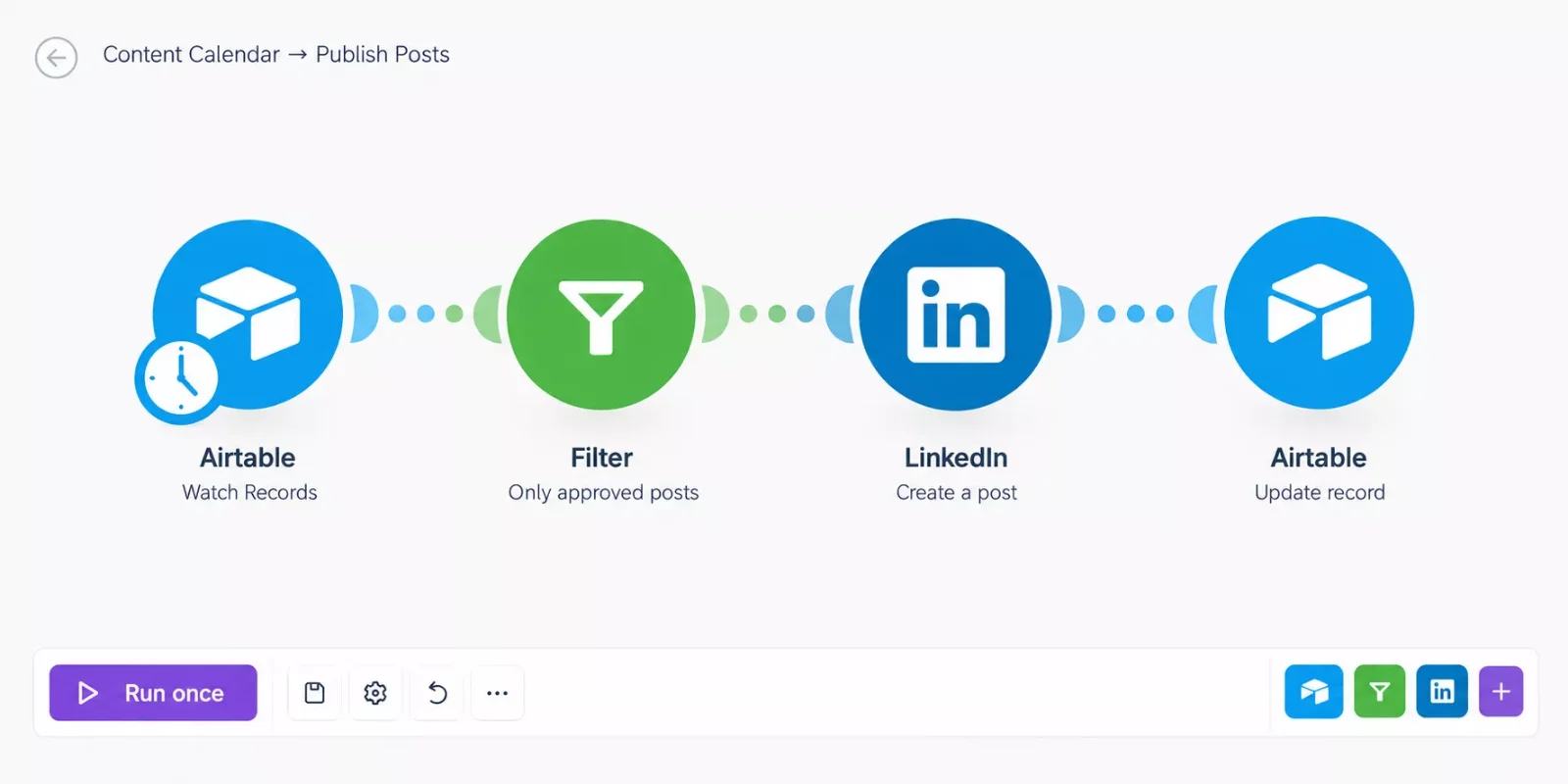
The finished scenario layout: a trigger, an Approved filter, one publishing module, and a final update that marks the post Published.
Timing and Credits
Make.com's help center says a trigger module runs once to check for new data, and that counts as 1 operation. For non-AI apps, 1 operation equals 1 credit. Make.com's Airtable page doesn't say whether Watch Records is instant or scheduled, so check the tag on the module.
If it checks on a schedule, a 15-minute interval means 2,880 checks in a 30-day month, by this math. That's more than the Free plan's 1,000 credits. A longer interval cuts the number, so match it to how fast posts need to go out.
If a Make.com Publishing Module Fails After a Post Is Approved
Four failures come straight from Airtable's support page and Make.com's app documentation as of October 2026. Each one stops an approved post from going out, and each has a documented fix.
Details checked: October 2026. Error messages and fixes come from Airtable's support page and Make.com's app documentation. Vendors change these over time, so confirm against their current documentation before you rely on a fix.
Two more notes from the same pages. Instagram reels and videos must sit at a publicly accessible URL, and Google Drive links don't work even when shared publicly. Make.com also says Facebook rejects a video description that contains numbers.
Pricing & Hidden Costs of a Calendar-to-Publish Setup
A calendar-to-publish setup has two bills: the calendar tool and the Make.com plan that runs the scenario. For a solo creator, the second bill can be zero. Make.com's Free plan offers up to 1,000 credits a month, as of October 2026, and the sample math below fits inside it.
Take 30 approved posts a month. Assume the trigger is scheduled and checks once an hour, which makes 720 checks. Each post then uses a publishing module and Update a Record, which adds 60 operations. That's 780 credits, and it counts only those three modules.
At a 15-minute interval, the checks alone reach 2,880, so you'd need a paid plan. Make.com lists Core at $9 a month for 10,000 credits with annual billing selected, and Core schedules scenarios down to the minute.
The calendar tool adds costs of its own:
- Plan-gated features: Asana's Watch Tasks or Subtasks trigger needs a paid plan, Trello lists calendar view with Premium, and Airtable's Hootsuite action needs a paid plan.
- Seat minimums: monday.com's paid plans start from three users.
- A separate account: Airtable's Hootsuite action needs a connected Hootsuite account, and that cost isn't covered here.
Details checked: October 2026. Prices and limits above were verified at the time of writing. Since they change often, please confirm current rates and plan details directly on each provider's official website before making a decision.
Pros & Cons of Connecting a Content Calendar to Make.com
Connecting a content calendar to Make.com removes the copy-and-paste step, but it adds a scenario to maintain and a credit bill to watch. The lists below cover the approach in general, using only points the vendors' own pages support.
Pros
- Every tool compared here has a documented Make.com app.
- Five of the six tools have a free plan or tier, though the limits differ, and Google Sheets needs only a Google Account.
- One calendar can feed several destinations, since Make.com has publishing modules for LinkedIn, Facebook Pages, Instagram for Business, and WordPress.
- Google Sheets offers an instant trigger, so an edit can start a scenario right away.
- Airtable users can start with the built-in Hootsuite action and add Make.com only when they need more.
Cons
- Each check by a scheduled trigger counts as an operation, so credits go down even on quiet days.
- Several Make.com pages don't say whether a trigger is instant, so you check each module's tag.
- Key pieces sit behind paid plans: Asana's Watch Tasks or Subtasks, Airtable's Hootsuite action, and Trello's calendar view.
- Setup has quirks: Airtable needs a timestamp field, Notion mixes legacy and data source modules, and Trello IDs come only from triggers.
- Destinations have their own rules: Instagram needs a business account linked to a Facebook Page, and Make.com's LinkedIn app lists a company text post module, while its user modules list image and video posts.
Who Is This For?
This setup is for people who plan posts in one of these social media content calendar tools and publish from another app, and who are comfortable building a Make.com scenario with connections, filters, and a trigger. If that's you, the right calendar depends on how many people and clients you plan for.
- Solo creators: Airtable's Free plan keeps the calendar cost at zero, Google Sheets needs only a Google Account, and the sample math above keeps Make.com inside its Free plan.
- Agencies with several clients: monday.com's boards suit one board per client, if you can work with the three-seat minimum.
- Teams already in a tool: Asana on a paid plan, a Notion workspace, or Trello cards each keep the calendar where the team already works.
It's less useful if you only need posts to go out on a schedule and don't plan content in a calendar at all. In that case, a dedicated social media scheduler may be simpler than a calendar plus a scenario.
Final Verdict & Use-Case Scenarios: Which Content Calendar Tool to Pick
If you're choosing among the best content calendar tools for Make.com, Airtable or Google Sheets is the practical starting point for most users. Pick Airtable when each post needs several fields, and Google Sheets when you want a plain spreadsheet calendar with an instant trigger. Pick the others when your team already works in them.
- Solo creator who likes spreadsheets: Google Sheets with the Watch Changes trigger, and Make.com's Free plan if the sample math above matches your volume.
- Creator with structured posts: Airtable, adding Make.com when you publish to WordPress or an Instagram business account.
- Agency with several clients: monday.com, if the three-seat minimum makes sense for your team.
- Team already on a tool: Asana on a paid plan, a Notion workspace, or Trello with Premium, so the calendar stays where people already work.
Skip Make.com for this job if your posts go to X, Facebook, LinkedIn, or Instagram Personal through Hootsuite and you already pay for Airtable. The built-in action covers that route.
Master Stroke: Integration With Make.com
Make.com turns a content calendar from a place you look at into a system that acts. The calendar holds the plan. A scenario moves each approved post to LinkedIn, Facebook Pages, Instagram for Business, or WordPress, then writes the result back to the calendar. If you also want an AI tool to draft the posts, this review covers an AI social media agent that posts through Make.com.
That handoff is easy to miss. Hootsuite's 12-tool guide, for example, doesn't mention Make.com or describe connecting a calendar to publishing with an automation tool. A status filter in the scenario also keeps drafts from going out, which a manual copy-and-paste habit can't promise.
Want This Handoff Built for Your Stack?
Share which calendar tool and publishing channels you use, and let's talk through a scenario that fits.
Let's TalkPeople Also Ask
What is the best tool for creating a content calendar?
It depends on how you publish. For Make.com users, Airtable suits posts with several fields and Google Sheets suits a plain spreadsheet calendar. Notion, Trello, Asana, and monday.com fit teams already working in them. Each has a documented Make.com app, as of October 2026.
What is a content calendar?
A content calendar is a schedule of what you'll publish, where, and when. The tool only stores that plan. What makes one useful for automation is whether it can send an approved post onward to your publishing tool without copying.
Can Google Sheets work as a content calendar that publishes automatically?
Yes, with Make.com. The Watch Changes trigger for Google Sheets is instant, and you set up its webhook with the Make Google Sheets add-on or an Apps Script. A publishing module then sends the post. Google's Sheets page says anyone with a Google Account can create in Sheets.
Does Airtable publish posts on its own?
Not directly. Airtable's built-in Hootsuite action schedules posts through Hootsuite on paid plans, and it lists X, Facebook, LinkedIn, and Instagram Personal. Make.com's Airtable app can send records to other publishing modules.
FAQs
Which content calendar app is free and still works with Make.com?
Among content calendar tools free to start, Airtable, Notion, Trello, Asana, and monday.com have free plans or tiers, and anyone with a Google Account can create in Sheets. Airtable Free allows 1,000 records per base, Trello Free has 10 boards, Asana Personal covers 2 users, and monday.com Free has 2 seats and 3 boards. Notion Free limits automations to buttons.
How much does it cost to connect a content calendar to Make.com?
Make.com's Free plan offers up to 1,000 credits a month, and Core is listed at $9 a month for 10,000 credits with annual billing, as of October 2026. Add your calendar tool's plan on top. A scheduled trigger that checks every 15 minutes makes 2,880 checks a month, by this math.
Which of these content calendar tools have an instant trigger in Make.com?
Make.com's pages tag Google Sheets' Watch Changes as instant, and Notion's app has an Instant Event module. Airtable's Watch Responses is instant too, but it reacts to form responses and needs the Team plan or higher. For the rest, the pages don't say, so check each module's tag.
Conclusion & Rating
Content calendar tools only earn their place when an approved post can leave the calendar on its own. All six tools here can reach Make.com, so the choice comes down to plan limits, trigger type, and where your team already works.
Stars below are for calendar-to-publishing use with Make.com. Points go to a documented trigger, a free tier, and few plan gates. Points come off for paid-only pieces and setup quirks.
Ratings for Airtable and Google Sheets are based on my past use of each plus the documentation and pricing checked in October 2026.
- ⭐⭐⭐⭐☆ Airtable: 4/5
- ⭐⭐⭐⭐☆ Google Sheets: 4/5
Ratings for Notion, Trello, Asana, and monday.com are based on documentation and pricing checked in October 2026; this is research, not a hands-on test.
- ⭐⭐⭐☆☆ Notion: 3/5
- ⭐⭐⭐☆☆ Trello: 3/5
- ⭐⭐⭐☆☆ Asana: 3/5
- ⭐⭐⭐☆☆ monday.com: 3/5
⚡ Pro Tip: Start with one channel. Build the scenario for the destination you post to most, run it on a handful of approved posts, and add the next channel only after it behaves.
If you've read this far, you're probably tired of copying posts from one tool to another. Here's one thing you can do today: add a Status field to your calendar and make Approved the only value that allows publishing. That single field keeps drafts from going out, whichever tool you pick.
If you want this working alongside your existing stack without piecing it together yourself, this is exactly what I build as a No-Code Architect at SmartSoloFlow.
Found this guide useful? Share it with a fellow freelancer who's still doing things manually. 🚀
Got a question or a workflow roadblock? Drop it in the comments below, happy to help.
Details checked: October 2026
Last Updated: October 18, 2026

// Comments