 SmartSoloFlow

Key Takeaway: The best social media scheduling tools save you time, but the real fix for solopreneur burnout is making posts trigger themselves the moment something happens in your business.
System Goal: Stop manually queuing posts and start triggering them automatically
Weekly Time Savings: ~3-5 Hours/week
Core Framework: Event-Triggered Publishing (Make.com + your scheduler)
Running your own business means wearing every hat, including the one marked social media manager. If you are still copying the same caption into five different apps every morning, you already know what burnout feels like. The best social media scheduling tools exist to fix exactly that, letting solopreneurs queue content once and walk away instead of logging in daily. But most reviews stop at basic scheduling, and that is where they fall short for anyone working alone. This guide covers six of the best social media scheduling tools that auto-post in 2026, including Buffer and SocialBee, and it shows you something most comparisons skip entirely: how to make a post fire automatically the moment you publish a blog, launch a product, or land a new client, using Make.com as the quiet trigger layer running behind the scenes so you never have to remember to hit publish again.
- The Real Reason Scheduling Tools Aren't Enough on Their Own
- 1. Buffer — Best All-Around Pick for Solo Operators
- 2. SocialBee — Best for Recycling Evergreen Content
- 3. Hootsuite — Best for Managing Everything in One Dashboard
- 4. Later — Best for Visual-First Platforms Like Instagram
- 5. Publer — Best Budget Option With Room to Grow
- 6. Planable — Best for Client Approval Workflows
- How to Trigger Social Posts Automatically From Business Events
- The Bottom Line for Solo Operators
Success Story: The Scheduler That Finally Stopped Needing Me
For example: a freelance consultant running her own client business used to spend Sunday nights manually loading a week's worth of posts into three different apps. After connecting her scheduler to Make.com, a new blog post now triggers its own social announcement within minutes, no login required. That's roughly four hours back every week that used to go straight into a task her business didn't actually need her doing by hand.
The Real Reason Scheduling Tools Aren't Enough on Their Own
Manually queuing posts still eats hours every week, even with a good app. That's the direct answer: scheduling tools save you from posting in real time, but they don't save you from building every post yourself. If you're overwhelmed running a business solo, that gap is exactly where your time keeps leaking, right alongside keeping your task list from spiraling.
Most "best social media scheduling tools" lists compare features like calendars, analytics, and AI captions. Those matter. But they all assume you're still the one deciding what to post and when. That's fine for a hobby account. It's a burnout machine for a solopreneur juggling client work, invoicing, and marketing at the same time.
Here's where Make.com changes the equation. Instead of treating your scheduler as a queue you have to feed by hand, you can treat it as the last stop in an automated chain, one that starts the moment something actually happens in your business: a new blog post goes live, a product restocks, a client books a call. Make.com watches for that event and hands your scheduler a ready-to-publish post, no manual entry required. That's the difference between scheduling and true automation, and it's the angle the rest of this guide builds on.
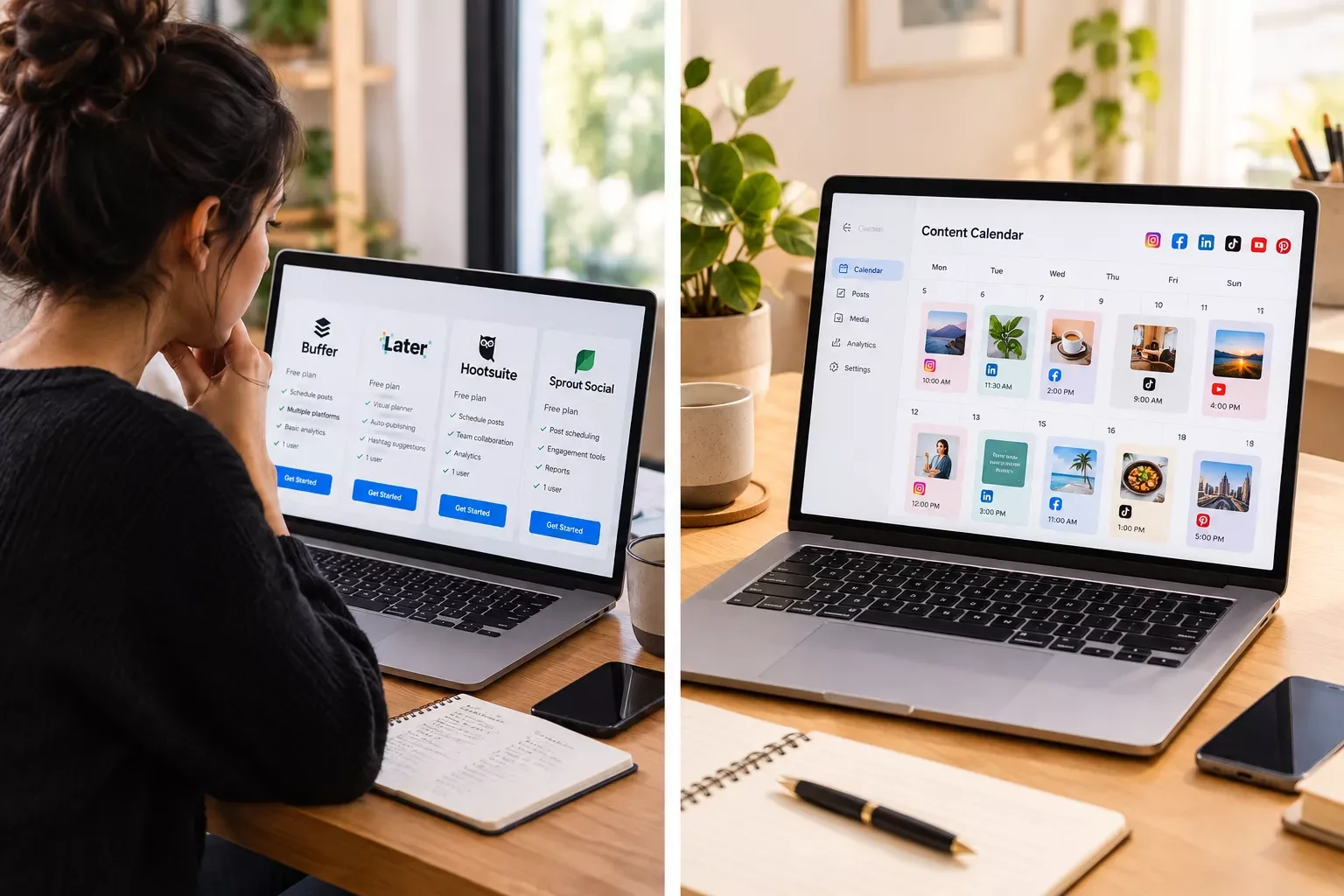
1. Buffer — Best All-Around Pick for Solo Operators
Buffer earns the top spot here because it does the basics without drowning you in features you'll never touch. I used to think I needed an all-in-one marketing suite to look professional online. Now I think most solopreneurs just need something that posts reliably and gets out of the way.
Buffer connects to Instagram, LinkedIn, Facebook, X, and a handful of other platforms from one clean dashboard. The visual calendar makes it easy to see gaps in your week at a glance, which matters when you're the only person checking. It also plugs into Make.com through a webhook connection, which means it can receive a ready-made post automatically instead of waiting for you to draft one, though note that API/webhook access sits on Buffer's paid Team plan and above, not the Free tier.
Best for: solopreneurs who want one reliable tool without a learning curve.
2. SocialBee — Best for Recycling Evergreen Content
If you've ever felt guilty letting a good post disappear after 24 hours, SocialBee solves that specific problem. It lets you build content categories, think tips, testimonials, promotions, and set them to repeat automatically on a schedule you control.
That matters more than it sounds like for a solopreneur. You don't have time to write fresh content every single day, and you shouldn't have to. SocialBee's category system means a strong post from three months ago can quietly resurface without you lifting a finger. Pair that with a Make.com connection and you get recycled content that also responds to new events, not just a static loop repeating on autopilot.
Best for: solopreneurs who want their best content working harder without constant new writing.
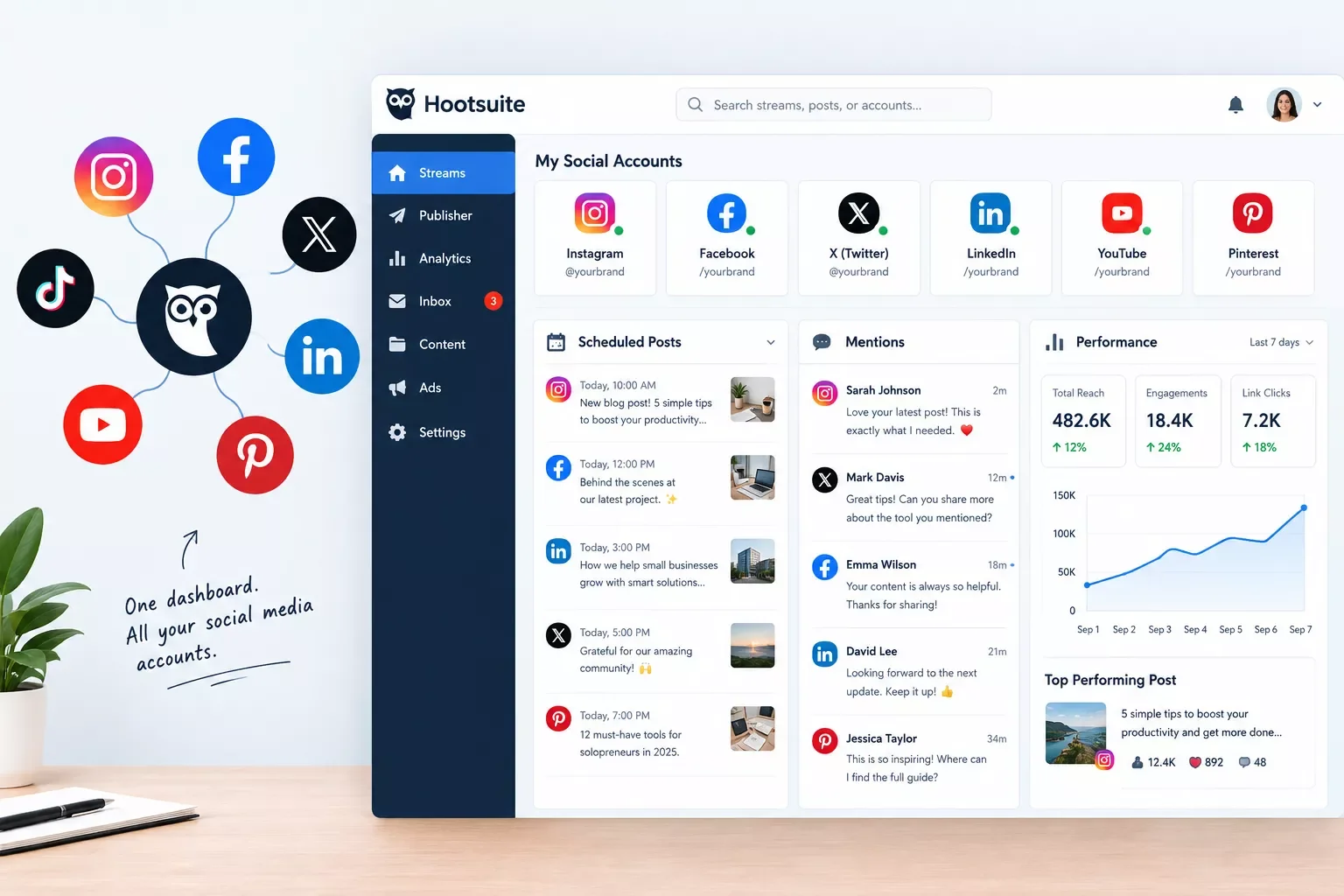
3. Hootsuite — Best for Managing Everything in One Dashboard
Hootsuite has been around long enough to feel almost like the default choice, and there's a reason for that. It handles more platforms than most competitors, bundles in social listening and basic analytics, and gives you a single inbox for comments and messages across every account you manage.
The tradeoff is complexity. Hootsuite has more moving parts than a solo operator strictly needs, and the pricing reflects that scale. Still, if you're managing several client accounts alongside your own, having one dashboard instead of six logins is worth the extra setup time, similar in spirit to solopreneurs who already automate their client bookings with dedicated appointment booking software. Hootsuite also supports webhook-based automation, so it can slot into a Make.com workflow the same way Buffer and SocialBee can.
Best for: solopreneurs managing multiple client accounts, not just their own.
4. Later — Best for Visual-First Platforms Like Instagram
Later built its name on Instagram and it still shows. The drag-and-drop calendar lets you preview exactly how your grid will look before anything goes live, which is genuinely useful if your business depends on a clean visual feed, think coaches, designers, or anyone selling a physical product.
It also covers TikTok, Pinterest, Facebook, and LinkedIn, though the visual planning strength is really built around image-heavy platforms. The free plan is workable for a single account, but most solopreneurs outgrow it fast once they're posting daily across more than one platform.
Best for: solopreneurs whose business lives or dies on how their feed looks.
5. Publer — Best Budget Option With Room to Grow
Publer keeps things simple without feeling stripped down. You can connect a handful of accounts on the free plan, schedule in bulk, and use its built-in media uploader without hunting for a workaround. The interface avoids the cluttered feeling some larger platforms have.
What I appreciate here is that Publer doesn't punish you for being small. A lot of tools gate basic scheduling behind a paid tier, but Publer's free plan actually covers real use (up to three connected accounts with a real scheduling queue), not just a demo. That makes it a solid starting point before you're ready to invest in a fuller Make.com-connected setup.
Best for: solopreneurs on a tight budget who still want reliable auto-posting.
6. Planable — Best for Client Approval Workflows
If any part of your business involves managing social accounts for clients, not just yourself, Planable earns its spot on this list. It's built around approval workflows: you draft a post, a client reviews it inside the platform, and it only goes live once they've signed off.
That single feature can save a solopreneur running a small agency-style setup from a dozen back-and-forth emails a week. It's overkill if you're only posting for your own brand, but for client work, the approval layer alone justifies the price.
Best for: solopreneurs managing social media as a service for other businesses.
How to Trigger Social Posts Automatically From Business Events
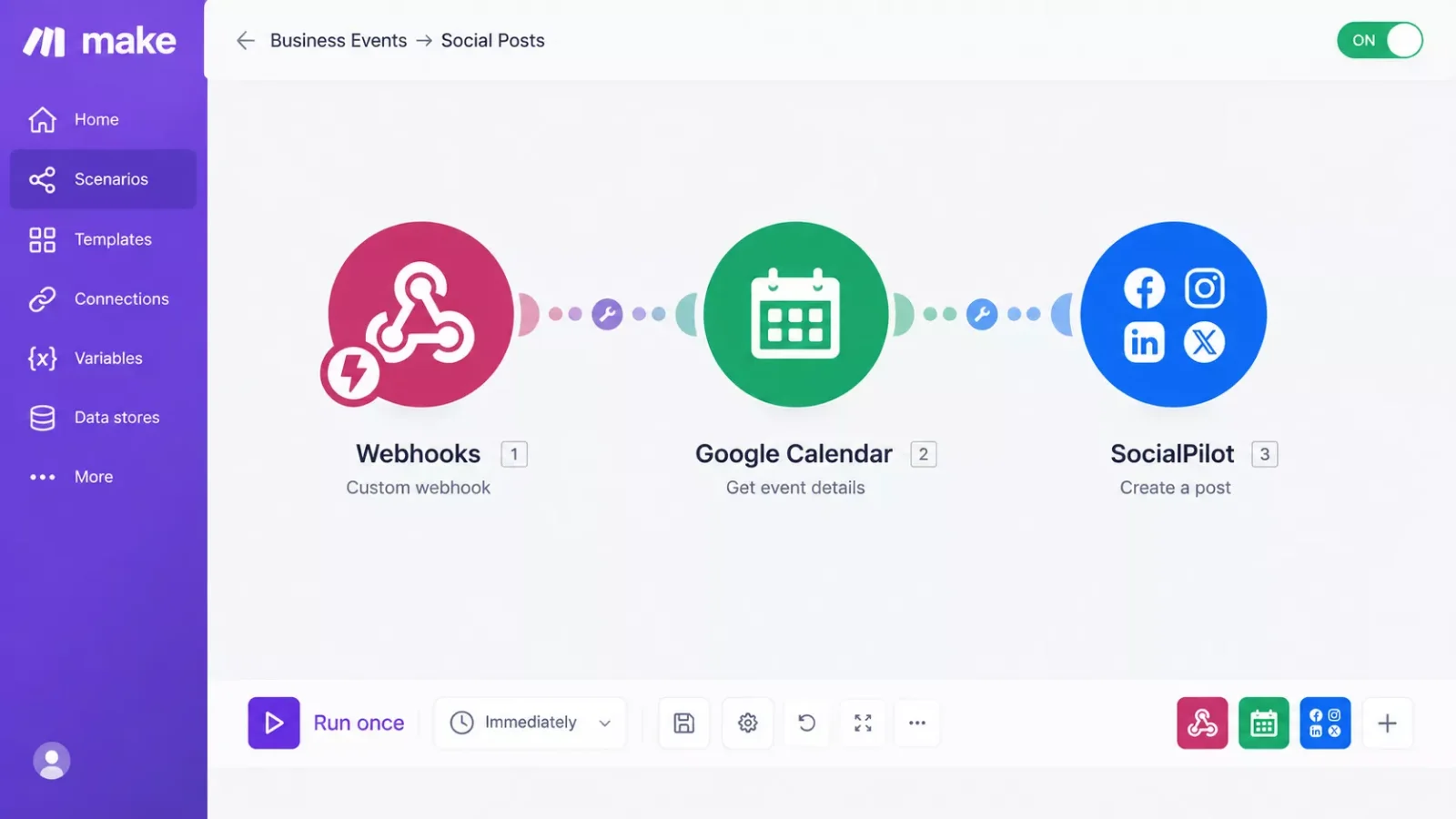
This is the part most scheduling tool reviews skip entirely. A scheduling tool posts what you tell it to, when you tell it to. It doesn't know when you actually publish a blog, launch a product, or close a new client, unless you build that connection yourself. That's exactly what Make.com's webhook system does.
Instead of opening Buffer or SocialBee every time something happens in your business, you set up one automation once. Make.com watches for a specific event, say, a new post going live on your website, then automatically drafts and sends a matching social post straight to your scheduler. From that point on, the announcement happens itself.
Here's roughly how the chain works in practice:
No manual login, no remembering to write a caption at 11pm. This is exactly the kind of Make.com automation workflow SmartSoloFlow builds out in detail. It's also worth pairing this event-trigger approach with other AI tools that pair with your Make.com stack, not just your scheduler, if you're already building this out.
The Bottom Line for Solo Operators
If you're choosing based on features alone, Buffer or SocialBee cover most solopreneurs well. But the real fix for burnout isn't a better calendar. It's removing yourself from the loop entirely for the announcements that don't need your judgment call every time, the same principle behind setting up email follow-ups that trigger themselves.
Setting up that first Make.com trigger takes an afternoon, honestly. Reclaiming three to five hours a week for the rest of the year is the actual payoff. If you'd rather get that time back than spend a weekend building this connection yourself, this is exactly the kind of system I set up so solopreneurs don't have to piece it together alone. This fits into the same solopreneur productivity system worth building around your whole business, not just your social calendar.
Want This Set Up Without Building It Yourself?
If a weekend spent wiring up webhooks isn't how you want to spend your time off, reach out. This is exactly the kind of done-for-you automation I build for solopreneurs who'd rather get their hours back than learn Make.com from scratch.
Let's Build This For YouPeople Also Ask
What is the best social media scheduling tool for a solopreneur managing multiple channels?
Buffer is the most reliable all-around pick for a solopreneur running several platforms alone, thanks to its simple dashboard and low learning curve. SocialBee is worth adding if you also want evergreen content to recycle automatically. Both connect to Make.com for event-based auto-posting.
Can a social media post be automatically triggered when I publish a new blog post or product?
Yes. Connect your website or store to Make.com, set a trigger for "new blog post" or "new product," and have it hand a draft post to your scheduler automatically. No manual login or copy-pasting is required once the scenario is built.
Is a free social media scheduler good enough, or is it worth paying for a premium plan?
Free plans like Publer's cover one or two accounts reasonably well. Once you're managing three or more platforms daily, or you want to connect an automation like Make.com, a paid plan usually pays for itself in reclaimed hours within the first month.
How many hours does social media management actually take a solo business owner?
An older VerticalResponse survey found 43% of small business owners spending six or more hours a week on social media tasks alone, even before factoring in the rest of running a business. Habits haven't changed much since; that's exactly what event-triggered automation is built to cut down.
Do I need to know how to code to connect Make.com to my scheduler?
No. Make.com uses a visual, drag-and-drop scenario builder. Connecting a webhook to Buffer or SocialBee is a point-and-click setup, not a development project.
Will automated posting make my content feel less personal?
Not if you set it up right. The automation only removes the manual re-entry step. You still write the voice and message once; the trigger just decides when it goes out.
What's the difference between scheduling and true automation?
Scheduling means you pick a future time for a post you already wrote. Automation means an event in your business, like a new sale, writes and sends that post for you without you touching it.
⚡ Pro Tip: Start your first Make.com automation with just one platform and one trigger, like a new blog post to LinkedIn. Add more scenarios once that one is running reliably.
⚠ Watch Out For: Some free scheduler plans cap the number of connected accounts or posts per month, which can quietly break an automation once you scale past that limit. Check the fine print before building a workflow around a free tier.
Setting up your first automated posting workflow doesn't have to be a solo project either. SmartSoloFlow builds exactly this kind of connected system for business owners who'd rather spend their time on clients than webhooks. Reach out through our Contact page and let's talk about what your specific stack needs.
Found this guide useful? Share it with a fellow freelancer who's still doing things manually. 🚀
Got a question or a workflow roadblock? Drop it in the comments below — happy to help.
Last Updated: September 6, 2026

// Comments