 SmartSoloFlow

Key Takeaway: FreshBooks' built-in payment reminders are fine for the occasional late payer, but they cap out fast. Here's the Make.com system that took over so I stopped checking invoice status by hand.
System Goal: Auto-flag and escalate overdue invoices without opening FreshBooks every morning
Weekly Time Savings: ~2 hours/week
Core Framework: Scheduled polling + tiered email escalation
Invoice tracking gets messy fast when you're a solopreneur running your own freelance billing system without a finance team backing you up. I used to open FreshBooks every morning just to see who hadn't paid yet, then manually type the same awkward "just checking in" email. Now a Make.com scenario checks invoice status for me and sends escalating reminders automatically, so I only step in when a client genuinely needs a human touch. Here's exactly how I built it, including where FreshBooks' own reminders fall short.
Success Story: The Invoice I Almost Wrote Off
For example: I had a client sitting on a $1,400 invoice, 22 days past due, and I only noticed because I happened to open FreshBooks to send someone else a quote. That's the moment I stopped trusting myself to "just remember to check." A few weeks after building the automation below, a different invoice went 10 days overdue. I never saw it happen in real time. The system caught it, sent the first nudge, then a firmer follow-up a week later, and the client paid before I ever had to type a word.
Invoice tracking isn't hard when everything's going right. It's the days you're heads-down on client work that a payment quietly slips past its due date, and nobody tells you. That's the actual problem I set out to fix, not the invoicing itself.
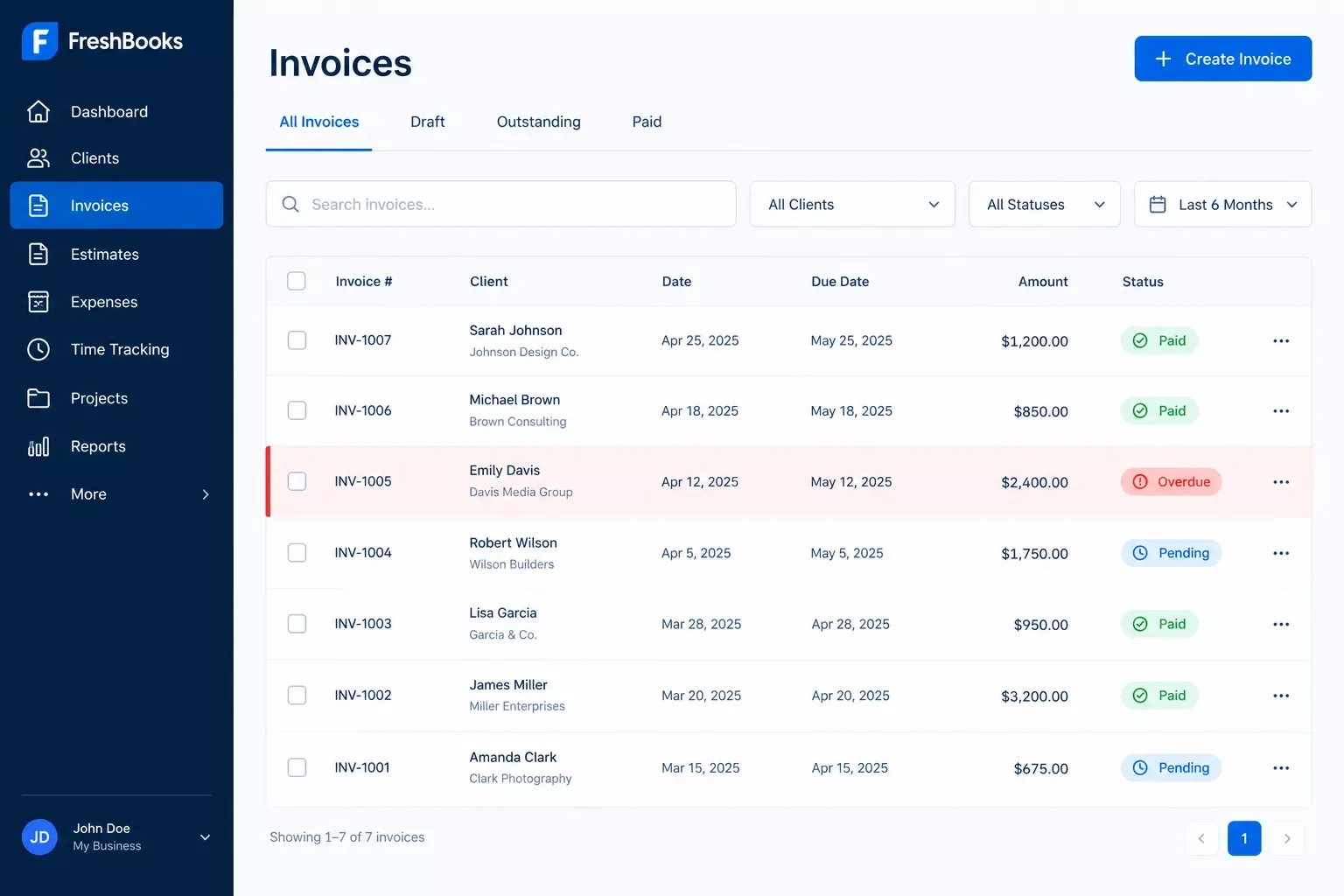
The Core Problem
Manually tracking invoice status means opening your accounting software on a schedule you'll eventually forget to keep. I'd tell myself I'd check every Monday. Some weeks I did. Most weeks client deadlines came first, and an overdue invoice just sat there, unpaid and unnoticed, while I assumed everything was fine.
The real cost isn't just the money sitting out there. It's the mental tab you keep open, half-remembering "I think someone owes me for that project," without ever being sure. According to Xero's Q1 2026 small business payment data, the average US invoice arrives about 9 days past its due date. That's not a huge gap on any single invoice, but across a full client roster, it adds up to a slow, steady drain on cash flow that's easy to miss because no single day feels urgent.
I run a one-person business. I don't have a bookkeeper checking this for me, and I don't want to build "check FreshBooks" into my morning routine forever. That's the gap this automation actually closes. It's also why keeping your books ready for tax season and keeping invoices from going stale end up being the same underlying habit.
What I Tried First
FreshBooks already has a built-in Payment Reminders feature, and it's genuinely useful. You can turn on automatic reminder emails and even automatic late fees for invoices that pass their due date, right from your account settings, no extra tools needed.
It just didn't go far enough for how I actually work. The built-in reminders are a fixed, simple sequence, not a real escalation. There's no way to have a gentle nudge on day 3, a firmer follow-up on day 7, and a "let's talk" flag for myself on day 14, all with different tones. And it lives entirely inside FreshBooks. It can't tell any other part of my workflow that an invoice went sideways.
For a client sending one or two invoices a month, FreshBooks' own reminders are probably enough. Once you're sending more than that, or you want reminders that escalate in tone instead of just repeating, that's where it stops covering the job. That gap is also what pushed me to rethink getting your invoicing set up in the first place, since the reminder system is only as good as the invoicing habits underneath it.
How to Automate Overdue Invoice Reminders With Make.com
The fix is a scheduled Make.com scenario that checks FreshBooks for overdue invoices once a day and sends an escalating reminder based on how late the payment is. It runs quietly in the background, and the only time I see it is when a client actually replies.
A once-a-day check is genuinely enough for this. Invoices don't need real-time monitoring the way, say, a support ticket does. What actually matters is that the check never gets skipped, and a scheduled scenario never forgets to run the way I sometimes forgot to open FreshBooks on a busy Monday.
Here's the exact escalation sequence I use:
- Day 3 overdue: A friendly, low-pressure nudge email. Most late payments at this stage are simple oversights, not real problems.
- Day 7 overdue: A firmer follow-up that references the original invoice number and restates the amount due.
- Day 14 overdue: A final, professional notice, plus an internal alert to me so I can decide whether a phone call or a payment plan conversation makes more sense.
- Payment received (any point): The sequence stops immediately. Nothing embarrassing gets sent to a client who already paid.
How This Workflow Works
FreshBooks doesn't push a live alert the moment an invoice goes overdue, so this isn't an instant trigger. It's a scheduled check, and that distinction actually matters for how you should think about it. Make's scheduler runs the scenario once a day, FreshBooks' own Search Invoices module pulls back anything unpaid past its due date, and a router sorts each one into the right reminder tier before an email module sends it.
The Search Invoices module is doing the real work here. It filters for anything marked unpaid with a due date already in the past, so the scenario only ever looks at invoices that genuinely need a reminder, not the whole client list every time. The router then checks how many days have passed since that due date and picks the matching email tier, day 3, day 7, or day 14, before handing off to the email module. If an invoice gets paid mid-sequence, the same search simply stops returning it the next day, which is what quietly ends the reminders without any extra logic needed.
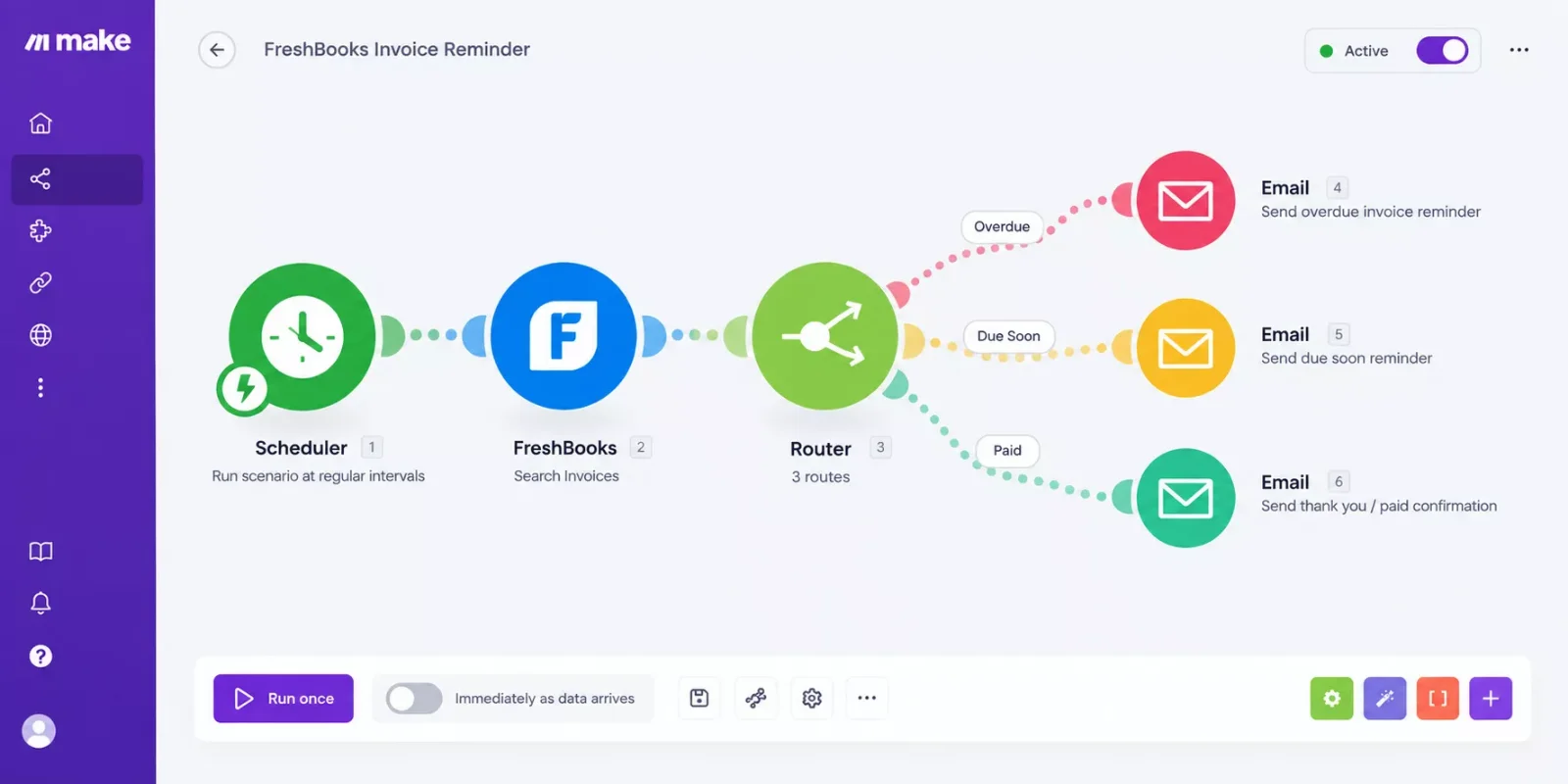
FreshBooks is a Verified app inside Make, so connecting it is a normal one-click login, not a developer-level setup. You won't need to touch an API key or create a separate developer account to get this running.
The Result
I can't promise every solopreneur sees the exact same outcome, since client mixes and payment habits vary. What this approach typically delivers is fewer invoices slipping past 30 days unnoticed, and a lot less mental overhead spent wondering who still owes you money.
For me, the biggest shift wasn't speed. It was not having to think about it. I used to spend maybe 20 to 30 minutes a week just checking statuses and drafting follow-up emails. That time is basically gone now, and it freed up room for our full Time Blocking guide's kind of scheduling discipline, since billing admin was eating into blocks I'd meant for actual client work. It's also the same underlying idea behind building one connected productivity system instead of a pile of disconnected habits.
There's a natural next step once invoices are actually landing on time: getting paid faster in the first place. If checkout friction is part of your late-payment problem too, it's worth a look at options that automate fulfillment the moment payment clears, since tracking and collecting work best as one connected system, not two separate headaches.
⚠ Watch Out For: A daily polling scenario still uses a Make.com operation every time it runs, even on days with zero overdue invoices. On a free or lower-tier plan, check your operation allowance before scheduling this to run more than once a day.
Running a genuinely thorough breakdown of Make.com automation workflows like this one is exactly the kind of thing SmartSoloFlow specializes in, and invoice tracking is just one small piece of what a fully automated solo operation can look like.
People Also Ask
People Also Ask
What's the actual difference between an invoice and an estimate?
An estimate is a proposed price sent before work starts, with no payment obligation attached to it yet. An invoice is a formal request for payment sent after work is delivered or agreed upon, and it's what actually starts the countdown toward a due date.
How many days should I wait before following up on an unpaid invoice?
A gentle nudge around 3 days past due works well for most solopreneurs, since a lot of late payments are simple oversights. A firmer follow-up at 7 days and a final notice at 14 days gives clients fair room without letting things drag indefinitely.
Can invoicing software automatically send a reminder when a payment is overdue?
Yes, most invoicing platforms including FreshBooks include built-in automatic reminders. They're usually limited to a fixed, simple schedule though, which is exactly the gap a Make.com automation is built to close for a heavier invoicing load.
Do I need to know how to code to set up an invoice reminder automation?
No. Make.com is a visual, no-code platform, and FreshBooks connects to it through a standard one-click login. Nothing here requires touching an API key or writing a line of code.
How much time does automating invoice reminders actually save a solopreneur?
Most solopreneurs report saving 1 to 2 hours a week that used to go toward manually checking invoice status and writing follow-up emails, which adds up fast over a full month of billing.
Will automated reminders make my invoices feel less personal to clients?
Not if the tone is written well. A polite, professionally worded reminder reads the same whether a person typed it in the moment or a workflow sent it on schedule, and most clients never notice the difference.
What's the mindset shift that makes automations like this actually stick?
It's letting go of "I'll just remember to check." Treating follow-up as a system instead of a personal responsibility is what actually makes it reliable week after week, even during your busiest stretches.
⚡ Pro Tip: Write your day-14 reminder in a noticeably different tone than day 3. Clients respond faster when escalation actually feels like escalation, not the same email copy-pasted three times.
If chasing your own invoices is the part of running solo that drains you most, that's usually a sign the system needs building once, not managing forever. That's exactly the kind of automation I put together for solopreneurs who'd rather get that hour back each week than spend a weekend wiring it up themselves.
Found this guide useful? Share it with a fellow freelancer who's still doing things manually. 🚀
Got a question or a workflow roadblock? Drop it in the comments below, happy to help.
Last Updated: September 26, 2026

// Comments