 SmartSoloFlow

Key Takeaway: You don't need a developer or a coding background to build a working business app in 2026. These six low-code builders are made for owners who need results fast, not another skill to learn.
Primary Tool(s): Adalo, Zoho Creator, Bubble
Build Time: ~1 to 3 hours for a working first version
Looking for the right low code app builder as a small business owner with zero coding background? The short answer: Adalo, Zoho Creator, Bubble, Softr, Glide, and Jotform's AI App Builder each let you build a working business app without hiring a developer or learning to code.
Most comparison lists you'll find for this exact search are written for IT directors comparing enterprise low-code platforms with $2,500-a-month price tags, evaluating each one as a full-scale app development platform for a technical team. That's not you, and it's not this guide. If you're stuck choosing between a low code platform and a true no code app builder, the difference matters less than you'd think for most small businesses. What matters is picking one that matches your actual use case, whether that's a client booking system, a simple CRM, or a customer portal, without wasting weeks on a tool built for enterprise IT teams.
This guide breaks down what to look for as a non-technical owner, then walks through each builder's real strength, so you can pick one with confidence and start building today instead of researching for another month.
- What to Look for in a Low-Code App Builder When You're Not Technical
- Low-Code Platforms for Non-Technical Business Owners: What Most "Best Of" Lists Get Wrong
- 1. Adalo: Best for Launching a Real Branded App Fast
- 2. Zoho Creator: Best for Business Workflows and Forms
- 3. Bubble: Best for a True Web App With Room to Grow
- 4. Softr: Best for Building Client Portals From Data You Already Have
- 5. Glide: Best for Turning a Spreadsheet Into a Mobile App Overnight
- 6. Jotform AI App Builder: Best for Forms, Approvals, and Client-Facing Workflows
- 2026 Advanced Tips & Scalability
- How to Get Started
Running a small business already eats every hour you've got. Hiring a developer to build a custom app can cost thousands of dollars you don't have lying around. Most owners simply don't have months to spend learning to code just to launch a booking tool or a customer portal.
That's exactly the gap low code app builders are meant to close. In my experience working with small business owners, the ones who succeed with these tools aren't the most technical. They're the ones who pick a builder that actually fits their skill level instead of chasing whatever tool ranks highest on a list built for developers.
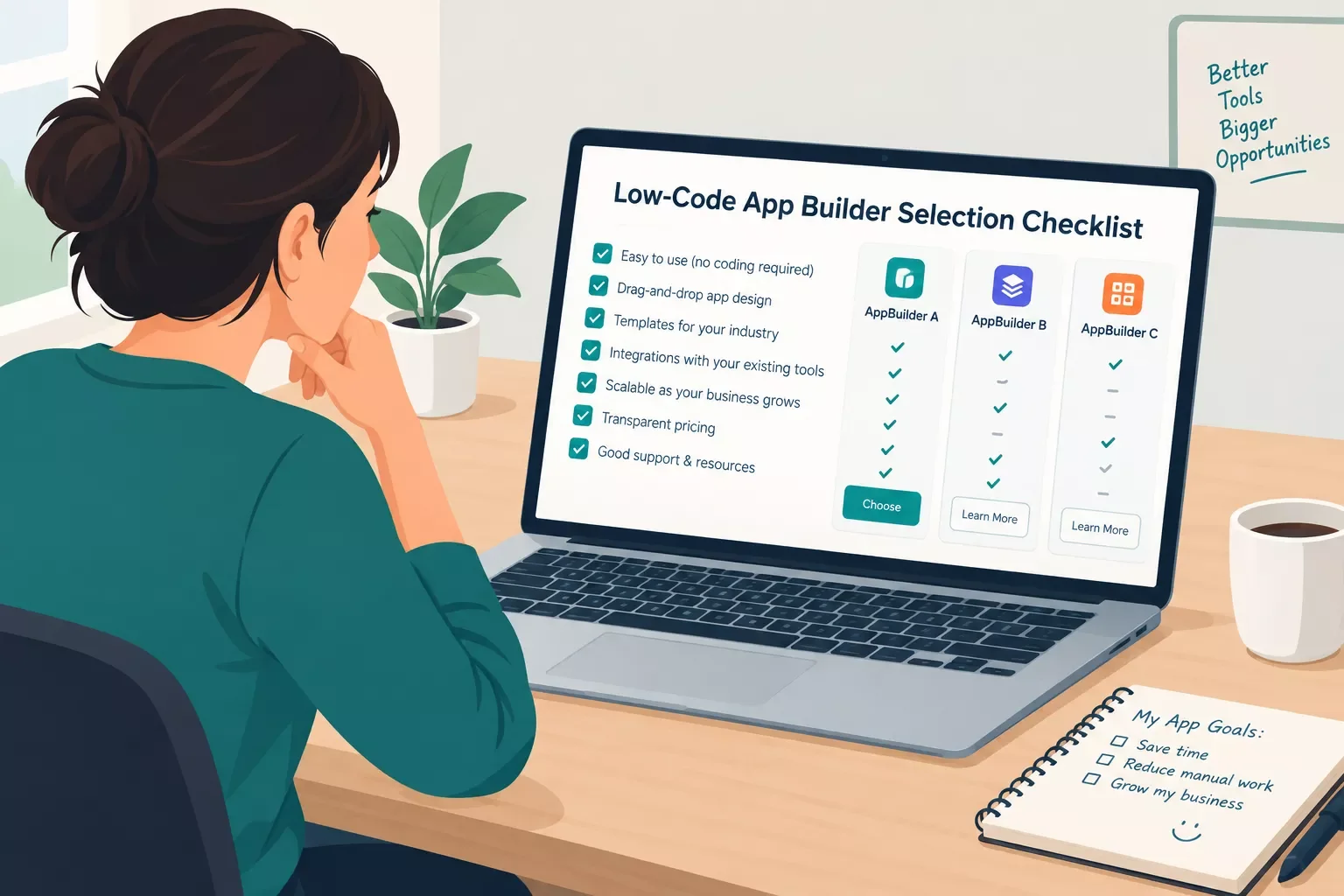
What to Look for in a Low-Code App Builder When You're Not Technical
The right builder for a non-technical owner checks four boxes:
- A true drag-and-drop interface with no code fallback required
- Templates built for your actual industry, not a generic form
- Transparent pricing with no hidden per-user fees
- A real, official connection to an automation tool like Make.com, so you're not stuck copying data by hand later
That last point gets skipped in most comparison articles. It matters more than it sounds. A builder that only connects to other tools through a generic webhook means more setup work down the road; one with an official, ready-made connection means you can automate a follow-up email or a CRM update in minutes, not hours.
Pricing structure matters just as much as the sticker price. Some builders charge one flat monthly rate no matter how much you use the app. Others bill by usage, meaning your cost can climb without warning as your business grows. For an owner running the numbers on a tight budget, that difference is often the deciding factor.
Speed matters too. If a builder's own documentation assumes you already know what an API is, that's a sign it wasn't built with you in mind. And don't underestimate support quality. When you get stuck the night before a launch, you want a real help center, not a forum full of developers speaking a different language.
Low-Code Platforms for Non-Technical Business Owners: What Most "Best Of" Lists Get Wrong
Search for "low code app builder" and nearly every result you'll find is written for CIOs and IT directors comparing platforms like Kissflow, OutSystems, or Appsmith, tools built around role-based governance, developer API access, and enterprise procurement checklists. None of that is what a solo shop owner or a two-person agency actually needs.
The mismatch isn't an accident. The term "low-code" genuinely gets used two different ways: enterprise IT teams use it to mean "less code than custom development," while a small business owner uses it to mean "no code, ever, for me personally." Those are different audiences with different tools, but they're searching the same two words.
For a non-technical owner, the right filter isn't "which platform has the most features." It's "which of these can I actually operate alone, on day one, without a technical co-founder." The six builders covered below are the ones that pass that test. Each one is built with a visual editor a non-developer can actually navigate, not a stripped-down version of a developer tool.
⚡ Pro Tip: If a comparison list you're reading mentions "role-based governance," "SOC 2 compliance," or "IT procurement," it's written for enterprise buyers, not for you. Skip straight to the small-business-focused options.
1. Adalo: Best for Launching a Real Branded App Fast
Adalo lets you build a database-driven app and publish one version across the web, iOS, and Android from a single project. For a small business owner who wants a real app in the App Store without learning Swift or Kotlin, that's the whole appeal.
Say you run a local fitness studio and want clients to book classes from their phone. Adalo's drag-and-drop screens and pre-built components mean you can get a working booking flow live in a weekend, not a quarter. You're not writing code, you're arranging blocks and connecting them with simple logic rules. Adalo also includes a built-in AI assistant that can generate a starting app structure from a short, plain-language description, so you're rarely staring at a blank screen when you begin. And this same booking-flow pattern works just as well for a salon, a tutoring business, or any service that takes appointments. Only the labels and fields change, not the underlying setup.
Adalo has an official, Verified app on Make.com's own integration directory, so connecting it to a workflow is a point-and-click setup, not a developer project. Pricing starts at $36 a month with unlimited database records and no usage-based surprises on your bill.
2. Zoho Creator: Best for Business Workflows and Forms
If your business runs on forms, approvals, and internal processes more than a customer-facing app, Zoho Creator is worth a serious look. It's built specifically for business workflow automation rather than consumer-style apps, which makes it a natural fit if you're trying to replace a messy spreadsheet-and-email process.
Zoho Creator holds a 4.3 out of 5 rating from 169 verified reviews on Capterra, with small business listed as one of its strongest fit categories. Ratings from actual small business users carry more weight than a vendor's own marketing copy, and this one holds up.
Picture a small landscaping company that still tracks job requests on paper. With Zoho Creator, that owner could build a simple intake form, route approvals automatically, and generate a job-tracking dashboard, all without writing a line of code. Zoho Creator also has an official app on Make.com, so pushing new job requests into a Google Sheet or a text alert takes a few clicks, not a custom script. Pricing starts around $8 per user per month on the entry plan, making it one of the more budget-friendly options on this list.
3. Bubble: Best for a True Web App With Room to Grow
Bubble is the closest thing on this list to a full web application builder rather than a simple form-and-database tool. It gives you real control over logic, workflows, and how your app's data connects together, which matters if you expect your app's needs to get more complex over time.
That flexibility comes with a real tradeoff. Multiple independent reviewers report a steeper learning curve than beginner-friendly options like Adalo, and Bubble's pricing is usage-based rather than flat. Plans start around $32 to $69 a month depending on the tier, but the bill can climb as your app's traffic and complexity grow, since every database query and action counts against your plan's limit.
Bubble does have an official app on Make.com, but there's a catch worth knowing before you build your workflow: connecting it requires a paid Bubble plan with API access enabled, plus pulling your own API key from your Bubble account settings. That's a slightly more technical step than the point-and-click connections on Adalo or Zoho Creator, so budget a few extra minutes the first time you set it up.
If you're building something like a members-only marketplace or a multi-step client portal with several different user roles, Bubble's extra depth is exactly what you'll eventually need, even if the first few hours feel less plug-and-play than the other options here.
4. Softr: Best for Building Client Portals From Data You Already Have
If you're already using Airtable or Google Sheets to track clients, inventory, or projects, Softr turns that existing data into a real, professional-looking app without you rebuilding anything from scratch. That's a huge time-saver if spreadsheets are already how you run your business day to day.
A freelance consultant, for example, could turn an Airtable client list into a private client portal where each customer logs in and sees only their own project status, invoices, and files. Softr connects directly to that Airtable base, so updates you make in your spreadsheet show up in the app automatically, no manual syncing required.
Softr has its own official, native integration with Make.com, so triggering a welcome email or a Slack alert the moment a new client signs up is a built-in workflow option, not a workaround. Pricing runs in the roughly $50 to $70 a month range for a basic published app, scaling up from there based on how many app users and AI credits you need. Sources vary on the exact current tiers, so check Softr's own pricing page for today's numbers before committing.
Pricing figures above were verified at the time of writing. Since pricing changes frequently and varies by source, please confirm current rates and plan details directly on each provider's official website before making a decision.
The tradeoff is that Softr works best as a front-end layer on top of a data source you manage separately, rather than a fully self-contained app platform. For a small business owner who's already comfortable in a spreadsheet, that's not a limitation. It's actually the fastest path to something usable.
5. Glide: Best for Turning a Spreadsheet Into a Mobile App Overnight
Glide takes the "spreadsheet to app" idea even further, and it's built for speed above almost everything else. If you can maintain a Google Sheet, you can have a working mobile app built on top of it within a single afternoon.
Think about a small retail shop owner who wants an internal app for staff to check inventory counts on their phones instead of walking back to a desktop. Glide reads directly from a Google Sheet, so the owner updates stock the same way they already do, and the app just reflects it. No database setup, no separate admin panel to learn.
Glide has an official Make.com app as well, so you can trigger a low-stock alert or a reorder notification the moment your sheet crosses a threshold. One thing worth knowing upfront: Glide bills by "updates," meaning every data write your app makes counts against a monthly allowance, with small per-update charges once you go over. That's a different cost model than Adalo's flat rate, so it's worth estimating your app's actual daily activity before you pick a plan.
Glide isn't the right choice if you need a complex, multi-user app with detailed permission levels. But for a fast, functional internal or customer-facing tool built on data you already have, it's hard to beat on setup speed alone. If you'd rather see the full range of no-code-only options before deciding, our roundup of the best no-code app builders for solopreneurs covers ten more, including several that need even less setup than Glide.
6. Jotform AI App Builder: Best for Forms, Approvals, and Client-Facing Workflows
Jotform's AI App Builder is built specifically around the kind of work most small businesses actually run on: intake forms, approvals, booking flows, and simple client-facing tools. It's a strong pick if your business generates a lot of forms and paperwork and you want that turned into something more automated without a steep learning curve.
A property management company, for instance, could use it to build a maintenance request app: tenants submit a request, it routes automatically to the right staff member, and the status updates without anyone chasing down an email thread. The AI-assisted setup helps translate a plain-language description of what you need into a working app structure, which shortens the "staring at a blank screen" phase considerably.
Jotform has an official, Verified app on Make.com already, built on the same connection used across Jotform's forms products, so pulling new submissions into your CRM or triggering an approval email is a standard, well-documented setup. Jotform's AI App Builder itself launched as a free way to try the concept, layered on top of Jotform's existing form plans, so your actual monthly cost depends on which Jotform tier you're already on or need for your form volume.
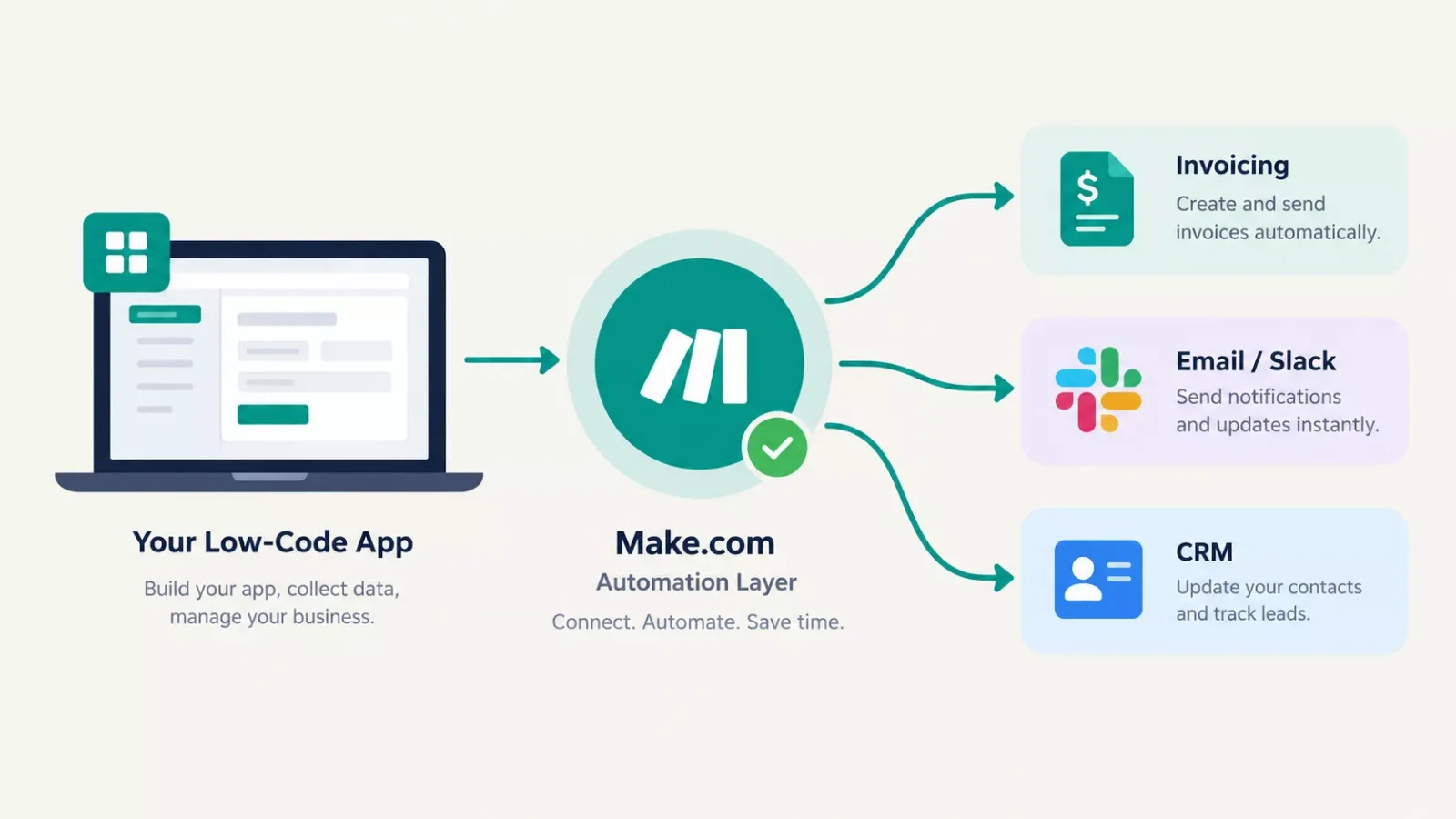
Once any of these six apps is live, the manual work doesn't fully disappear on its own. Someone still has to move data between the app and your invoicing tool, your email list, or your CRM. That's where Make.com comes in. Connecting your new app to a Make.com scenario means new form submissions, bookings, or client updates can automatically trigger the next step: an invoice, a welcome email, a CRM entry, without you touching a spreadsheet.
2026 Advanced Tips & Scalability
A few things are worth knowing before you commit to a builder long-term. Most of these platforms now offer some form of AI-assisted setup, meaning you can describe what you want in plain language and get a starting structure instead of building every field manually. Permissions and user roles matter more than most owners expect once real customers are using the app, not just you testing it. Check how each builder handles multiple user types before you scale past a handful of users.
It's also worth checking how easy it would be to export your data if you ever switch tools later. Not every low code development platform makes that equally simple, and knowing this upfront keeps you from feeling locked in even if you eventually outgrow your first pick.
If you want to go further and pair your new app with a broader AI-powered automation stack, that's exactly the kind of comparison covered in 7 AI Automation Tools That Pair Perfectly With Make.com, which walks through what to layer on top once your core app is live.
Still Weighing No-Code vs. Low-Code?
If you want the bigger picture before picking a specific builder, our no-code solutions overview breaks down how small businesses are automating without a dev team. And if you'd rather skip low-code entirely, our walkthrough of building an app without any coding at all covers the true no-code path.
See the Full No-Code OverviewHow to Get Started
Pick one builder from this list based on your actual use case, not the one with the flashiest homepage. If you're already running on a spreadsheet, start with Softr or Glide. If you want a real branded app in the App Store, start with Adalo. If forms and approvals are your bottleneck, Jotform's AI App Builder or Zoho Creator will get you there faster.
Build one small, real version of your app this week, not a perfect one. Every owner I've worked with who succeeded with a low-code builder started with something simple and improved it once real customers or staff were actually using it.
And once that app is live and doing its job, the next bottleneck usually isn't the app itself. It's everything manual still happening around it: copying leads into a spreadsheet, sending the same follow-up email by hand, updating a CRM one entry at a time. That's a problem worth solving with automation, not more manual work. That's the real promise of low code app development for a small business: not a perfect system on day one, but something real, live, and improving each week. Once your app is live, here's what to do next to keep it running smoothly.
You've done the hard part already. You've compared your options instead of just picking the first tool that showed up in a search. Here's one thing worth trying regardless of which builder you pick: before you build anything else, automate the single most repetitive task in your business right now, whether that's follow-up emails, lead entry, or invoice reminders. That one change usually saves more time than the app itself.
The complete, done-for-you automation for this is exactly what I build as a No-Code Architect. If setting this up yourself isn't the best use of your week, this is exactly the kind of build I hand off, fully working, for small teams like yours.
People Also Ask
What's the difference between a low-code and no-code app builder?
No-code builders need zero coding at all and work best for simple to moderately complex apps. Low-code builders like the ones on this list still require no coding for basic use, but offer more customization options if you eventually want deeper control over how your app works.
Can a small business owner really build an app without any coding knowledge?
Yes. Every builder on this list is designed for people with zero coding background, using drag-and-drop screens and, increasingly, AI assistants that build a starting structure from a plain-language description. Most owners can have a basic working version live within a few hours to a weekend, not weeks.
Why do most "best low-code app builder" lists not apply to a small business owner?
Most comparison lists for this search term are written for IT directors evaluating enterprise platforms with governance, compliance, and per-seat pricing built for large teams. A solo owner or small team needs a different filter: which tool can you actually run alone, on day one, without a technical co-founder.
Do I need any coding skills at all to use these builders?
No. All six builders covered here are built around drag-and-drop interfaces specifically so non-technical business owners can build a working app. Some, like Bubble, offer optional deeper customization for later, but none of it is required to get started.
Can these app builders connect to automation tools like Make.com?
Yes. All six builders on this list have an official, Verified connection to Make.com, so you can trigger emails, CRM updates, or notifications automatically instead of copying data by hand. Bubble is the one exception worth noting: connecting it requires a paid plan with API access enabled.
Will I outgrow a low-code app builder as my business grows?
Most of these platforms scale further than owners expect. Bubble in particular is built for apps that get more complex over time. If you do eventually outgrow one, your data and logic usually transfer more easily than starting from scratch with a developer.
Can I connect my app to tools I already use, like email or invoicing?
Yes, and this is where a lot of the real time savings comes from. Every builder on this list has an official connection to Make.com, so new bookings, form submissions, or client updates can trigger the next step automatically instead of you copying data by hand. If you want to see how another solopreneur set this up for their own CRM, this walkthrough of how one solopreneur automated their own CRM is a good next read.
Is it hard to switch builders later if I pick the wrong one?
It's rarely a total loss. Most of your work goes into figuring out your workflow and data structure, and that thinking transfers even if you rebuild the interface elsewhere. Starting simple reduces how much you'd lose if you did switch. And if you're already running into setup issues on a builder you've picked, our guide to fixing common app builder problems covers the most frequent fixes.
Do these builders work for a business that's mostly in-person, not online?
Yes. Several owners use these tools for internal apps only, like staff inventory checks or job tracking, with no customer-facing side at all. Glide and Zoho Creator are both strong fits for that kind of internal-only use case.
⚡ Pro Tip: Before you build anything complex, get the simplest possible version of your app live first. A basic booking form or intake flow that actually works beats a perfect app that's still sitting unfinished three months from now.
⚠ Watch Out For: Free tiers on these platforms often cap the number of users, records, or monthly updates you can have. Check that limit against your actual customer count before you build your whole workflow around a free plan, so you're not caught off guard when you need to upgrade.
If you'd rather skip the trial-and-error entirely, reach out to SmartSoloFlow. We help small business owners get the right automation set up around whatever app or tools they're already using, without the guesswork.
Found this guide useful? Share it with a fellow freelancer who's still doing things manually. 🚀
Got a question or a workflow roadblock? Drop it in the comments below, happy to help.
Last Updated: September 30, 2026

// Comments