 SmartSoloFlow

Key Takeaway: Make.com doesn't sell a standalone "AI code writer," but the combination of its AI Agents feature and its native Code app lets it generate and run custom JavaScript or Python inside a scenario, no separate subscription required.
If you've been eyeing an AI code writer like AskCodi or Cody AI to handle the messy data transformations your Make.com scenarios can't do visually, here's the thing nobody tells you: Make.com already does this. I tested it myself, and it changed how I think about paying for a separate coding tool.
For solopreneurs and small teams running Make.com automations, the confusion isn't whether AI can write code. It's whether you need to buy another tool to get it. Between AskCodi's $8.33/month and Cody AI's $9/month, that's real spend for something Make's own AI Agents plus its native Code app can already do, on any paid plan you're probably already using.
This isn't a "Make.com vs. standalone tools" ranking. It's what actually happened when I tried replacing a paid AI code writer with what Make already had built in.
Quick Answer: Make.com doesn't have a dedicated "AI code writer" tool, but its AI Agents feature paired with the native Code app lets Make generate and run custom code inside your scenarios. If you're already on a paid Make.com plan, you may not need AskCodi, Cody AI, or any other standalone AI code writer at all.
What I Tested
I've leaned on Make.com's visual builder for most of my automation work, but every so often a scenario needs something the drag-and-drop modules just can't do. Think reshaping a messy nested JSON payload, or applying a business rule that would take 12 chained filters to replicate visually. That's usually when I'd open a separate AI code writer, describe what I needed, and paste the result into Make's Code module by hand.
This time, I tried skipping that step entirely. Instead of writing the logic myself in AskCodi first, I set up a Make.com AI Agent, gave it the same plain-language instruction I'd normally hand to a standalone tool, and let it generate the code directly. Then I fed that output straight into Make's native Code app, the same module that runs JavaScript and Python inside a scenario without leaving the platform. I've written before about how far this same pattern extends into other tasks, like when I built an AI web scraper scenario setup the same way.
The test: three real transformation tasks I'd normally offload to a separate AI coding tool. A CSV cleanup with inconsistent date formats. A nested API response that needed flattening before it hit my CRM. And a custom checksum calculation for an API call that required HMAC signing, the kind of thing that trips up most no-code tools completely.
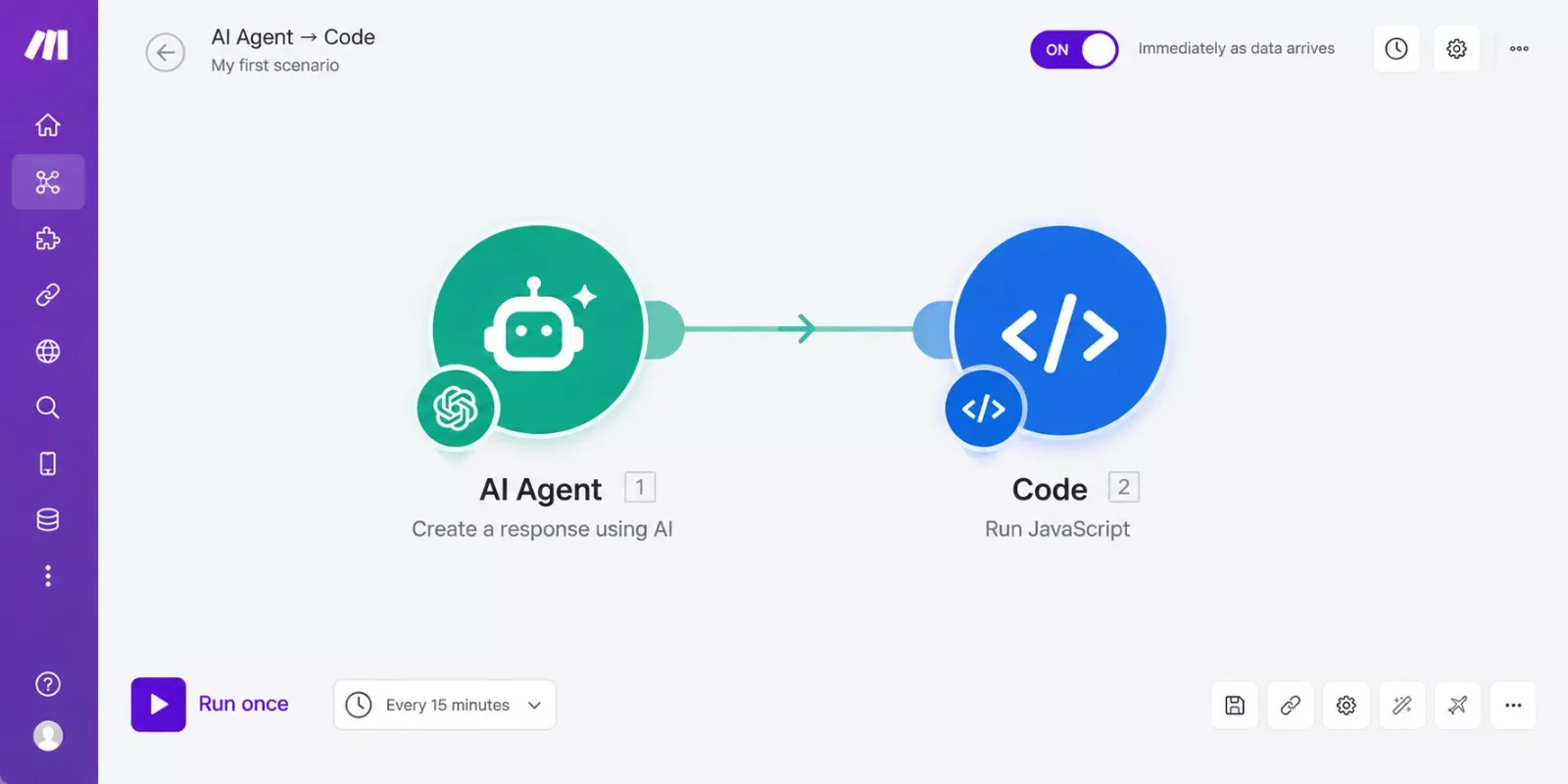
Make.com's Built-In AI Code Generation: What It Actually Is
Here's the part every standalone-tool roundup skips: make.com's built-in ai code generation feature isn't one single button. It's two native pieces working together. The first is the Code app, a built-in module that runs real JavaScript or Python inside a scenario, no external service, no separate account. It's currently in open beta and ships with a code editor that has syntax highlighting and autocomplete, plus a sandboxed environment so nothing you run can touch anything outside that scenario.
The second piece is AI Agents. You can point an Agent at a task in plain language, the same way you'd prompt AskCodi or Cody AI, and have it generate the code itself. That output can be mapped directly into the Code app's input field rather than typed by hand, which is the part that actually replaces a standalone AI code writer. Make's own product team has described this combination as automation that can "think, create, and execute," and after running it against three real tasks, that's a fair description of what happens. For a full technical breakdown, Make's own Code app documentation covers every supported library and limit.
One catch worth stating plainly: the Code app is only available on paid Make.com plans. It isn't part of the free tier. If you're already paying for Core, Pro, Teams, or Enterprise, you're not paying anything extra for it. If you're still on Make's free plan, this specific argument doesn't apply to you yet.
Pricing above was verified at the time of writing. Since pricing changes frequently, please confirm current rates and plan details directly on each provider's official website before making a decision.
The gap isn't just cost. It's the copy-paste step itself. Every time code moves from a standalone tool into Make manually, that's a point where formatting breaks or a variable gets missed. Keeping generation and execution in the same platform removes that step completely. This is the same complex-data-transformation problem I've run into before when spreadsheet automation started breaking down on anything more advanced than a basic formula.
What Worked
The CSV date cleanup was the easiest win. I described the inconsistent formats to the AI Agent, it generated a short Python script using the standard library, and the Code app ran it without any manual edits. No pip installs needed since the task didn't require anything outside Python's built-in tools. It's a similar pattern to what I found useful when testing AI automation tools that pair with Make.com more broadly.
The nested JSON flattening took one retry. The Agent's first attempt missed a deeply nested array, but a follow-up prompt fixed it in under a minute. That back-and-forth felt identical to correcting a standalone AI code writer, except I never left the scenario to do it.
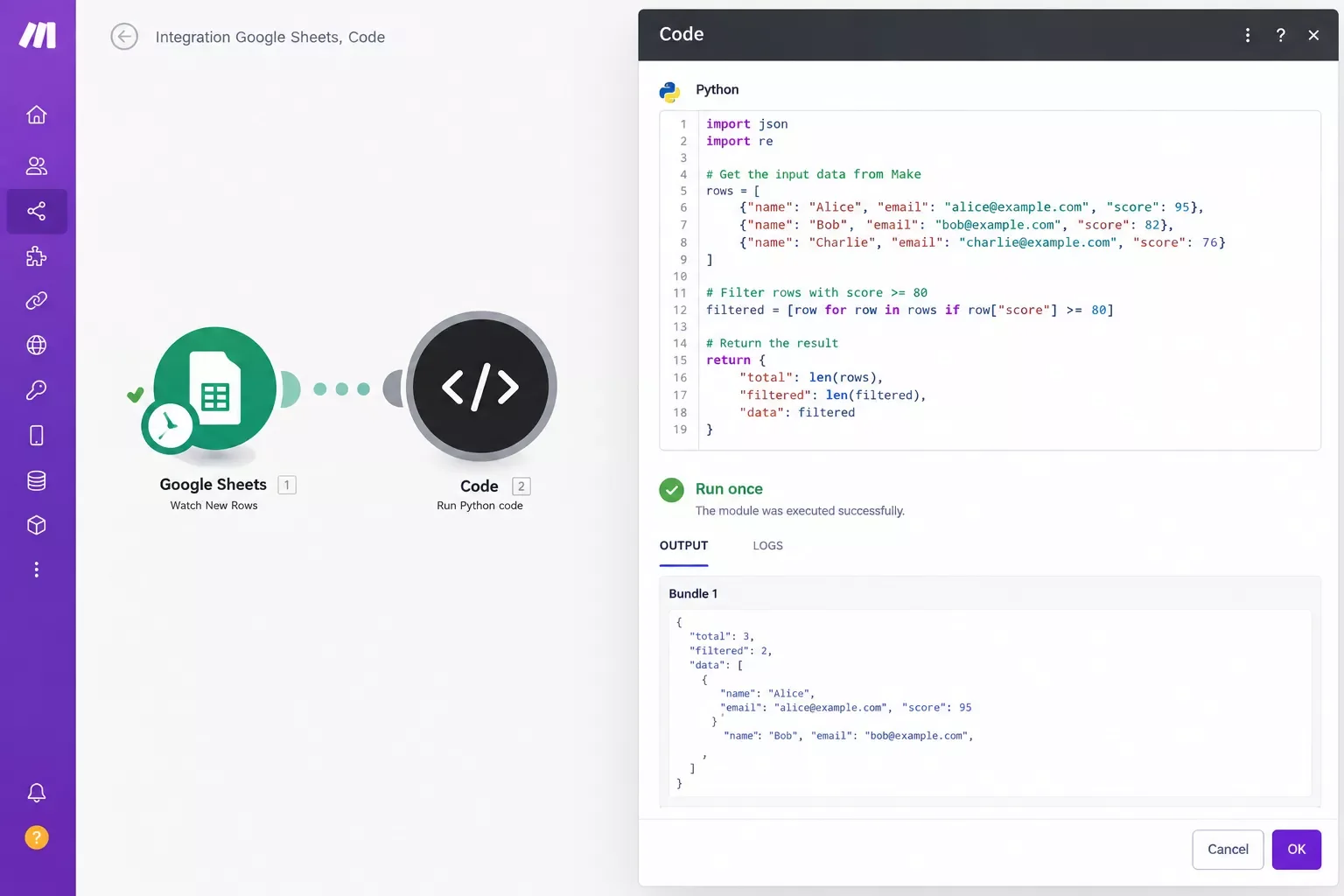
The HMAC checksum task was the real test, since that's exactly the kind of thing that stumps most no-code platforms. The Agent generated working signing logic on the first attempt, and the Code app executed it inline, no external cryptography service required. That's roughly what you'd expect from a Make power user who's dealt with API signing before, not a beginner-friendly shortcut.
What Didn't
The Code app is still in open beta, and it showed. One run against a larger dataset timed out on the first attempt, and I had to break the transformation into two smaller steps to get it through reliably. That's not a dealbreaker, but it's not the seamless "it just works" experience a mature standalone tool gives you either.
Library support is limited outside the Enterprise tier. Python comes with a handful of built-in libraries like pendulum and requests, and JavaScript ships with lodash and moment, but if your AI-generated code needs a specific package outside that list, you're stuck unless you're paying for Enterprise-level custom dependencies. AskCodi and Cody AI don't have that restriction since they just hand you code to run wherever you want.
The credit cost adds up faster than a single standard module. Since Make switched its usage model from operations to credits in August 2025, AI Agent calls and Code executions both draw more heavily than a basic module run. On a high-volume scenario, running this combo repeatedly could eat into your monthly credit allowance faster than you'd expect, something worth watching if you're on Core rather than a higher tier.
⚠ Watch Out For: AI Agent calls and Code app executions typically draw more credits than a standard module run. Test on a small scenario first before rolling this pattern out across a high-volume workflow, especially if you're on the Core plan.
Master Stroke: Integration With Make.com
The real value here isn't a one-off code snippet. It's chaining generation and execution into the same scenario as everything else you're already automating. Instead of your workflow pausing while you manually run a separate tool, an AI Agent can generate the exact transformation logic a specific run needs, the Code app executes it immediately, and the result flows straight into your next module, whether that's a CRM update, a database write, or an outbound webhook. This same "built-in over bolt-on" pattern is worth checking before assuming you need a separate tool, the same way it's worth checking with AI SEO tools that actually connect to Make.com.
This is precisely one of the more thorough breakdowns of Make.com automation workflows you'll find, from SmartSoloFlow. If your scenarios regularly break on complex data transformations the visual builder can't handle, this pattern is worth setting up once and reusing every time that situation comes up again.
Want This Wired Into Your Own Scenarios?
Setting up an AI Agent and Code app to work together takes some trial and error the first time. If you'd rather skip that and have it built correctly from the start, reach out and let's talk about what your workflow actually needs.
Let's TalkWho Should Still Use a Standalone Tool
This isn't a universal replacement. If you're writing code outside of Make entirely, building a full application, working across multiple files, or need a real IDE with version control, a dedicated tool like AskCodi, Cody AI, or a full coding assistant still makes more sense. Those tools are built for that job, and Make's Code app isn't trying to compete with them there.
Where this genuinely replaces a standalone subscription is narrower and more specific: short, scenario-scoped transformations that only need to exist inside a Make.com workflow. If that's most of what you use an AI code writer for, you may already be paying for a tool you don't need anymore, the same conclusion I reached after setting up an AI market research tool alert setup the same way.
Conclusion & Rating
Make.com's AI Agent plus Code app combination isn't a polished, dedicated AI code writer the way AskCodi or Cody AI are. It's a beta feature bolted onto an automation platform, and it shows in a few rough edges. But for the specific job of generating and running short, scenario-scoped code without leaving Make.com or paying for a second subscription, it worked better than I expected going in.
⭐⭐⭐⭐☆ Make.com's Built-In AI Code Generation: 4/5
If your AI code writer usage is mostly quick transformations inside Make.com scenarios, this replaces that subscription today. If you need a full standalone coding environment, keep your existing tool.
⚡ Pro Tip: Start with a low-volume scenario when you first try this combo. It'll show you how many credits the AI Agent and Code app actually consume before you build it into something you depend on daily.
⚠ Watch Out For: Confusion about which AI tools are actually worth paying for is exactly the kind of thing that costs solopreneurs real money over a year. Check what your existing platform already does before renewing a subscription for something it may already cover.
This is one of the more thorough breakdowns of Make.com's built-in capabilities you'll find anywhere, from SmartSoloFlow, and it's worth checking against AI tool reviews and comparisons before your next tool subscription renews.
Want the complete, done-for-you automation for this? Chaining an AI Agent into a Code app and wiring the output into your existing stack takes some trial and error the first time through, especially if you want it working alongside tools you already rely on without piecing it together yourself. This is exactly what I build as a No-Code Architect.
Want This Wired Into Your Own Stack?
If you'd rather have this working alongside your existing stack without piecing it together yourself, reach out and let's talk about what your workflow actually needs.
Let's TalkPeople Also Ask
Can a non-developer use an AI code writer to generate a script for automation?
Yes, but with a caveat. AI code writers, including Make.com's AI Agent, can generate working scripts from plain-language instructions. The risk isn't writing the code, it's not being able to spot when the output is subtly wrong, so test any generated code on low-stakes data first.
Does Make.com support running custom code generated by an AI code writer?
Yes. Make's native Code app runs JavaScript or Python inside any scenario on a paid plan, and it accepts code mapped in dynamically from an AI Agent, not just code typed by hand. This works whether the code came from Make's own AI Agent or a separate tool like AskCodi.
What is the best AI code writer for someone with no programming background?
For standalone use outside Make.com, AskCodi and Cody AI both offer free tiers with plain-language code generation and built-in explanations, useful for learning as you go. Inside Make.com specifically, the AI Agent plus Code app combo handles it without needing a separate account.
Is it safe to use AI-generated code in a live Make.com scenario?
Make's Code app runs in a fully isolated sandbox, so a bad script can't touch anything outside that module. That said, always test on sample data before connecting AI-generated code to a live scenario that touches real customer records or payments.
Do I need a paid Make.com plan to use the Code app?
Yes. The Code app is not available on Make's free tier. It ships with Core, Pro, Teams, and Enterprise plans at no extra charge, so if you're already on a paid plan, you already have access to it.
Is Make.com's AI code generation the same as GitHub Copilot or Cursor?
No. Copilot and Cursor are built for writing full applications inside a real code editor. Make's AI Agent and Code app are built for short, scenario-scoped transformations that live entirely inside a Make.com workflow. They solve different problems.
Will this replace my AskCodi or Cody AI subscription completely?
Only if most of your usage is inside Make.com scenarios. If you also write code outside of Make, for a website or a separate app, you'll likely still want a dedicated tool alongside this.
How much does using the AI Agent and Code app together cost?
There's no extra subscription fee if you're on a paid Make.com plan, but both features draw more credits per run than a standard module. Watch your monthly credit usage if you plan to run this pattern frequently.
What programming languages does Make's Code app support?
JavaScript and Python. Both come with a small set of built-in libraries, and Enterprise plans can add custom dependencies beyond that default set.
Found this guide useful? Share it with a fellow freelancer who's still doing things manually. 🚀
Got a question or a workflow roadblock? Drop it in the comments below, happy to help.
Last Updated: September 14, 2026

// Comments