 SmartSoloFlow

Key Takeaway: The right AI proposal writer depends on whether you send quick client proposals or juggle a high volume of leads — and only a couple of these tools can actually draft one the moment a new lead shows up, without you opening the app first.
If you're staring at ten different "AI proposal writer" tabs trying to figure out which one is actually worth paying for, you're not alone. The best AI proposal writer for freelancers and small teams in 2026 isn't the one with the longest feature list, it's the one that matches how you actually work. Some tools shine for quick client-facing pitches. Others are built for teams juggling dozens of leads a week. And a specific few can pair with Make.com to draft a first version the moment a new lead or job posting lands in your inbox, before you've even opened your laptop. That last part is what most AI tool reviews and comparisons skip entirely, and it's the part that actually saves you hours.
Six tools made this list, and they're not interchangeable. A few of them draft a proposal for you to review. A couple can go further and start that draft automatically, the second a new lead hits your CRM or a new job posting matches your criteria, through a Make.com scenario sitting quietly in the background. We'll flag exactly which ones support that, since it's the difference between "AI-assisted" and "actually automated."
1. PandaDoc
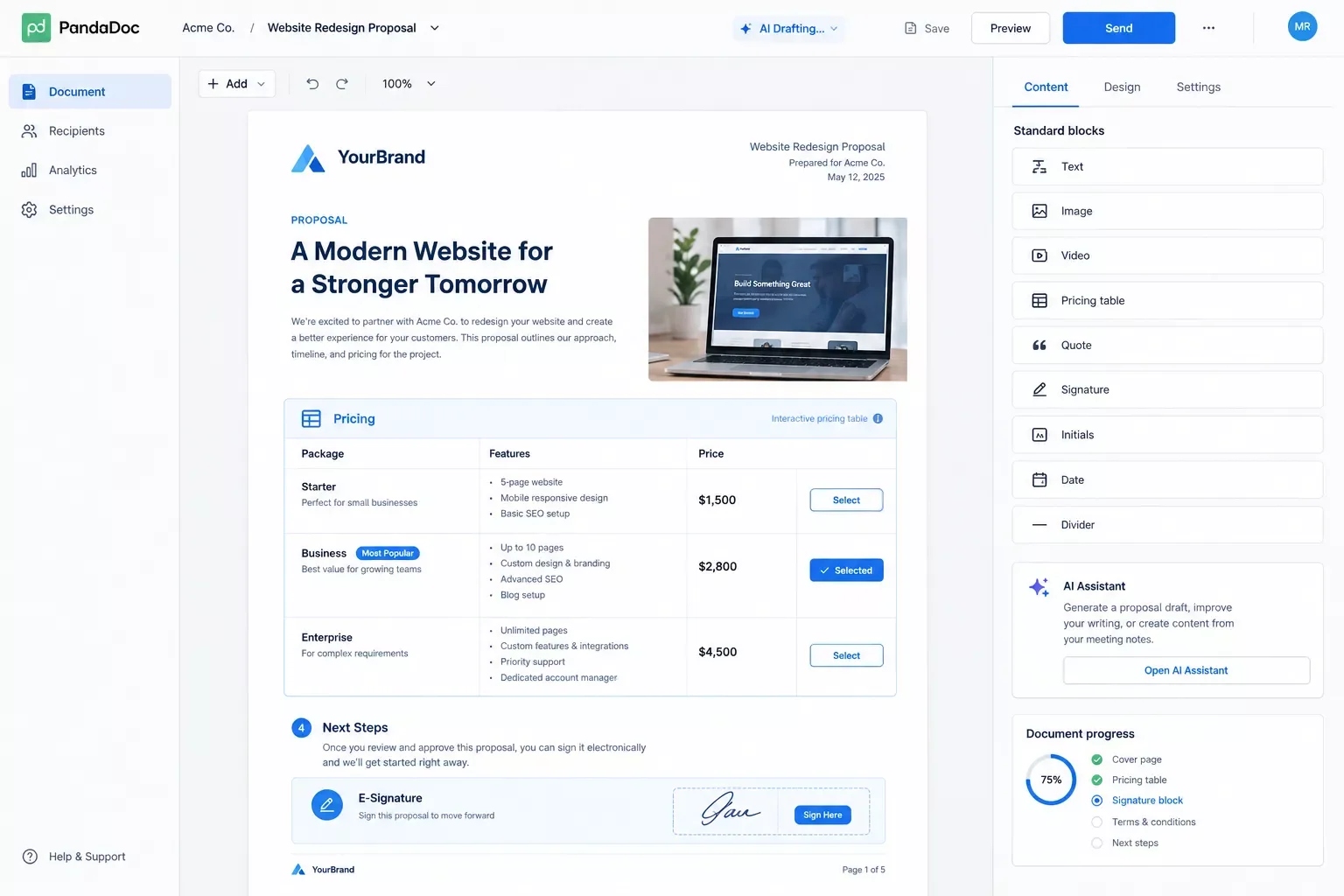
PandaDoc is the safest first pick for most freelancers and small agencies sending proposals regularly. According to PandaDoc's official pricing page, the free plan includes 60 documents a year with unlimited e-signatures, which is more than enough for someone testing the waters before committing to a paid tier.
You build the proposal, drop in a pricing table that calculates itself as the client adjusts options, add an e-signature block, and they sign without leaving the page. The AI layer helps draft sections and tighten clunky paragraphs, but it won't write the whole thing while you sleep. You're still driving the structure.
Pricing: Free (60 docs/year); Starter $19/user/month; Business $49/user/month (annual billing).
Verdict for tool-comparison searchers: if you want one platform that also handles quotes and contracts, not just proposals, PandaDoc is the one to start with. Just know that its genuine, Make-maintained Make.com integration only unlocks on the Business plan ($49/user/month) or higher — the free and Starter tiers can draft proposals, but they can't run the Make.com automation described later in this article.
2. Better Proposals
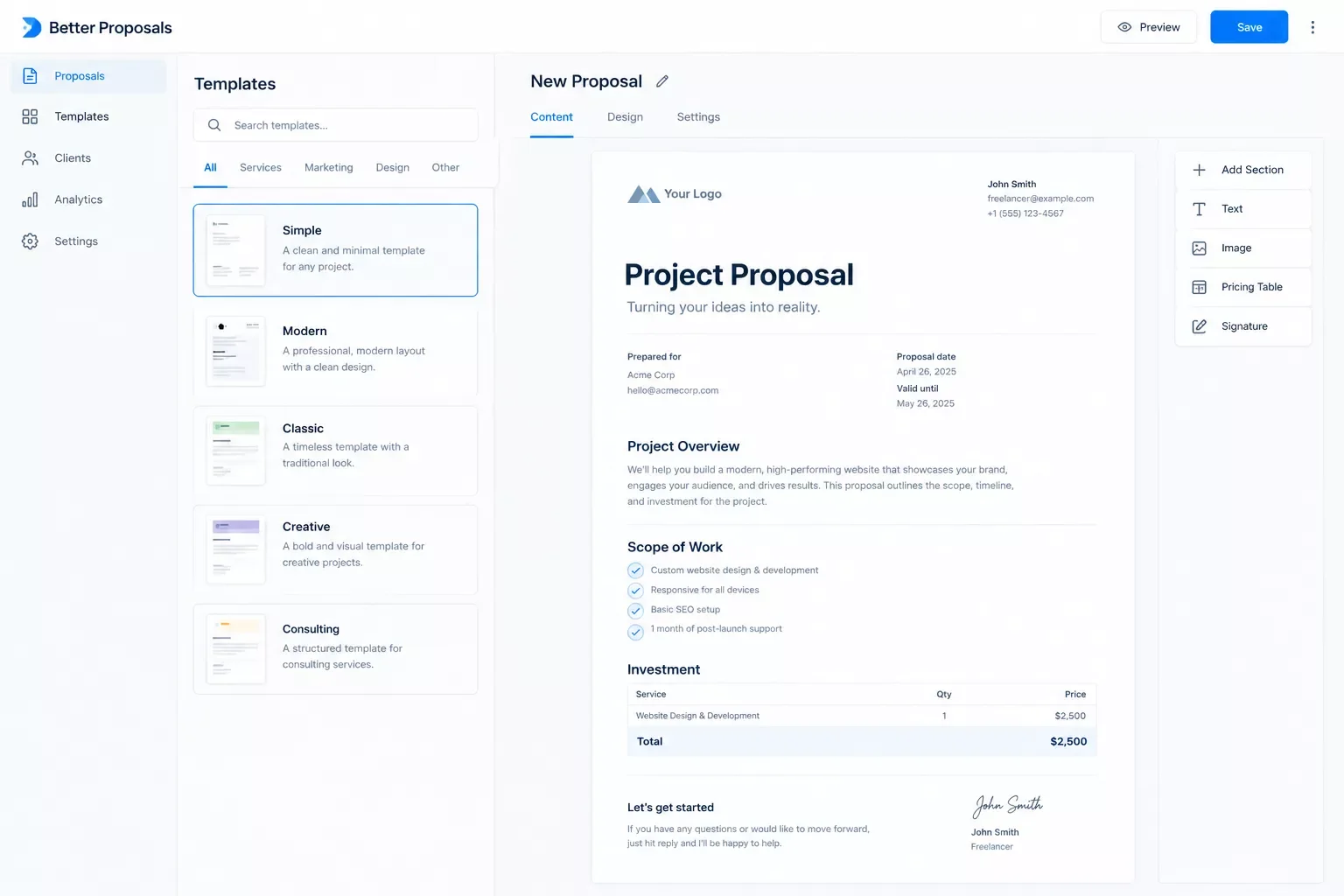
Better Proposals strips out the enterprise bloat. It's built for freelancers and small teams who want a polished, on-brand proposal out the door without a learning curve, and it's the cheapest serious option on this list.
Pricing starts at $13/user/month on the Starter plan (annual billing), with Premium at $21 adding a custom domain plus CRM and Zapier integrations, and Enterprise at $42. You can have a signed-ready proposal sent within an hour of creating your account, which is exactly what a busy solopreneur juggling five client conversations at once actually needs.
The trade-off: there's no RFP machinery here, and the AI drafting is basic compared to PandaDoc's. Once you're sending dozens of proposals a month or need real analytics, you'll outgrow it.
Verdict for tool-comparison searchers: if speed and price matter more than depth, this beats every other tool on the list for a first proposal sent today.
3. Bonsai
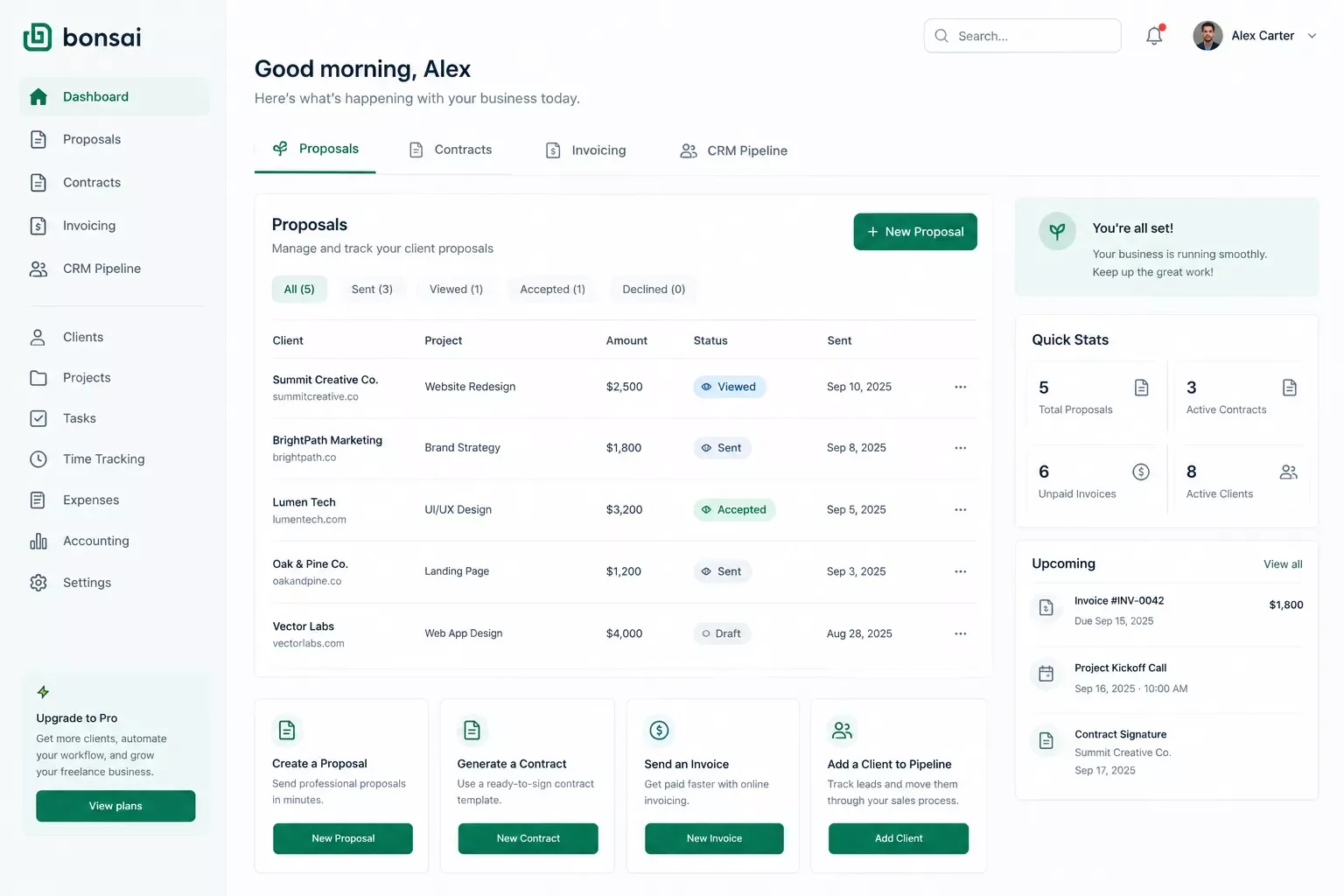
Bonsai takes a different approach entirely. Instead of being a proposal tool, it's a full business-management platform for freelancers that happens to include proposals alongside contracts, invoicing, time tracking, and a basic client CRM. If you're tired of stitching five apps together, this consolidation is the entire pitch.
The AI drafting itself is competent rather than groundbreaking, but the real value is that a signed proposal can automatically trigger a contract, then an invoice, without you re-entering client details three separate times. That's a genuinely useful chain for a one-person operation.
One honest limitation worth flagging: Bonsai's own product page confirms its integrations run through QuickBooks, Zapier, Calendly, and Xero. There's no native Make.com app for Bonsai the way there is for PandaDoc. If you want to connect Bonsai into a Make.com scenario, you're routing through a webhook or Bonsai's own Zapier bridge, not a direct Make module. It works, but it's an extra hop, not a plug-and-play connection.
Pricing: Four tiers from $15 to $59/user/month (billed monthly), dropping to $9-$49/user/month annually. Essentials ($25/mo, $19 annual) is the real entry point for proposals and contracts — Basic doesn't include them.
Verdict for tool-comparison searchers: best if you want proposals, contracts, and invoicing under one roof and don't mind a slightly indirect path to Make.com automation.
4. Proposify
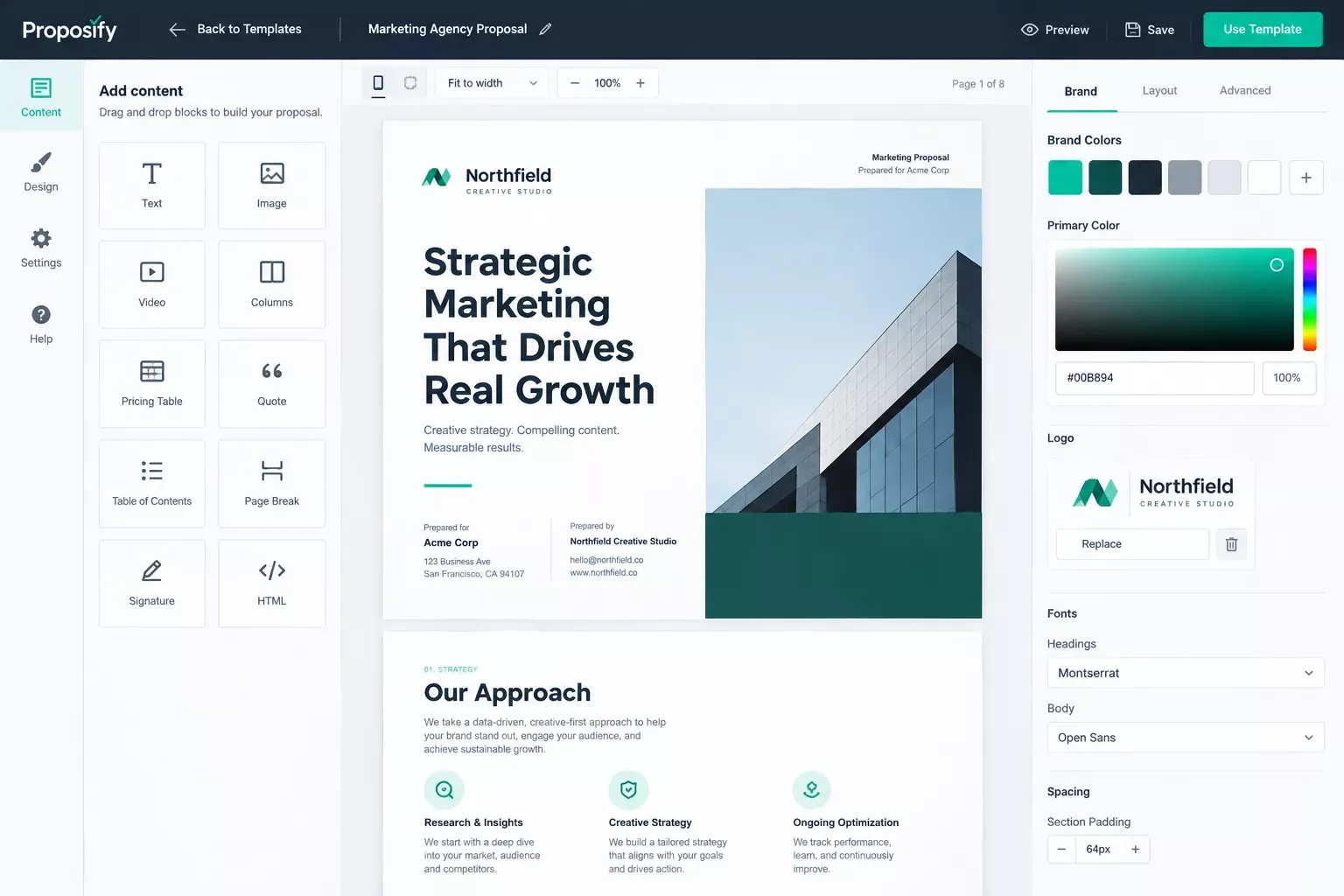
Proposify is what design-conscious agencies reach for. The editor gives genuine control over layout, typography, and branded templates, so proposals look like they came from a studio instead of a form. The built-in AI assistant can prompt, draft, and fix grammar inline as you build.
Here's the catch worth knowing before you sign up: the Basic plan runs $19/user/month annually but caps you at 10 document sends a month, with a $0.50 overage per send after that. Team at $41/user/month raises the cap to 30 sends and adds CRM sync plus approval workflows. Business is custom-priced, starting around $3,900/year.
Ten or thirty sends a month sounds generous until a busy month blows past it, and the overage fees add up fast for anyone actively prospecting.
Verdict for tool-comparison searchers: pick this one if brand consistency is non-negotiable and your proposal volume stays predictable. Skip it if you're sending proposals in bursts.
5. Qwilr
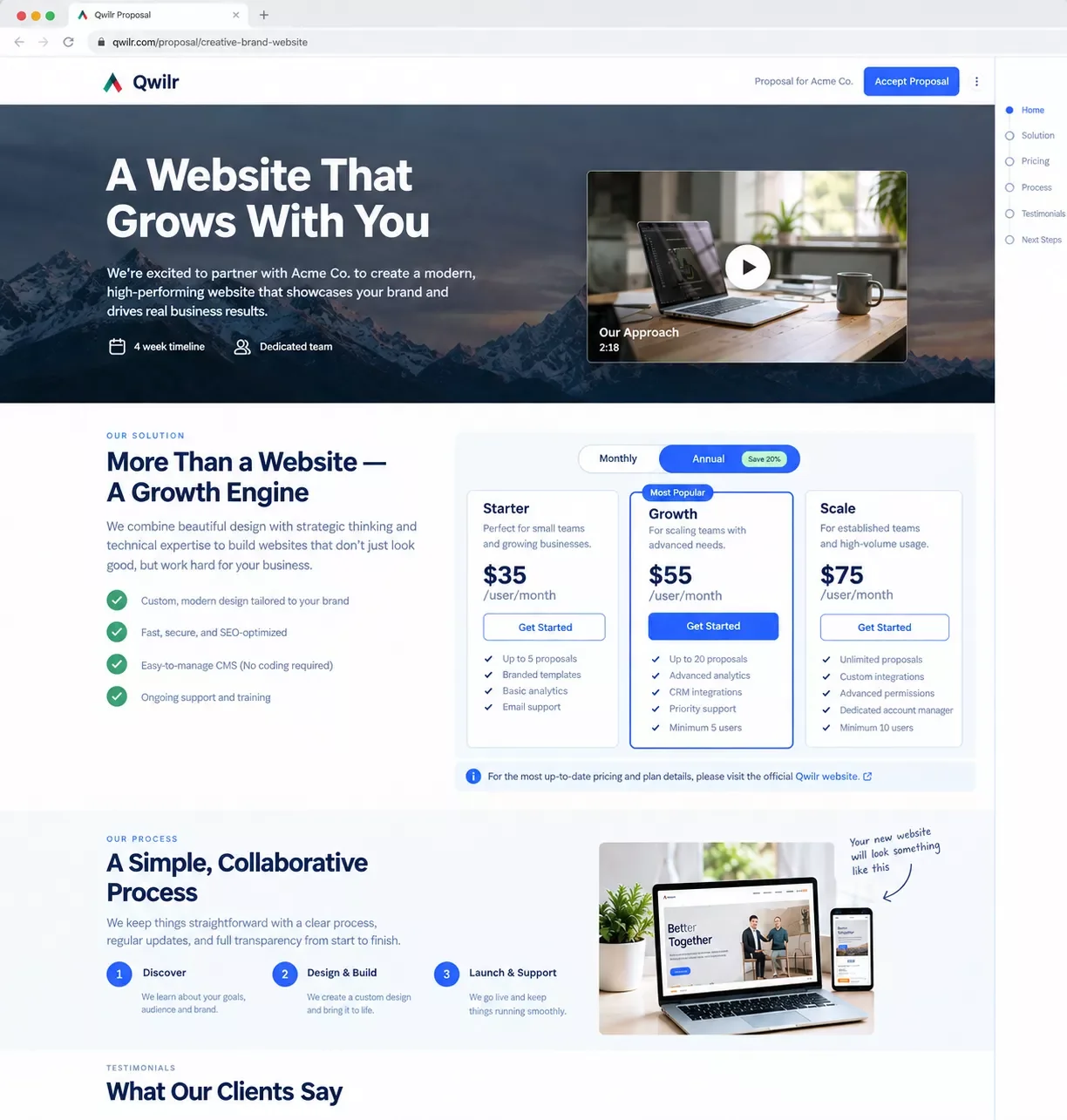
Qwilr throws out the PDF entirely. Your proposal becomes a responsive web page with embedded video, interactive pricing the client can toggle themselves, and accept-and-pay built directly into the page. You can also see exactly how long a prospect spent on each section, which is genuinely useful follow-up intelligence.
Pricing starts at $35/user/month for Starter, with Growth at $55 (5-seat minimum) and Scale at $75 (10-seat minimum). The part that trips people up: Qwilr's AI features, the Smart Proposal Engine and AI Prefill, only exist on the Scale tier. If AI drafting is the reason you're buying, you're committing to $75/user/month and 10 seats minimum, which prices out most solopreneurs.
Verdict for tool-comparison searchers: great if presentation and interactivity close your deals, but the AI gate makes it a poor fit for a solo operator on a budget.
6. Claude / ChatGPT (the DIY option)
Sometimes you don't need a platform, you need a sharp first draft fast and you'll handle formatting yourself. Claude and ChatGPT are the blank-canvas option, and for one-off proposals they're genuinely hard to beat on writing quality, since that's literally what they're built to do. If you want to see how Claude and ChatGPT stack up for AI writing more broadly, it's worth a look before you decide.
At $20/month each, they're cheaper than any dedicated tool here. Paste your notes, the client's brief, and a strong example proposal, then ask for a draft in your own voice. The trade-off is zero structure: no templates, no e-signatures, no tracking of whether the client even opened it. You bring the discipline; the tool brings the writing.
Verdict for tool-comparison searchers: best for someone sending a proposal or two a month who already has a document workflow in Google Docs or Word. Once volume picks up, the manual overhead stops making sense.
Quick Pricing Reference — and for a broader look at where else Make.com plugs into your tool stack, see AI SEO tools that actually connect to Make.com.
Pricing above was verified at the time of writing. Since SaaS pricing changes frequently, please confirm current rates and plan details directly on each provider's official website before making a decision.
How to Auto-Draft a Proposal the Moment a New Lead Comes In
None of the six tools above do this well on their own, and neither does any comparison guide currently ranking for this topic. Every "best AI proposal writer" list treats proposal-writing as something you sit down and do. The move that actually saves hours is triggering the first draft automatically, before you've even seen the lead.
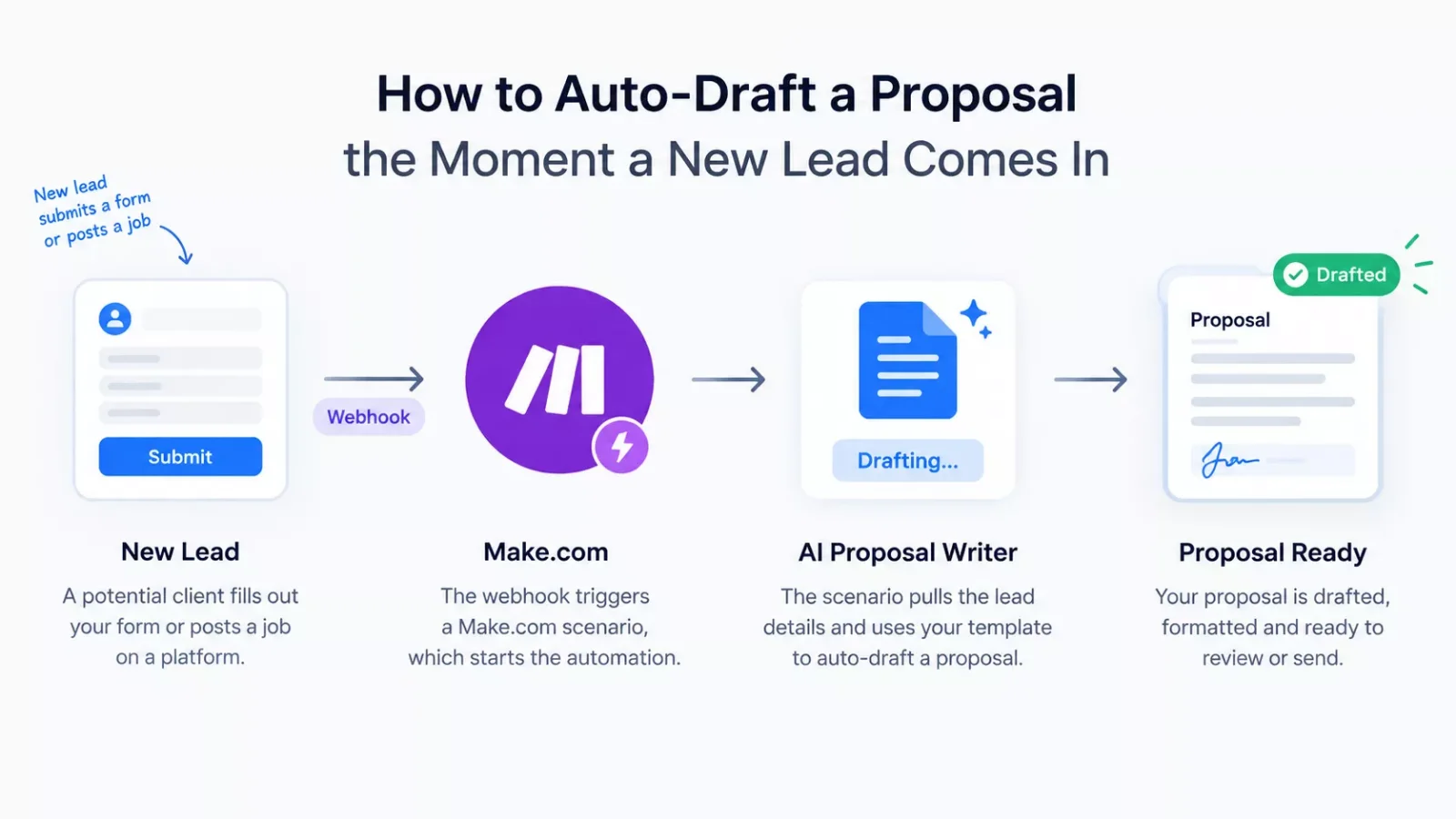
Here's the shape of it. A new lead lands somewhere, a form submission, a Calendly booking, a job posting matching your saved search on a freelance platform. That event fires a webhook. A Make.com scenario catches it, pulls the relevant details (client name, project scope, budget range if available) from wherever you're automating your CRM as a solopreneur, and pushes them into PandaDoc's "Create a Document" action, using a template you've already built. By the time you open your inbox, a first-draft proposal is sitting there waiting for a five-minute polish instead of a blank page.
This works cleanly with PandaDoc specifically because its Make.com integration is verified and maintained by Make itself, with a real "Watch Documents" trigger and "Create a Document" action already built — though per PandaDoc's own documentation, this automation is only available on the Business plan ($49/user/month) or Enterprise, not the free or Starter tier. For Bonsai, the same idea is possible, but you're building it through a webhook or Bonsai's Zapier bridge rather than a native module, which means a bit more setup and one extra point of failure to test.
The realistic time savings: instead of noticing a lead, opening a proposal tool, and writing from scratch, you're reviewing and sending a draft that already exists. For someone bidding on multiple jobs a day, that's the difference between actually keeping up and letting good leads go cold while you're still drafting.
Master Stroke — Integration With Make.com
Every tool on this list gets better once you stop thinking of it as a standalone app and start thinking of it as one module in a bigger system. That's genuinely what SmartSoloFlow does with Make.com automation workflows, more thoroughly than most breakdowns you'll find elsewhere: connecting the tool you already picked to the rest of your business so it fires without you touching it. If you're curious what else pairs well this way, this roundup of AI automation tools that pair with Make.com covers more of the stack.
A basic version: new lead → auto-drafted proposal → Slack notification so you know to review it. A more built-out version adds a follow-up sequence if the proposal sits unopened for 3 days, and logs every sent proposal into a spreadsheet for your own win-rate tracking. None of this requires you to switch proposal tools. It requires connecting the one you already use into a Make.com scenario that watches for the right trigger.
The tools that support this best are the ones with genuine, documented Make.com apps, which is exactly why PandaDoc keeps coming up as the practical pick in this list even though Bonsai wins on all-in-one convenience. And if you're running an agency rather than flying solo, pair this with client portal tools built for agencies so the proposal and the onboarding that follows it both run on autopilot. For the writing side of the same pipeline, AI email writers that pair with your Make.com stack close the loop from drafted proposal to the follow-up email that gets it signed.
⚡ Pro Tip: Start with just one automation, new lead to drafted proposal, before layering on follow-ups and tracking. A single working trigger beats five half-built ones.
⚠ Watch Out For: Auto-drafted proposals still need a human review pass before sending. Treat the automation as removing the blank page, not as removing your judgment on pricing or scope.
People Also Ask
What is the best AI proposal writer for freelancers bidding on multiple jobs a day?
Better Proposals is the fastest to set up for high-volume freelance bidding thanks to its low cost and quick template flow, but pairing PandaDoc with a Make.com auto-draft trigger scales further once you're bidding on more jobs than you can manually draft for each day.
Can a proposal be automatically drafted when a new job posting or lead comes in?
Yes, using a Make.com scenario that watches for the new lead event (a form, a webhook, a saved job search) and pushes the details into a proposal tool's document-creation action. PandaDoc's native Make.com app supports this directly; other tools may need a webhook or Zapier bridge instead.
Is a free AI proposal writer good enough, or is it worth paying for a premium tool?
PandaDoc's free plan (60 documents a year, unlimited e-signatures) covers most freelancers just starting out. Upgrade once you need CRM integrations, approval workflows, or you're sending automated drafts that require the paid API access most automations rely on.
How much does an AI proposal writer typically cost?
Lightweight tools like Better Proposals start around $13/user/month. Mid-tier options like PandaDoc and Proposify run $19-49/user/month. Interactive platforms like Qwilr climb to $35-75/user/month, with AI features often gated to the top tier.
Which AI proposal writer works best with Make.com?
PandaDoc, since it has a verified, Make-maintained app with real triggers and actions already built. Other tools can still connect, usually through a webhook, but it takes more manual setup.
Do I need a separate CRM to automate proposal drafting?
Not necessarily. A simple form or booking tool can serve as the trigger source. A CRM helps once you're tracking dozens of leads, but it's not a requirement to get started with one automated proposal trigger.
Can AI write a full proposal that wins the deal on its own?
No. AI drafts a strong first version fast, pulling structure and boilerplate language, but you still need to add real pricing, tailor the value to the specific client, and review every claim before sending.
If you only remember one thing from this list: PandaDoc is the safest all-around pick because it balances price, features, and genuine Make.com automation support. If you're running your entire freelance operation solo, Bonsai's all-in-one convenience might matter more to you than automation depth. And if you're only sending a proposal or two a month, Claude or ChatGPT plus your existing doc workflow will out-write half the dedicated apps for $20.
Overall Rating: PandaDoc — 4.5/5 (based on documented features, published pricing, and researched user feedback across the tools compared here).
⚡ Pro Tip: Test the free tier of whichever tool you pick before committing to a paid plan — most of these platforms let you build and send at least one real proposal for free.
You've probably noticed the tool comparison only gets you halfway there. Picking the right proposal software matters, but the real time back comes from not having to think about proposals at all until one's already drafted and waiting for your review.
That's exactly what I build as a No-Code Architect: the complete, done-for-you automation connecting your lead source straight through to a drafted proposal, with no manual triggering required on your end. If you want this working alongside your existing stack without piecing it together yourself, this is exactly what I build.
Want This Set Up for Your Business?
Whether it's this exact lead-to-proposal automation or something fully custom, I'll build it around the tools you already use. Reach out and let's map it out.
Let's TalkFound this guide useful? Share it with a fellow freelancer who's still drafting proposals from scratch. 🚀
Got a question or a workflow roadblock? Drop it in the comments below — happy to help.
Last Updated: September 11, 2026

// Comments