 SmartSoloFlow

Key Takeaway: The right client portal software saves agencies hours of manual client onboarding, and pairing it with a simple automation means it can set itself up the moment a deal closes.
Primary Tool(s): SuiteDash + Make.com
Build Time: ~2-4 Hours
The best client portal software for agencies in 2026 doesn't just organize client files, it removes the manual setup work that eats into billable hours every time you close a new deal. For small agencies without a developer on staff or a spare weekend to configure yet another tool, that distinction matters more than a longer feature list.
This guide compares five client portal platforms agencies actually shortlist right now, SuiteDash, Copilot (Assembly), Plutio, Dubsado, and Notion, on pricing, white-label depth, and how much setup they genuinely require. Then it covers something none of the other roundups touch: how to make a new client's portal access appear automatically the moment their deal status flips to "Closed Won" in your CRM, instead of you creating it by hand every single time.
If you're tired of client onboarding eating your Monday mornings, this is the fix.
- Why Client Portal Setup Shouldn't Cost You a Weekend
- 1. SuiteDash — Best Flat-Fee, White-Label Portal for Growing Agencies
- 2. Copilot (Assembly) — Best for Security-Conscious, Client-First Portals
- 3. Plutio — Best All-in-One Pick for Solo and Small Agencies
- 4. Dubsado — Best for Form and Workflow-Heavy Service Businesses
- 5. Notion — Best DIY Option If You're Not Ready to Pay for a Dedicated Portal
- Auto-Provisioning Client Portals When Deals Close
- How to Get Started
- Conclusion: Pick the Portal, Then Automate the Handoff
Why Client Portal Setup Shouldn't Cost You a Weekend
If you run a small agency, you already know the drill. A new client signs, and suddenly you're building out a folder structure, sending a login invite, and explaining where everything lives, again. It's not hard work, but it's the kind of work that quietly eats an afternoon every single time you close a deal.
Client portal software for agencies exists to fix exactly this. The good ones give your clients one branded login where they see their files, invoices, and project status, without you touching a spreadsheet or a shared Drive folder. For the fuller picture of what no-code automation can take off your plate as a small business owner, the broader guide to no-code automation for small businesses is worth a look. The problem most roundups skip is what happens after you pick a tool: someone still has to manually create that client's portal account every time. That's the gap this guide actually closes.
1. SuiteDash — Best Flat-Fee, White-Label Portal for Growing Agencies
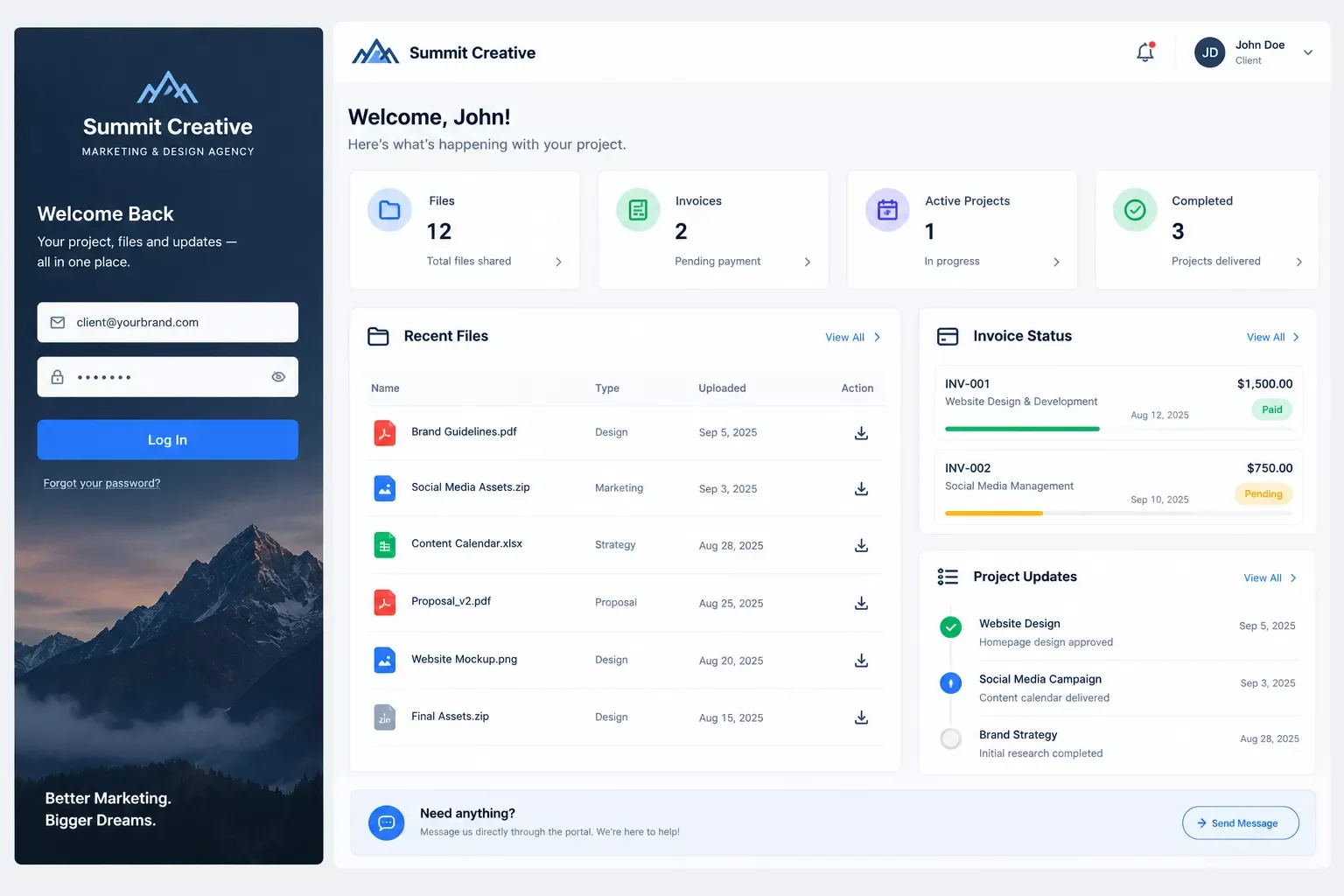
SuiteDash is the best pick if you want white-label branding and unlimited client logins without the per-seat pricing that punishes you for growing. At SuiteDash's official pricing page, every plan lists $19/month flat with a custom domain and a branded mobile app included, so a three-person agency pays the same as a fifteen-person one.
The trade-off is setup time. SuiteDash bundles CRM, billing, projects, and the portal itself, which means configuration genuinely takes a few focused sessions, not ten minutes. That's fine if one person owns the setup, but it's not a same-day launch. If you're weighing a few different no-code picks side by side, browsing picks like these ecommerce automation tools shows the same "no dev needed" pattern at work in a different context.
Here's where it gets interesting for agencies already running their CRM through Make.com: instead of manually inviting each new client to SuiteDash after a deal closes, a simple scenario can watch your CRM for a "Closed Won" status change and fire off the client's portal invite automatically. No one on your team has to remember to do it.
2. Copilot (Assembly) — Best for Security-Conscious, Client-First Portals
Copilot, now rebranded Assembly, is the one to choose when a client's procurement team asks about compliance before they'll sign anything. It's the only platform in this comparison with SOC 2 Type II certification on every single plan, starting at $39/month billed annually, confirmed on Copilot's (Assembly's) pricing page.
That security comes at a cost: full white-label with a custom domain requires the $149/month Professional tier, and pricing scales by both client count and internal seats, not a flat fee. For a small agency without enterprise clients demanding SOC 2, that premium usually isn't worth paying for yet.
Where Copilot earns its keep is agencies serving finance, healthcare-adjacent, or enterprise clients who won't move forward without an audit trail. If that's your client base, the security line item justifies the higher price on its own.
3. Plutio — Best All-in-One Pick for Solo and Small Agencies
Plutio packs proposals, project tracking, time tracking, invoicing, and a client portal into one flat subscription starting at $19/month. For a solo operator or a two-to-three-person team, that's a lot of software doing a lot of jobs without juggling four separate logins.
White-label costs an extra $9/month on the Core and Pro plans, though it's included free on the Max tier. One catch worth knowing before you commit: the Core plan caps you at nine active clients per month, so a growing agency will bump into that ceiling and need to jump to Pro at $49/month sooner than expected.
Plutio suits agencies that want one bill and one login to manage, not five different apps stitched together. It's not the deepest tool here, but it's the easiest to actually finish setting up in a weekend.
4. Dubsado — Best for Form and Workflow-Heavy Service Businesses
Dubsado is built for agencies whose client relationship runs on forms, contracts, and scheduling more than files and dashboards. Starting at $20/month, the Premier tier at $40/month adds scheduling and CSS-level customization on top of workflow automation.
The portal itself is genuinely basic, and there's no true custom domain option even on the top plan. That's a real limitation if a polished, branded look matters to your clients. What Dubsado does well instead is automating the paperwork stage: contracts, intake forms, and follow-up sequences that trigger themselves based on where a client sits in your pipeline.
Choose Dubsado when your bottleneck is chasing signatures and forms, not when you need your portal to look like a custom-built product.
5. Notion — Best DIY Option If You're Not Ready to Pay for a Dedicated Portal
Notion isn't a real client portal in the traditional sense, but plenty of small agencies use it as one anyway, starting at $10/user/month. It's flexible, familiar if your team already uses it internally, and cheap enough to try with zero commitment.
The honest limitation: there's no native custom domain, no built-in payments, and no real cross-client isolation, so one client could technically stumble into another client's workspace if permissions aren't set up carefully. It works fine for a couple of friendly, low-stakes clients. It breaks down the moment a client asks about security or you need invoicing built in.
Use Notion as a bridge, not a destination, if you're testing whether your agency even needs a dedicated portal yet before spending real money on one.
Auto-Provisioning Client Portals When Deals Close
Every comparison above tells you which tool to pick. None of them tell you how to stop manually setting up each new client's account, and that's the actual time sink, not the tool choice itself.
Here's the fix: connect your CRM to your portal tool through Make.com, so the moment a deal's status changes to "Closed Won," a scenario automatically creates that client's portal account, populates their name and contact details, and sends the welcome invite. No one on your team touches it.
In practice, this means connecting your CRM (whether that's the free-CRM setups covered in this guide to free CRMs for startups, or a solopreneur-style CRM build like a solopreneur-style CRM build like this one) to a webhook that Make.com listens for. Most of the tools above, SuiteDash and Copilot especially, support API-based user creation, confirmed directly in Make.com's official documentation on webhooks, which is exactly what a Make.com scenario needs to hook into.
You still pick the portal based on brand fit, security needs, and price, same as always. What changes is that the client's very first login is already waiting for them the moment their deal closes, instead of two days later when someone remembers to set it up.
⚠ Watch Out For: Not every portal tool exposes a public API for account creation on lower-tier plans, check your specific pricing tier before assuming this automation is available out of the box.
How to Get Started
Pick one tool from the list above based on your actual client count and security needs, not the longest feature list. If you're under ten clients, start with Plutio or Notion before paying for anything heavier. If a client's already asking about SOC 2, skip straight to Copilot/Assembly.
Once you've picked a tool, check whether it exposes a public API for user creation, that's the one requirement for the auto-provisioning workflow above to actually work. If your automation breaks or stalls partway through setup, fixing common automation breakdowns before they cost you clients covers the most frequent culprits. From there, a single Make.com scenario is genuinely the fastest part of this whole setup, and walks through building a scenario like this from scratch is a good next read if you want the full build process.
Want This Auto-Provisioning Set Up for Your Agency?
If configuring a CRM-to-portal handoff yourself isn't the best use of your week, this is exactly the kind of build I hand off, fully working, for small teams like yours. Reach out and let's talk through what your stack actually needs.
Let's TalkConclusion: Pick the Portal, Then Automate the Handoff
The tool you pick matters less than most roundups make it sound, SuiteDash, Copilot, Plutio, Dubsado, and Notion all genuinely work for different agency sizes and budgets. What actually saves you time long-term is removing yourself from the setup loop entirely, so a new client's account exists before you've even opened your laptop that morning.
⚡ Pro Tip: Before automating anything, audit how many client accounts you've manually created in the past 90 days. That number is your real time-savings baseline once the automation is live.
SmartSoloFlow helps small agencies and solopreneurs build exactly this kind of no-code automation, without needing an in-house developer, and one of the more thorough breakdowns of no-code automation workflows you'll find covers what comes right after this exact kind of build. If a fully custom, done-for-you workflow sounds more useful than piecing this together solo, reach out through the Contact page and let's scope it out together.
Found this guide useful? Share it with a fellow agency owner who's still onboarding clients by hand. 🚀
Got a question or a workflow roadblock? Drop it in the comments below, happy to help.
People Also Ask
What is the best client portal software for a small agency in 2026?
SuiteDash is the best value pick for most small agencies, at $19/month flat with unlimited users and white-label included on every plan. Copilot (Assembly) is the better fit if a client specifically requires SOC 2 compliance.
Can a client portal be automatically set up when a new deal closes in the CRM?
Yes. Tools like SuiteDash and Copilot expose an API for account creation, which a Make.com scenario can trigger the moment a CRM deal status changes to "Closed Won," creating the client's portal account without manual setup.
Does an agency really need a client portal, or is email/file-sharing enough at a small scale?
Below roughly ten active clients, a shared folder and email often work fine. A dedicated portal starts paying off once you're juggling enough clients that manual file-sharing and status updates begin eating real time each week.
What is a client portal and why do agencies need one?
A client portal is a branded, secure space where each client logs in to see only their own files, invoices, and project status. Agencies use one to replace scattered email threads with a single, organized touchpoint per client.
How much does client portal software cost for a small agency?
Flat-fee tools like SuiteDash and Plutio start around $19/month with unlimited users. Per-user tools like Bonsai run closer to $19-29 per user, and security-focused options like Copilot can reach $39-149/month depending on the plan.
Do I need coding skills to set up a client portal automation?
No. Make.com is a no-code platform, so connecting your CRM to your portal tool is done through visual, drag-and-drop scenario building, not custom code. Most agencies get a basic version running in an afternoon.
Which client portal tools integrate easily with automation platforms like Make.com?
SuiteDash and Copilot both offer public APIs that Make.com can connect to for creating client accounts automatically. Notion and Dubsado have more limited API access, which makes this specific automation harder to build reliably.
Is white-label branding worth paying extra for on a client portal?
Only if clients spend enough time inside the portal to notice the branding. For agencies whose clients log in rarely, the deliverable and invoice accuracy matter far more than whether the login URL carries your domain or the vendor's.
Last Updated: September 7, 2026

// Comments