 SmartSoloFlow

Key Takeaway: A simple Make.com automation can pull straight from Google Calendar and Todoist to auto-build your daily routine planner, so the 20-minute morning planning ritual disappears for good.
System Goal: Turn calendar events and task deadlines into one auto-populated daily plan, no manual entry required
Weekly Time Savings: ~2 Hours/week
Core Framework: Make.com automation + Todoist + Google Calendar
Building a daily routine planner used to eat 20 minutes of my morning, every single morning. As a solopreneur juggling client calls, deadlines, and admin work with zero backup, that kind of daily drag adds up fast, and it's a real contributor to the burnout so many solo operators quietly deal with. So I stopped rebuilding my day by hand. Instead, I set up a simple Make.com automation that connects Google Calendar and Todoist directly.
Now my calendar events and task deadlines feed straight into one auto-built daily plan before I even open my laptop. This case study walks through what wasn't working with generic planner apps and templates, what I actually tried first, and the exact workflow that finally made my routine build itself. If you're tired of starting each workday by piecing your schedule back together from three different places, this is the fix that stuck.
Success Story: The Morning I Stopped Rebuilding My Own Schedule
For example: a solopreneur running client calls and deliverables without any admin support used to spend the first 20 minutes of every workday manually copying calendar events and task deadlines into a planner app. After connecting Google Calendar and Todoist through a simple Make.com scenario, that same daily plan now builds itself before the first coffee is even poured, freeing up close to two hours a week that used to disappear into admin before any billable work even started.
The Core Problem
A daily routine planner only saves you time if it actually stays current, and most of them don't do that on their own. Every morning, the plan has to be rebuilt by hand: check the calendar, check the task list, then manually merge both into something usable. That gap between "having a planner" and "having an accurate plan" is exactly where solopreneurs lose time and patience, even ones who already run a solid time blocking system for the rest of their week.
For me, that gap ate roughly 20 minutes every single morning. Doesn't sound like much on its own. But stacked across a five-day work week, that's over an hour and a half a week spent just assembling the day, before a single client task actually got touched.
This isn't a small, personal quirk either. According to Smallpdf's 2026 Freelancer Freedom Index, a survey of nearly 400 freelancers and solo operators, more than half of solopreneurs (58%) say AI tools have done little to reduce their overall admin workload, and freelancers overall still lose an average of 204 hours a year to administrative tasks. Manual routine-building is a textbook example of that kind of quiet, repetitive admin drag: it doesn't feel urgent in the moment, but it steadily adds up.
And the burnout angle is real, not dramatic. When you're the only person running the business, every minute spent re-organizing your own day is a minute not spent on the work that actually pays. Do that daily, for months, and it wears on you. That was exactly where I landed before I finally automated it.
This is where Make.com comes into the picture. Instead of manually cross-referencing my calendar and task list every morning, I built a scenario that does the merging automatically, before I'm even awake to think about it.
What I Tried
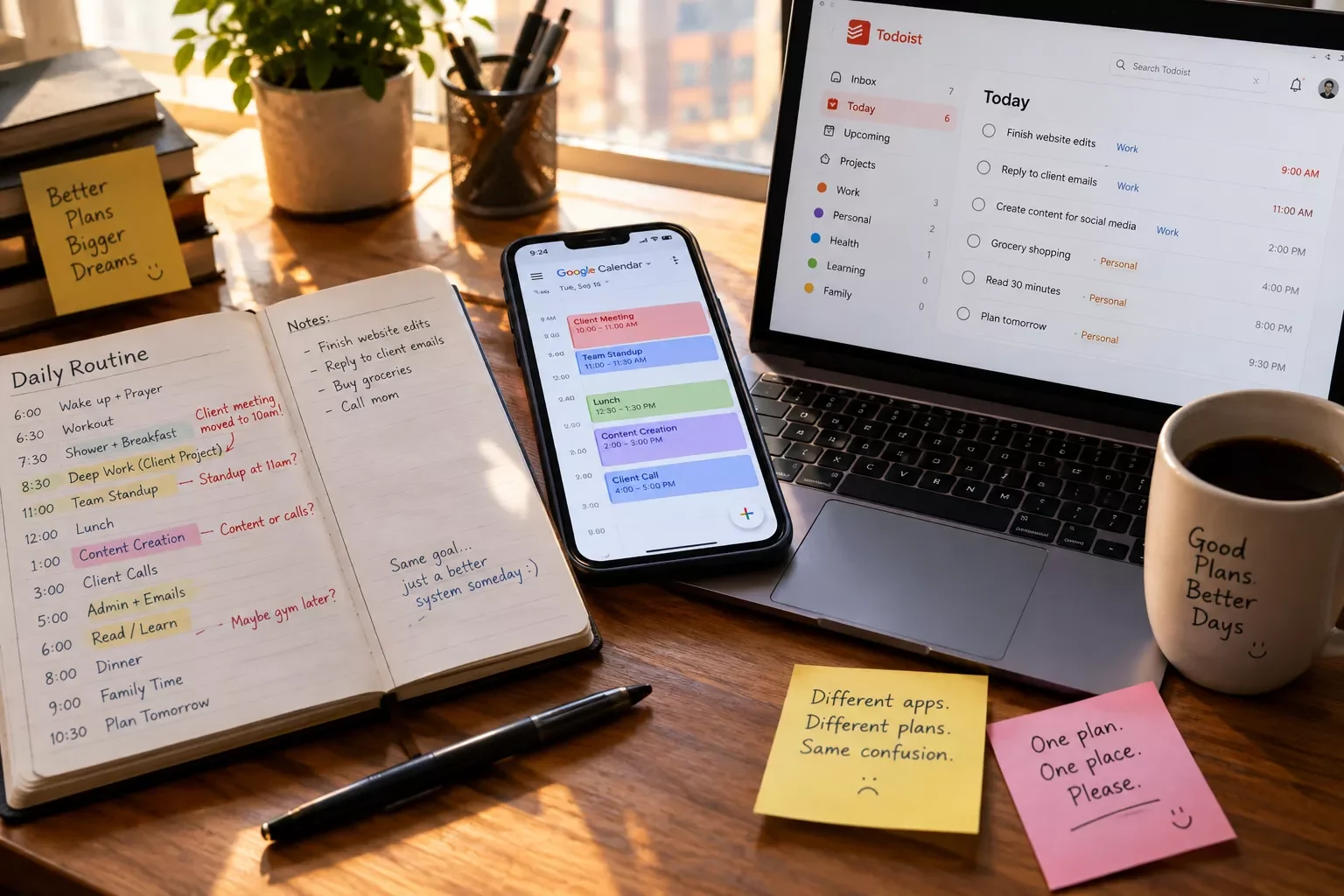
Before automating anything, I went through the usual playbook. I tried a few well-known planner apps and a handful of downloadable daily routine templates. Some were genuinely well-designed. None of them solved my actual problem.
Here's the gap I kept running into. Every planner app I tested, and every routine template I downloaded, still expected me to manually type in what was already sitting in my Google Calendar and Todoist. The app itself was fine. The daily re-entry step never went away.
I even tried a hybrid approach for a couple of weeks: keeping Google Calendar as my source of truth, then copying anything task-related from Todoist into a printed daily routine organizer each morning. It worked, technically. But it was still a manual step I had to remember and execute every day, and skipping it even once meant starting the day scattered.
That's when I went looking specifically for something that could auto-populate a routine daily planner from real calendar and task data, not just help me build one from scratch each time. That search is what led to the workflow below.
What Actually Worked: Auto-Populating My Daily Routine
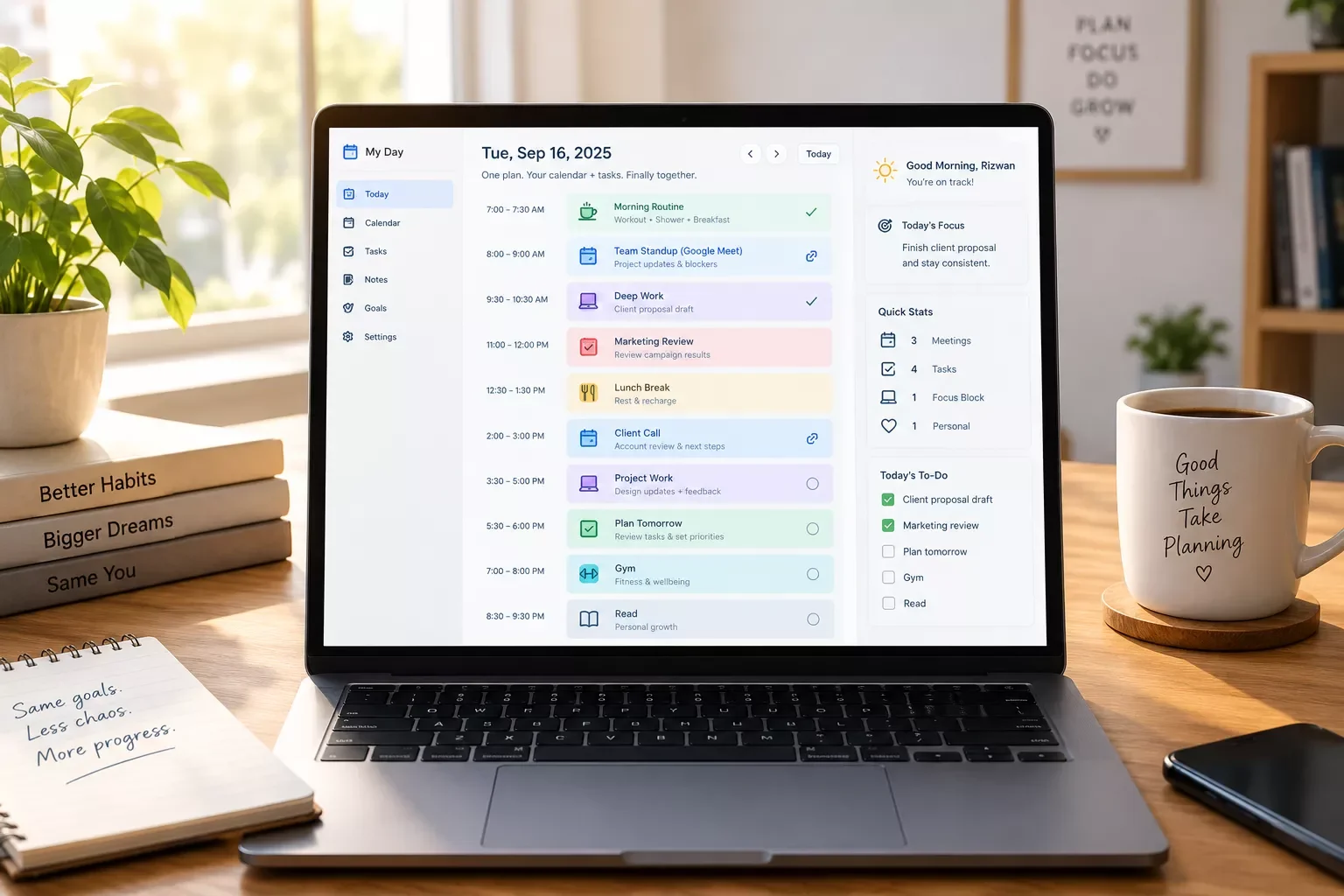
The fix was a three-step Make.com scenario: watch Google Calendar for new or updated events, pull any Todoist task marked due today, then merge both into one running daily plan automatically. No manual copying, no daily re-typing, and it updates itself in real time whenever my day shifts.
Here's exactly what the scenario does, broken into the actual steps:
- 1. Google Calendar's Make.com integration triggers a Watch Events module whenever an event on my calendar is created or updated for today.
- 2. Make.com's own Todoist integration runs a search-tasks action that pulls every task with today's due date, including anything I added the night before.
- 3. Make.com merges both lists and sorts them by time, so calendar events and task deadlines sit in one single timeline instead of two separate apps.
- 4. The merged list gets pushed into a single "Today's Plan" view, so I open one place, not three, each morning.
- 5. The whole scenario re-runs automatically any time a calendar event or task changes, so the plan never goes stale mid-day.
How the Workflow Actually Runs
The part that made the biggest difference wasn't fancy. It was just letting two tools that already had all my information talk to each other, instead of me being the manual bridge between them every morning. It's the same trigger-based logic behind my to-do list automation setup, and it's close to how email automation that triggers itself works too, just aimed at a planner instead of an inbox.
Worth noting: routines work because they move behavior off willpower and onto autopilot. A widely cited University College London study on habit formation found it takes a median of 66 days for a new routine to become automatic, with individual timelines ranging anywhere from 18 to 254 days. An auto-built daily plan doesn't skip that process, but it removes one of the biggest reasons routines fall apart early: the friction of rebuilding them by hand every single day.
If you're already exploring AI automation tools that pair well with a Make.com setup like this, there's plenty more to build on. SmartSoloFlow has one of the more thorough breakdowns of Make.com automation workflows built specifically for solopreneurs, not agencies or teams.
The Result
Here's what a setup like this typically delivers once it's running: the daily rebuild step disappears completely. Instead of spending 15 to 20 minutes each morning merging a calendar and a task list by hand, the merged plan is already waiting, built from whatever changed overnight.
Over a normal work week, that adds up to roughly two hours back, time that used to disappear into admin before any client work even started. It's not a dramatic, life-changing number on its own. But stacked week over week, it's the difference between starting each day already behind and starting it already oriented.
The bigger shift is less about the minutes and more about the mental load. Not having to hold "what's on my calendar" and "what's due today" in your head separately, every single morning, frees up focus for the actual work a solopreneur is trying to protect in the first place, especially if you're already running a system built to stop constant role-switching the rest of the day.
The same principle applies beyond just the morning plan. Plenty of solopreneurs who automate their project management setup instead of running it manually report the same kind of relief: less mental overhead, more actual focus time.
People Also Ask
What is the best daily routine planner for a solopreneur with an unpredictable schedule?
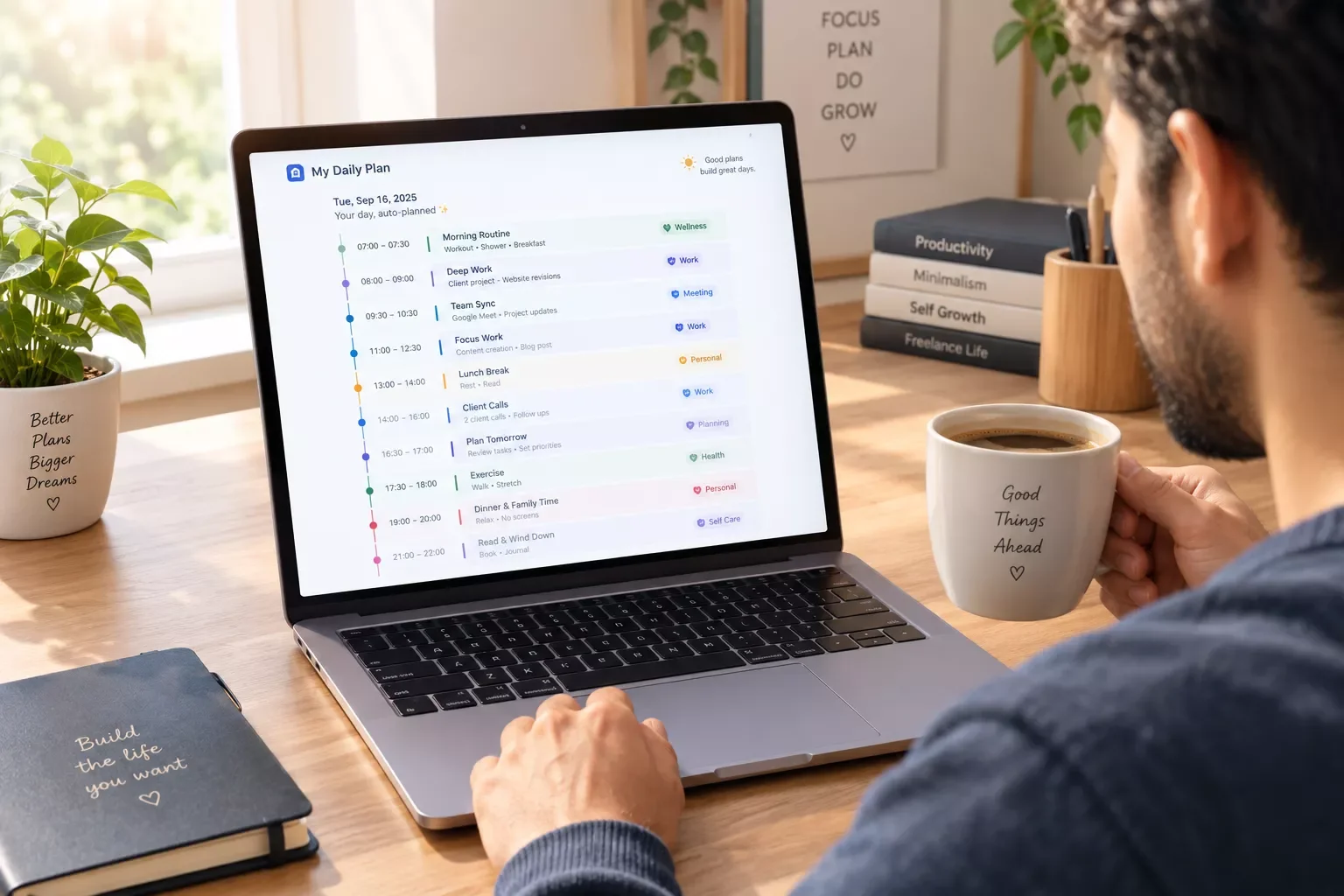
The best option isn't a specific app, it's a planner that auto-updates from real data. For an unpredictable schedule, a system that pulls live from your calendar and task manager beats any static app or paper template, since it adjusts automatically instead of needing a manual rebuild every time your day shifts.
Can a daily routine planner automatically build itself from calendar events and task deadlines?
Yes. An automation platform like Make.com can watch a calendar for new or updated events and pull tasks due that day from a task manager like Todoist, then merge both into a single running plan without any manual entry required.
Is a simple daily planner enough, or does a solopreneur need AI-powered scheduling?
A simple planner is often enough for the actual planning logic. What most solopreneurs are missing isn't smarter scheduling, it's automatic data entry. Connecting existing tools through automation usually solves the real problem faster than switching to a more "AI-powered" app.
How long does it take to set up a Make.com automation for daily planning?
A basic Google Calendar-to-Todoist merge scenario like this one typically takes under 30 minutes to build and test, including connecting both accounts and running a test scenario to confirm events and tasks are pulling correctly.
Do I need a paid Make.com plan to run this kind of automation?
No. A scenario this size, watching one calendar and pulling from one task list a few times an hour, comfortably fits within Make.com's free tier for most solopreneurs. You'd only need to upgrade if you were running many scenarios or checking far more frequently than a daily planning workflow requires.
What happens if I add a task in Todoist after the daily plan already built itself?
The scenario re-runs automatically whenever a watched event or task changes, so a new task due today gets pulled into the plan the next time the scenario fires, usually within minutes, not the next morning.
Does this only work with Todoist and Google Calendar specifically?
If you use different apps, like Notion or Apple Calendar instead of Todoist and Google Calendar, the same merge-and-sort logic still applies. You'd just swap the trigger and search modules for the equivalent app inside Make.com's library.
Will this automation work if my schedule changes constantly throughout the day?
Yes, that's actually where it helps most. Since the scenario watches for updates, not just new events, a rescheduled call or a moved deadline gets reflected in the plan automatically instead of leaving an outdated version sitting there.
Conclusion
A daily routine planner is only as good as how current it stays, and no app fixes that by itself. The real fix isn't a better planner, it's removing the manual step that makes any planner go stale in the first place.
Connecting Google Calendar and Todoist through a simple Make.com scenario did that for me. It didn't require learning to code, and it took less time to set up than a single week of doing the old manual routine by hand. If you're a solopreneur who's tired of rebuilding your own day every morning, this is worth the half hour it takes to build.
If admin drag is showing up in more than just your morning planner, it's worth looking at the rest of your stack too. Plenty of solopreneurs get similar relief when they automate invoicing so it stops eating their mornings too, or set up social media scheduling tools that auto-post on their own instead of manually posting every day.
⚡ Pro Tip: Start your Make.com scenario with just two modules, the Google Calendar trigger and the Todoist search, before adding any merging or formatting logic. Confirm both are pulling clean data first, then build the merge step on top of a foundation you already trust.
⚠ Watch Out For: If your Todoist tasks don't have due dates set consistently, the "due today" filter in this workflow will miss them. Get in the habit of assigning a due date to every task before this automation can reliably catch it.
Reclaiming two hours a week doesn't sound huge on paper, but for a solopreneur, that's two hours back for billable work, rest, or simply not starting the day already behind. If you'd rather get that morning back than spend a weekend building this yourself, this is exactly the kind of system I set up so solopreneurs don't have to.
Want This Running in Your Business Instead of on Your To-Do List?
I build automations like this one for solopreneurs who'd rather get their mornings back than spend a weekend setting it up themselves. Reach out and let's talk about what your setup looks like.
Let's TalkSmartSoloFlow builds Make.com automation workflows exactly like this one for solopreneurs who want their tools working together, not sitting in separate tabs every morning.
Found this guide useful? Share it with a fellow freelancer who's still doing things manually. 🚀
Got a question or a workflow roadblock? Drop it in the comments below. Happy to help.
Last Updated: September 15, 2026

// Comments