 SmartSoloFlow

Key Takeaway: The right landing page builder gets you a live page fast, but the real time-saver is what happens after someone hits submit. This guide compares 6 builders and shows how to route their leads straight into a CRM without manual exports.
Primary Tool(s): Leadpages, Landingi, Unbounce, Swipe Pages, Instapage, Systeme.io
Build Time: ~1-3 Hours
Picking a landing page builder is the easy part. Most small business owners can pick one of these six and have a page live within an hour, no developer needed. The harder problem, the one that actually costs time every week, is what happens to a lead after they hit submit. If that lead sits in the builder's own dashboard until someone remembers to check it, you're losing speed exactly when speed matters most.
This guide compares six landing page builders that fit a small business budget and skill level: Leadpages, Landingi, Unbounce, Swipe Pages, Instapage, and Systeme.io. For each one, you'll see what it does well and where it falls short. Then we'll cover the part most builder roundups skip entirely: how to auto-route captured leads into a CRM, using Make.com as the connector, so nothing depends on you remembering to export a spreadsheet.
- Picking a Builder Is Only Half the Job
- 1. Leadpages: The Straightforward All-Rounder
- 2. Landingi: The Budget-Friendly Option With Real Integration Depth
- 3. Unbounce: Built for Testing, Priced for Bigger Budgets
- 4. Swipe Pages: Fast-Loading Pages for Paid Traffic
- 5. Instapage: The Premium Option for Serious Paid-Ad Spend
- 6. Systeme.io: The All-in-One Budget Pick
- Auto-Routing Landing Page Leads Into a CRM
- Conclusion
Picking a Builder Is Only Half the Job
If you run a small business, you already know the drill. You don't have a developer on staff, and you don't have a spare afternoon to fight with a website's back end just to launch one campaign page. That's exactly why a dedicated no-code website builder guide matters as a starting point, and a landing page builder takes that idea one step further: a focused tool that gets one page live, fast, without touching your main site's code.
But here's the part that trips people up. You launch the page. Leads start coming in. And then what? For a lot of small business owners, "then what" means logging into the builder's dashboard once a week and manually copying names and emails into a spreadsheet or CRM. That's not a landing page problem. That's a plumbing problem, and it's fixable.
Below are six builders worth considering, followed by the fix for that exact plumbing gap. One thing worth knowing upfront: none of these builders are the finish line. Whichever one you pick, the leads it captures still need somewhere to go, and that's where a connector like Make.com comes in. More on that below.
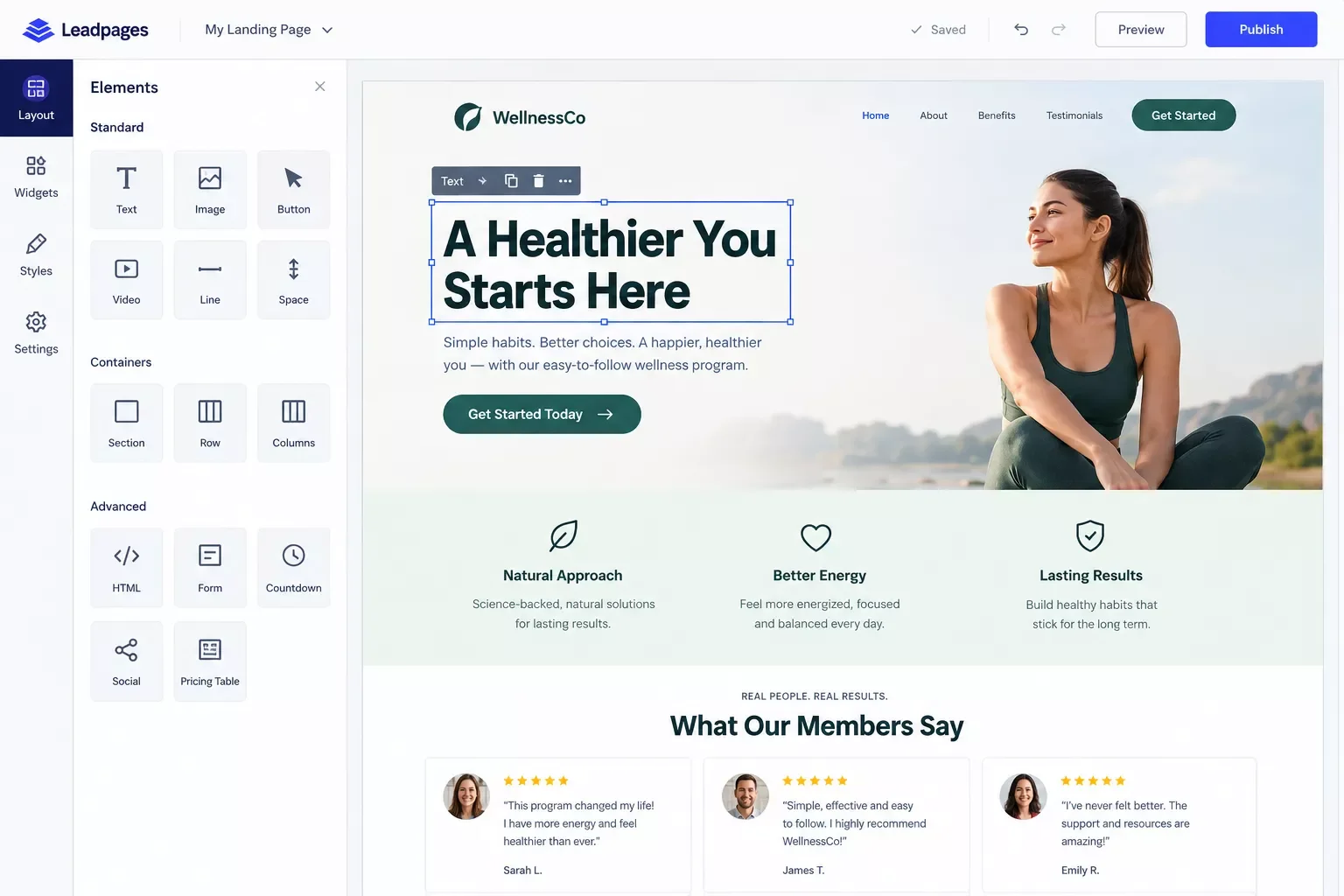
1. Leadpages: The Straightforward All-Rounder
Leadpages is a solid starting point if you want a drag-and-drop editor, a library of templates, and don't want to think too hard about the setup. It covers the basics well: unlimited traffic and leads on its entry paid tier, real-time analytics, and A/B testing.
Pricing has shifted around a bit across sources this year, with the entry paid plan (Grow) landing somewhere in the $49-$99/month range depending on billing terms and which review site you check. That's a genuine spread, not a typo, so treat any specific number as a starting point and confirm current pricing directly on Leadpages' site before you commit.
Pricing above was verified at the time of writing. Since pricing changes frequently, please confirm current rates and plan details directly on each provider's official website before making a decision.
Where it fits: a small business owner who wants one clean page for a specific offer (a webinar, a lead magnet, a limited promo) and native integrations with CRMs like HubSpot or ActiveCampaign without extra setup.
Where it's thin: the free-form flexibility drops off fast if you want anything beyond the standard funnel shape. If your product needs a non-standard page layout, you'll feel boxed in.
2. Landingi: The Budget-Friendly Option With Real Integration Depth
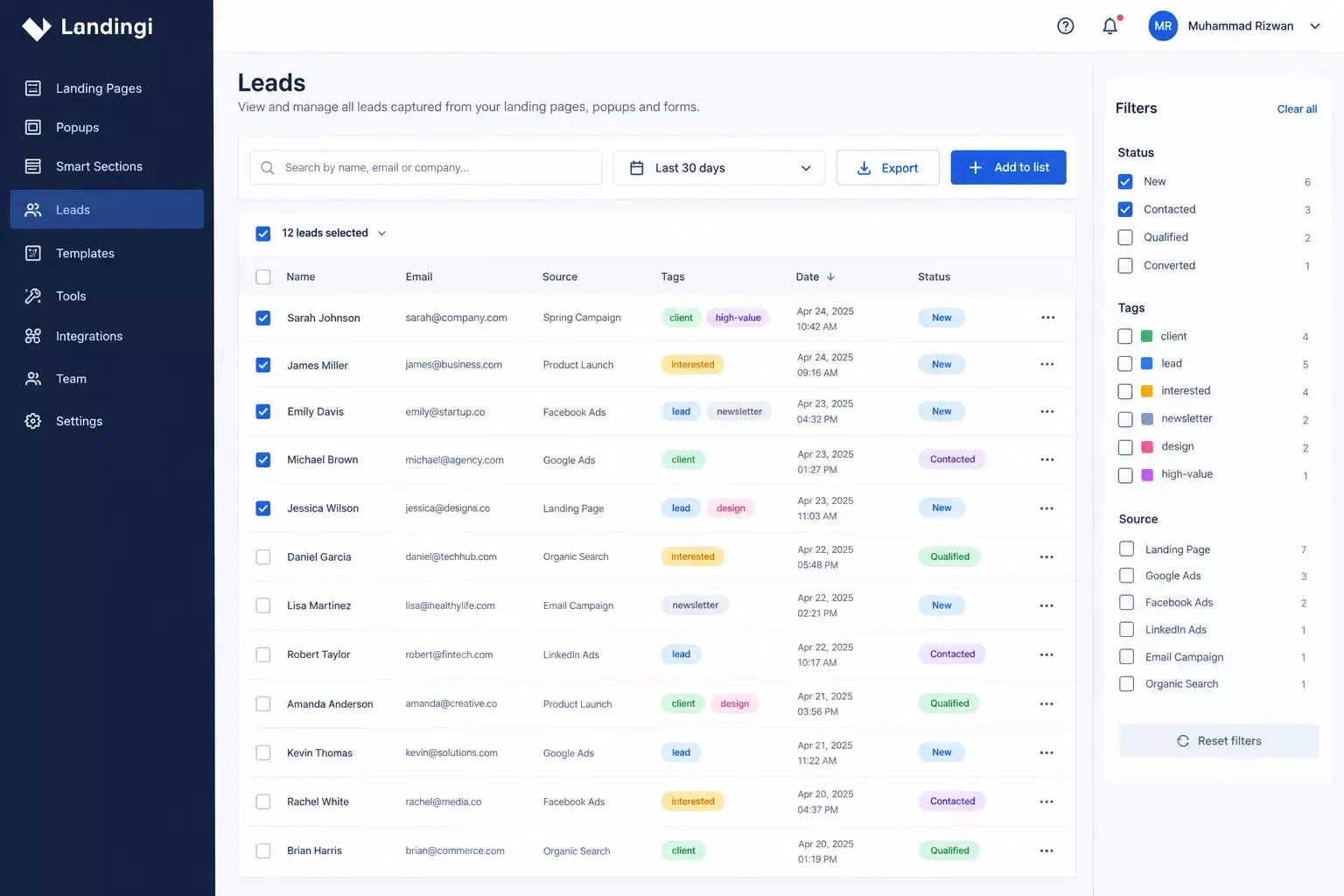
Landingi is the pick most often flagged as the better value option for a small business, and the pricing backs that up: its entry paid plan starts around $29/month, noticeably lower than several competitors on this list, confirmed consistently across multiple pricing sources as of this writing.
Pricing above was verified at the time of writing. Since pricing changes frequently, please confirm current rates and plan details directly on each provider's official website before making a decision.
What makes Landingi worth a longer look isn't just the price. It genuinely supports over 100 integrations, including direct CRM and email marketing connections plus Zapier for anything not natively covered, and reviewers consistently describe lead flows as easy to automate once set up.
Where it fits: a small business that wants CRM automation without paying agency-tier prices for it.
Where it's thin: some reviewers note the form builder's conditional logic is a little basic if your lead qualification needs get complicated, and the drag-and-drop editor can feel slightly laggy on more detailed page layouts.
3. Unbounce: Built for Testing, Priced for Bigger Budgets
Unbounce leans hard into conversion testing. If you want to run genuine A/B tests, see dynamic content swap based on ad keywords, and get detailed conversion analytics, this is one of the more mature tools for it.
That maturity comes at a price. Entry pricing sits meaningfully higher than several other options on this list, generally starting somewhere in the $70-plus/month range depending on the plan and billing term. It also connects to CRMs like Salesforce and HubSpot directly, and offers 60-plus pre-built Zapier "zaps" for anything not natively supported, so leads don't have to be manually exported to reach your CRM.
Pricing above was verified at the time of writing. Since pricing changes frequently, please confirm current rates and plan details directly on each provider's official website before making a decision.
Where it fits: a small business owner who's running paid ads and genuinely wants to test headlines, layouts, or offers against each other, not just publish one page and hope. Google's own landing page experience guidance backs this up: pages that match visitor intent and load fast tend to convert and rank better in paid results.
Where it's thin: reviewers frequently flag it as expensive for freelancers and small businesses, especially once you add domains or traffic beyond the base cap. If you just need one clean page live, this may be more tool than you need.
4. Swipe Pages: Fast-Loading Pages for Paid Traffic
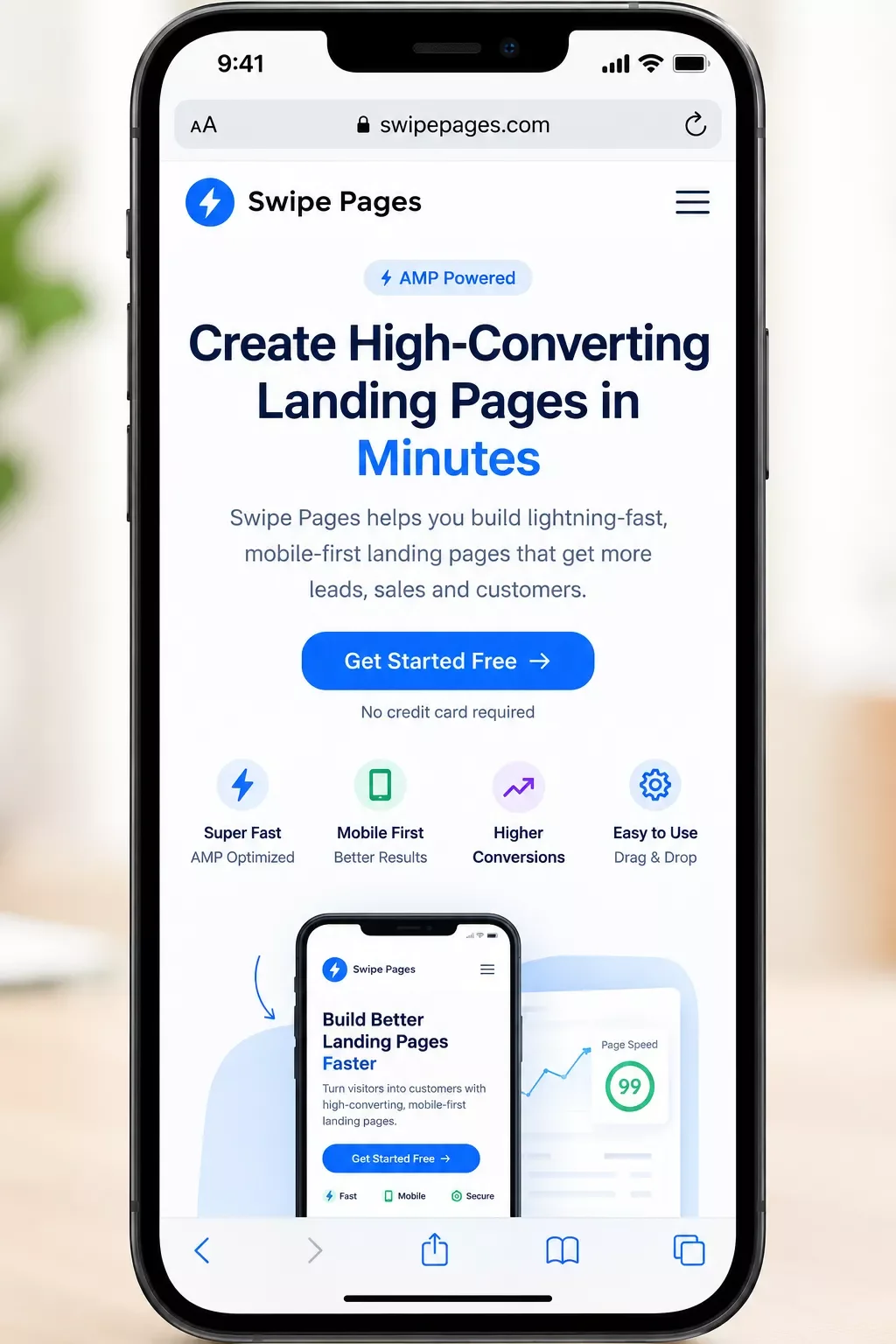
Swipe Pages built its name on speed. Every page can publish as a Google AMP page, which matters if you're running paid ads and page-load time affects your Quality Score or bounce rate. It also supports dynamic text replacement, so your landing page headline can automatically match whatever a visitor searched for in Google or Meta ads.
Entry pricing generally starts in the high-$20s to high-$30s/month range depending on the source and billing period, putting it closer to Landingi's price bracket than Unbounce's.
Pricing above was verified at the time of writing. Since pricing changes frequently, please confirm current rates and plan details directly on each provider's official website before making a decision.
It connects natively to tools like Mailchimp, HubSpot CRM, and Zoho CRM, with Zapier extending that reach further for anything not built in.
Where it fits: a small business owner running paid traffic campaigns who cares more about page speed and ad-message matching than deep customization.
Where it's thin: several reviewers note the native integration library is smaller than Unbounce's or Leadpages', so you'll lean on Zapier more often for less common tools.
5. Instapage: The Premium Option for Serious Paid-Ad Spend
Instapage is built for teams running real ad budgets. Its standout feature is AdMap, which maps every ad in a campaign to its own dedicated landing page, plus server-side A/B testing and heatmaps on its higher tiers.
That level of tooling comes at a premium price point, generally starting around $79-99/month for the entry paid tier depending on billing terms, climbing higher for plans with expanded visitor caps. It integrates directly with CRMs like Salesforce, HubSpot, and Pipedrive, and offers Zapier webhooks for anything not natively covered.
Pricing above was verified at the time of writing. Since pricing changes frequently, please confirm current rates and plan details directly on each provider's official website before making a decision.
Where it fits: a small business that's already spending meaningfully on paid ads (several thousand dollars a month or more) and needs granular, per-ad landing page mapping to justify that spend.
Where it's thin: several reviewers flag it as pricey for a small business budget, and it's genuinely a landing-page-only tool. You'll still need a separate CRM and email tool; Instapage just hands leads off to them.
6. Systeme.io: The All-in-One Budget Pick
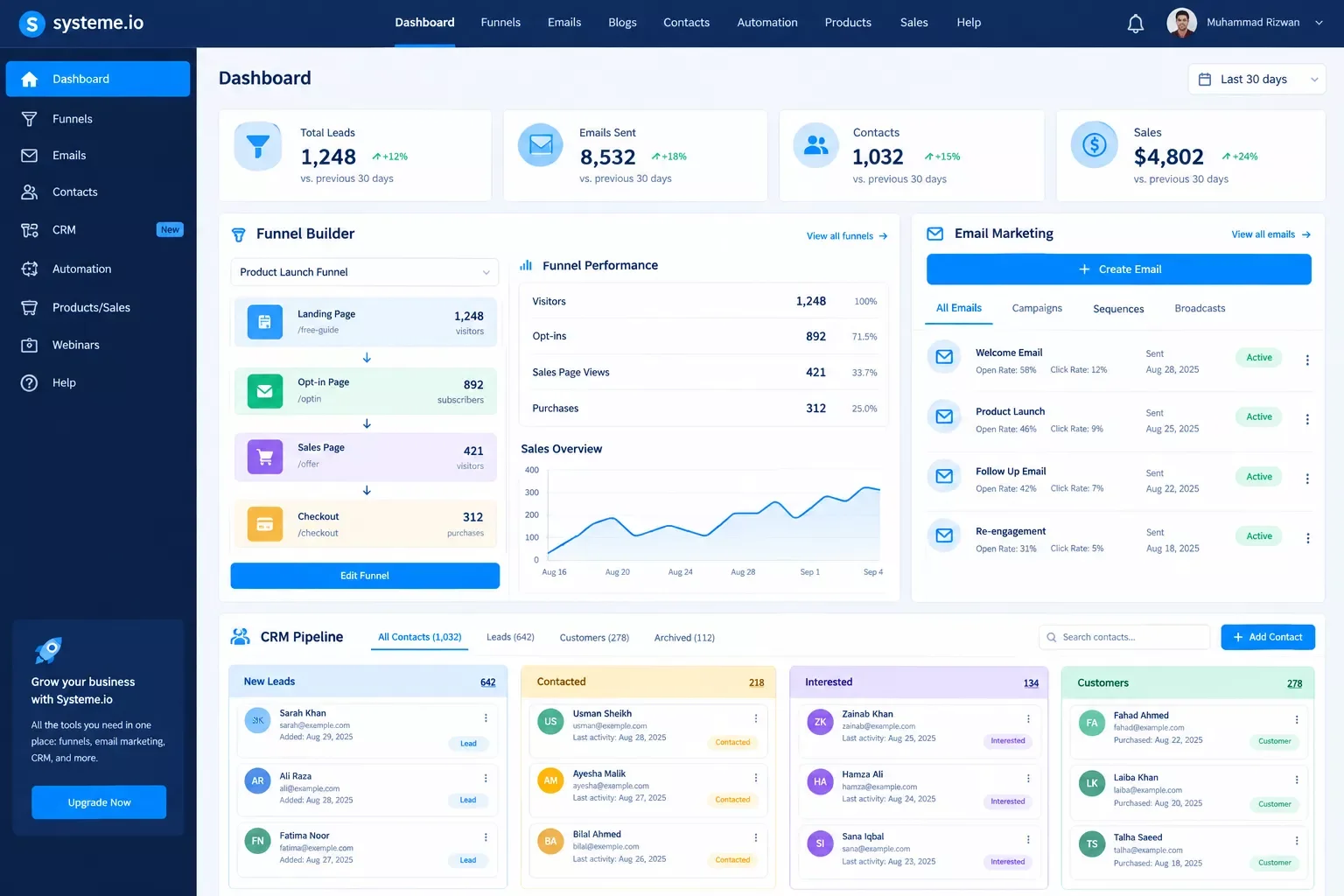
Systeme.io takes a completely different approach from the other five. Instead of being a dedicated landing page tool, it bundles landing pages, email marketing, a basic CRM-style pipeline, and even course hosting into one login.
The pricing makes it the clear budget standout here: a genuinely permanent free plan (2,000 contacts, 3 funnels, unlimited emails), with the first paid tier starting at $17/month.
Pricing above was verified at the time of writing. Since pricing changes frequently, please confirm current rates and plan details directly on each provider's official website before making a decision.
Because the CRM-style pipeline lives inside the same platform as the landing page, leads don't need to be routed anywhere; they land in the same system automatically. That's genuinely convenient for a very small operation. If you'd rather keep your CRM separate and more flexible from the start, a free CRM built around lead capture is worth a look too.
Where it fits: a solo operator or very small team that wants one tool instead of five, and doesn't need deep customization on any single piece.
Where it's thin: reviewers consistently describe the analytics as basic, and if you eventually outgrow the built-in CRM or want a more sophisticated tool stack, you'll be migrating data out of a closed system rather than adding an integration to an open one.
Auto-Routing Landing Page Leads Into a CRM
Here's the direct answer: you connect your landing page builder's form submissions to your CRM using Make.com as the automation layer in between, so every new lead lands in your CRM the moment they submit, with no manual export step.
This is the part every builder comparison skips. Every one of the six tools above will happily collect leads. What none of them solve on their own is the follow-up: making sure that lead actually reaches the place your team works from, whether that's a CRM, a spreadsheet, or an email list, without you remembering to go check a dashboard. If your form itself is the weak link, it's worth first ruling out a lead capture form that isn't sending leads before troubleshooting the routing layer on top of it.
Here's how the connection actually works, in plain terms:
Each builder gets there a slightly different way:
- Native integration path: Leadpages, Landingi, Unbounce, Swipe Pages, and Instapage all offer direct or Zapier-based connections to popular CRMs. Make.com can sit in that same spot: most of these builders expose form submissions through a webhook or a native Make.com app, listed directly in Make's app directory, so a new lead triggers a scenario that creates or updates a CRM contact within seconds. Want the same idea applied to a different lead source? This same pattern works for routing leads automatically with a chatbot builder too.
- All-in-one path: Systeme.io skips this step entirely since its CRM-style pipeline lives in the same platform. That's convenient at small scale, but it also means you're locked into Systeme.io's own tools if you outgrow them.
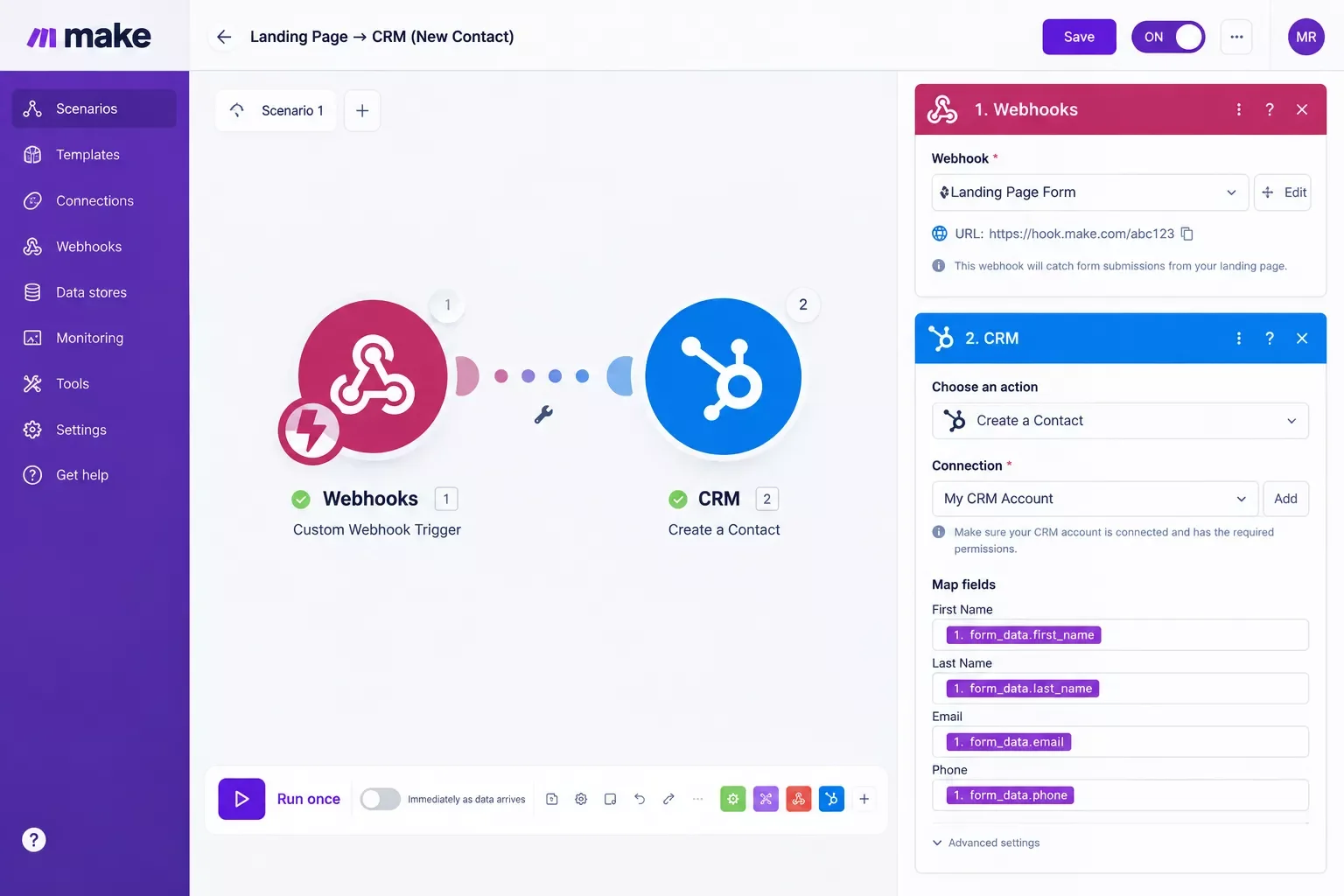
If you're already using a CRM built for solopreneurs, this connection pairs well with a broader automated setup. This CRM automation setup for solopreneurs covers what happens on the receiving end once leads start flowing in automatically. And if you want to extend the stack even further, several AI automation tools that pair with your Make.com stack can pick up where lead routing leaves off, qualifying or scoring leads automatically.
Setup specifics (exact modules, field mapping) vary by which builder and CRM you use. If you want the exact scenario built and tested for your specific stack rather than piecing it together yourself, that's exactly the kind of build I hand off, fully working, for small teams like yours.
Conclusion
Any of these six builders will get a page live fast, and that's genuinely the easy part. The choice that actually saves you time long-term isn't which drag-and-drop editor feels nicest, it's whether the leads that come through it end up somewhere you'll actually see and act on them. Pick the builder that fits your budget and campaign style, then don't skip the routing step. That's the difference between a landing page that generates leads and one that generates a spreadsheet nobody opens.
⚡ Pro Tip: Before picking a builder based on price alone, check what its native CRM integrations actually cover. A cheaper tool that needs a paid Zapier plan to reach your CRM might cost more per month than a slightly pricier one with a direct connection.
⚠ Watch Out For: All-in-one platforms like Systeme.io keep your leads and funnel data inside their own closed ecosystem. That's fine at small scale, but if you outgrow it, moving that data to a new CRM or email tool later is real work, not a simple export. If your current stack already feels like it's held together with duct tape, these common business process automation fixes are worth a look before you add one more tool to the pile.
Want This Automated for Your Business?
Setting up a builder is one thing. Getting leads to actually flow into your CRM without manual work is another. If you'd rather have this built and tested for your exact stack instead of piecing it together yourself, this is exactly the kind of setup SmartSoloFlow builds for small teams like yours. Reach out and let's talk.
Let's TalkPeople Also Ask
What is the best landing page builder for a small business in 2026?
It depends on your budget and traffic type. Landingi and Systeme.io suit tight budgets well, Leadpages and Swipe Pages are solid mid-range picks, and Unbounce or Instapage fit businesses running larger paid ad budgets that need deeper testing tools.
Can leads captured on a landing page automatically flow into a CRM or email list?
Yes. Most landing page builders offer native CRM integrations or Zapier support, and an automation layer like Make.com can connect nearly any builder's form submissions to a CRM or email list without manual exporting.
Do I need a separate email marketing tool, or can the landing page builder handle follow-up?
Most dedicated landing page builders capture leads but expect you to route them to a separate email tool. All-in-one platforms like Systeme.io include basic email follow-up built in, trading some flexibility for convenience.
What's the difference between a landing page builder and a website builder?
A landing page builder creates a single, conversion-focused page for one specific goal, while a website builder is built for multi-page sites with full navigation. Landing pages skip the menu on purpose to keep visitors focused on one action.
Do I need coding knowledge to use any of these landing page builders?
No. All six tools covered here use a drag-and-drop editor built for non-technical users. You can launch a page without touching code, though tools like Instapage and Unbounce have a steeper learning curve for their advanced testing features.
Which builders integrate directly with Make.com?
Yes, most of them. Unbounce, Landingi, Swipe Pages, and Instapage each have a dedicated Make.com app with a Watch Form Submissions trigger, confirmed directly on Make's own app directory. Leadpages doesn't have a native app there, but it offers genuine webhook and API support that a generic Make.com module can call. Always confirm the current integration method on Make.com's own app directory before building your scenario, since these listings do change.
Is a free landing page builder good enough for a small business?
A free plan can work for testing one campaign, but most free tiers cap visitors, pages, or remove A/B testing entirely. Once you're running a real campaign with paid traffic, budget for at least an entry-level paid plan.
Can I switch landing page builders later without losing my leads?
Your existing leads stay wherever you routed them, in a CRM or spreadsheet, regardless of which builder you switch to. The main work in switching is rebuilding your pages and reconnecting your automation, not recovering lost lead data.
Found this guide useful? Share it with a fellow freelancer who's still doing things manually. 🚀
Got a question or a workflow roadblock? Drop it in the comments below. Happy to help.
Last Updated: September 15, 2026

// Comments