 SmartSoloFlow

Key Takeaway: You don't need a developer or a big budget to launch a working small business website in 2026. The real gap is connecting that finished site to the rest of your business, not building it.
Primary Tool(s): Squarespace, Wix, or Hostinger (builder) + Make.com (automation)
Build Time: ~3-6 Hours
Picking a no code website builder is the easy part for most small business owners. The harder problem: what happens after someone fills out your contact form or places an order. This guide walks small business owners without a dev budget through choosing a builder that actually fits their business, and then shows the one step almost every "best builder" list skips: connecting that site to the tools that run your business, automatically.
You'll get a straight comparison of the builders worth your time in 2026, a real-world example of a small business that made this switch, and a step-by-step path to wiring your website into a working automation, not just a pretty homepage. If you've ever lost a lead because a form submission sat in an inbox for three days, this one's for you. No coding. No developer invoice. Just a website that actually works for you.
What Is a No-Code Website Builder?
A no-code website builder is a tool that lets you design, publish, and manage a full business website using a visual, drag-and-drop editor instead of writing HTML, CSS, or any code at all. You pick a layout, drop in your text and photos, and the platform handles the technical side: hosting, mobile responsiveness, security certificates, all of it. If you want the broader picture of how the basics of no-code solutions apply beyond just websites, that's worth a look too.
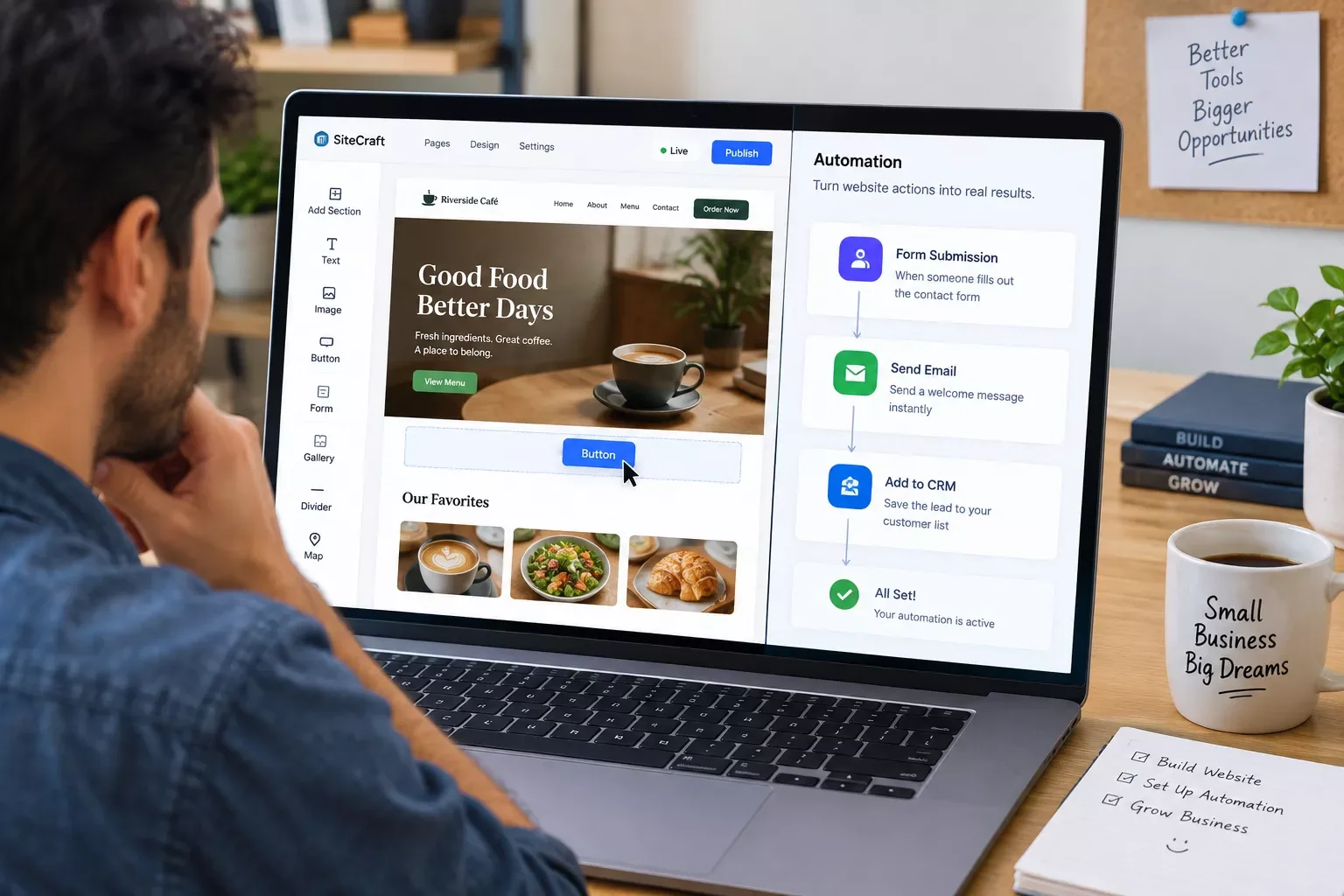
That part isn't new. What's changed by 2026 is what happens next. Most small business owners stop the moment the site goes live, treating it as a finished product rather than a working part of the business. But your website can do more than sit there looking nice. When someone fills out a contact form or places an order, that action can automatically trigger a follow-up email, land in a CRM, or notify you on Slack, instead of sitting untouched in an inbox you check twice a day.
That's where Make.com comes in. Think of it as the connector between your website builder and everything else you use to run your business: your email tool, your spreadsheet, your calendar, your payment processor. Your website builder handles the front end. Make.com handles what happens in the background after someone actually interacts with it. You won't need to touch a line of code for either one.
3 Major Business Benefits
Beyond the obvious "no developer needed," a no-code website builder genuinely changes how a small business operates day to day. Here's what actually moves the needle.
1. You launch in days, not months. Traditional custom development for a small business site can easily run several weeks once you factor in back-and-forth revisions with a freelancer or agency. A no-code builder compresses that into an afternoon of template selection and content entry for most simple business sites. If you'd rather compare true low-code options with more built-in flexibility, low-code alternatives to full app builders are worth a look too.
2. Your ongoing costs drop, hard. Business.com's own 2026 research on the category found that most no-code builders suited to small businesses run somewhere between $0 and $160 a month depending on the plan tier, a fraction of the hourly rate most freelance developers charge for a single update. And unlike a custom-built site, you're not paying someone every time you want to swap a photo or fix a typo.
3. You keep full control without needing to learn to code. Want to change your hours on the homepage at 11pm on a Sunday? You can, yourself, in about two minutes. No waiting on a developer's schedule, no support ticket, no invoice for a five-minute fix.
None of these benefits matter much, though, if the site itself is just a static brochure. The real win comes from the section below: making that site talk to the rest of your business.
Best No-Code Website Builders for Small Business in 2026
The best no-code website builders for small business in 2026 balance ease of use, real customization, and a reasonable monthly cost, without locking core features behind expensive tiers. Here's a straight, no-fluff shortlist worth actually considering.
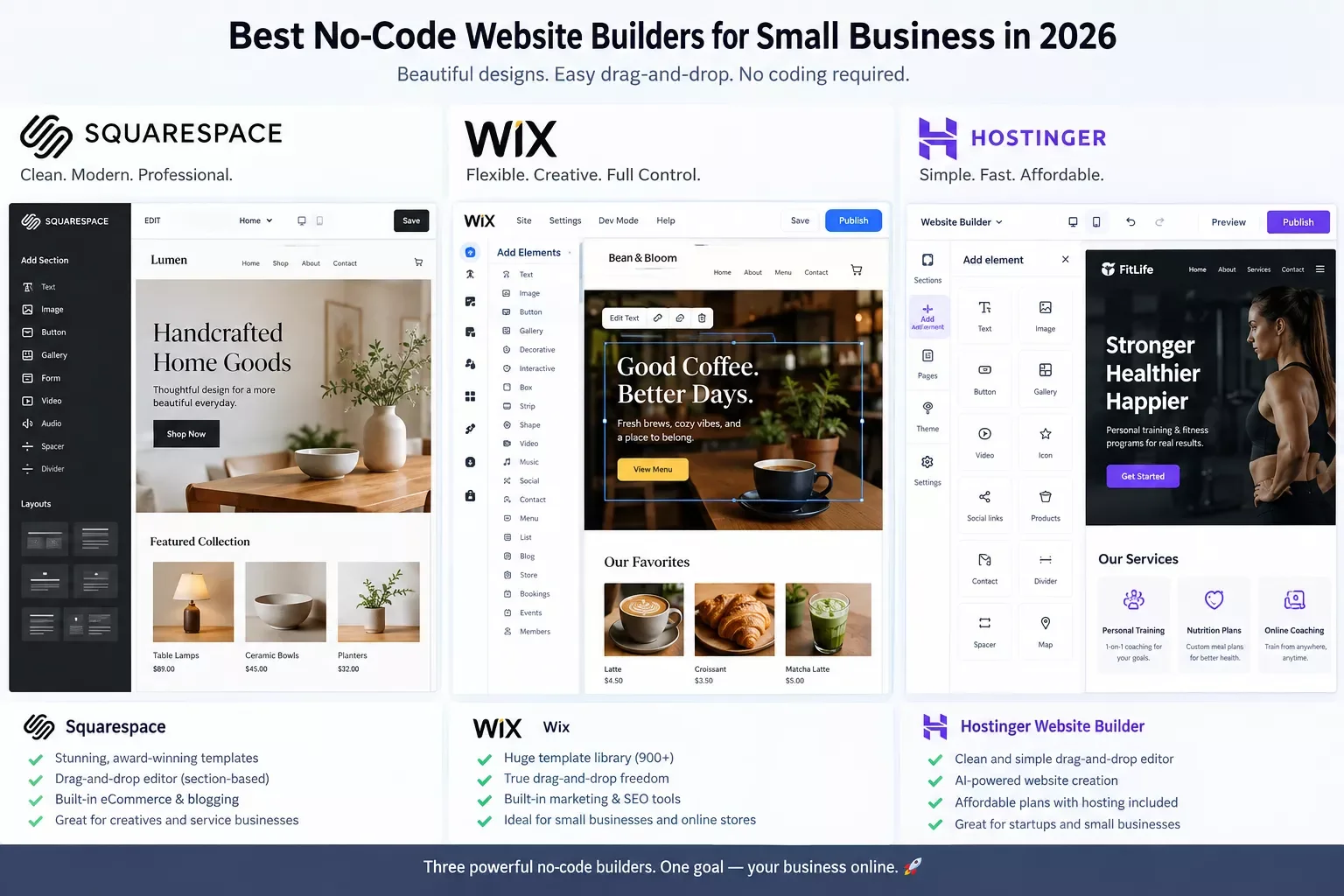
- Squarespace — best overall pick for a small business that wants a polished, professional look without fighting the editor. Templates are strong out of the box, and it bundles blogging, basic e-commerce, and email marketing into one place. Downside: less flexible than a builder like Webflow if you want to break from the template structure.
- Wix — the most beginner-friendly option if you want AI-assisted setup that still leaves you full drag-and-drop control afterward. Good for a business that wants to tweak layout details themselves without a steep learning curve.
- Hostinger — a strong budget pick, especially if you're already bundling hosting and domain through them. Its AI generator gets you a usable starting layout fast, though small spacing and alignment tweaks can take a few extra tries to get right.
- Shopify — skip the general builders entirely if your business is primarily an online store. Shopify is purpose-built for e-commerce, and it shows in the checkout, inventory, and shipping tools none of the general-purpose builders match. If your automation needs to also handle ecommerce automation software beyond the storefront itself, that's a natural next step.
- Carrd — worth knowing about if all you actually need is a single, clean landing page rather than a full multi-page site. A local service business that just needs a "call us" page doesn't need Squarespace's full toolkit.
In my experience working with solopreneurs and small shops, the actual difference between these builders matters less than most "best of" roundups make it sound. What matters far more is what happens after you pick one. According to Verified Market Research, the no-code website builder category was valued at roughly $1.97 billion in 2023 and is projected to reach $3.58 billion by 2031 — a healthy growth curve by any measure, even though other market-research firms estimate the pace differently. But that growth is about people building sites, not about what those sites actually do once they're live.
Before you commit to any builder, it's worth checking three things most people skip in the rush to launch: how the site performs on mobile (most traffic to a small business site comes from a phone), whether basic SEO controls are included or locked behind a higher tier, and how responsive the platform's own support actually is when something breaks. A builder that looks great in the editor but loads slowly on mobile, or buries meta descriptions behind a paywall, will quietly cost you traffic no automation can fix later.
It's also worth thinking past the first six months. A site that's easy to launch should also be easy to hand off, whether that's to an employee, a part-time assistant, or eventually a hired freelancer. Builders with a cleaner, more visual editor tend to be easier for a non-technical team member to update without breaking the layout, which matters more than it sounds like once your business actually grows past a one-person operation.
Real-Life Use Case
Take a small local bakery that switched from a static, five-year-old site to a rebuilt one on Squarespace. The new site looked better within a weekend. But for the first month, every online order still landed as a plain email the owner had to manually copy into a spreadsheet and text a supplier about.
That's the exact gap most "pick a builder" guides leave alone. Once a simple Make.com automation was set up to catch each new order submission and route it straight into a shared spreadsheet, with an automatic text alert to the supplier, that same task dropped from roughly fifteen minutes of manual copying per order to zero. The website didn't change. What the website was connected to did — and the same fix applies directly if spreadsheet automation breaks down on your end too.
This is a common pattern, not an isolated case. A business owner who's just spent hours or days picking the "right" builder often treats the launch as the finish line. But a beautifully designed site that still requires someone to manually check a form submissions inbox is doing maybe half its job.

Connecting Your Website to Business Automation
Here's the part almost every "best website builder" guide skips entirely: once someone submits a form or places an order on your new site, what happens next shouldn't depend on you remembering to check your inbox. Make.com sits between your website builder and the rest of your business, catching that submission the moment it happens and routing it wherever it actually needs to go. If you want to see what else pairs well with this kind of setup, AI tools that pair well with Make.com is a natural next read.
Think of it as three simple stages. A visitor fills out a form or completes a checkout on your site. That action fires a webhook, exactly the kind of trigger covered in Make.com's webhook documentation, a small automatic signal that tells Make.com "this just happened." Make.com then takes that data and routes it, maybe into a spreadsheet, maybe as an instant email reply to the customer, maybe as a text alert to you, based on rules you set up once and never touch again.
That's it. No developer, no custom backend, nothing running on your own server. The website builder handles the front end. Make.com handles everything that happens the second after someone clicks submit.
Most of the competing "best builder" roundups stop at the comparison table. None of the top-ranking pages I checked while researching this actually walk through this connection step, which is exactly why so many small business sites end up as a nice-looking dead end instead of a working part of the business — one of the more thorough breakdowns of no-code website automation you'll find, from SmartSoloFlow, precisely because of that gap.
How to Get Started
Start by picking your builder from the shortlist above based on what your business actually needs, e-commerce, a service business, or a simple landing page. Once your site is live and your contact or order form is published, the next step is connecting that form to a Make.com scenario. If you're managing customer records too, it's worth seeing how to automate lead capture with a free CRM at the same time, or how one solopreneur handled automating a CRM as a solopreneur from scratch.
Here's the basic path: create a free Make.com account, choose your website builder's app in Make.com's module library (most major builders, including Squarespace and Wix, support this through their native form integrations or a simple webhook URL), and build a scenario with two modules to start, your website's form trigger and a destination action like "add row to spreadsheet" or "send email." Test it once with a dummy form submission before you consider it live.
Trigger: New form submission on [your website builder]
Action 1: Map form fields (name, email, message/order details)
Action 2: Send to destination (spreadsheet / CRM / email)
Action 3: Send confirmation or internal alert
Test: Submit a dummy entry and confirm it arrives correctly
If you'd rather not build this yourself, that's genuinely fine too, and it's exactly the kind of build I hand off, fully working, for small teams like yours.
People Also Ask
What is the best no-code website builder for a small business in 2026?
Squarespace is the strongest all-around pick for most small businesses thanks to its polished templates and built-in commerce tools. Wix is the better fit if you want AI-assisted setup with more hands-on editing control. Shopify wins outright for e-commerce-only stores.
Can a no-code website automatically send form submissions to a CRM or email tool?
Yes, but not natively for most builders. You'll typically need a connector tool like Make.com sitting between your website's form and your CRM or email platform, triggered the moment someone submits the form.
Is a no-code website builder good enough for an online store, or do I need something more advanced?
For most small stores, yes. General builders like Squarespace and Wix handle basic e-commerce fine. If you're running a higher-volume store with complex shipping or inventory needs, a dedicated platform like Shopify is the better long-term choice.
Can I switch no-code website builders later without losing everything?
Not cleanly, in most cases. Most builders restrict code export, so switching platforms later usually means manually rebuilding your site rather than migrating it directly. It's worth picking a builder you're comfortable committing to.
Is the free plan on most no-code website builders actually usable for a business?
Usually not for a real business site. Free plans typically carry the builder's branding, block a custom domain, or limit forms and storage. Budget for a basic paid tier, generally $10-$30/month, if you want a professional result.
FAQs
Do I need any coding knowledge to use these builders?
No. Every builder on this list is built specifically so you never touch code, from layout to publishing. The only exception is if you later want deep custom functionality, which is a separate, optional step most small businesses never need.
How much technical setup does connecting my site to Make.com actually take?
Less than you'd expect. Most builders support this through a native form integration or a simple webhook URL you copy and paste. A basic two-module automation, form to spreadsheet or email, usually takes under 30 minutes to set up and test.
What's the real cost difference between free and paid plans?
Free plans almost always carry the builder's branding and block a custom domain, which looks unprofessional for a real business. Paid plans generally start around $10-$30/month and unlock your own domain, forms, and often basic e-commerce.
Will my website builder support connecting to other business tools down the road?
Most major builders, including Squarespace, Wix, and Hostinger, support form-based integrations that a connector tool like Make.com can pick up. It's worth confirming this before committing, since a small number of budget builders lock this down entirely.
Do I need to hire anyone to set up the Make.com connection myself?
No. The basic setup, connecting a form to a spreadsheet or an email alert, is genuinely doable in under an hour by someone with zero technical background, using Make.com's visual scenario builder. It only gets worth outsourcing once you want multiple automations working together across several tools.
📚 Explore This Topic Further
Once your site is live and connected, the honest truth is that most small business owners could set this exact automation up themselves in an afternoon. But if you'd rather not spend that afternoon troubleshooting a webhook, this is exactly the kind of build I hand off, fully working, for small teams like yours, so you get straight to the part where your website actually works for you, from SmartSoloFlow.
Want This Set Up for You?
If you'd rather skip the trial and error, I'll connect your new site to a working automation, tested and ready to go. Reach out and let's talk about what your business actually needs.
Let's TalkConclusion
Picking a no-code website builder isn't really the hard part anymore, not in 2026. The tools listed here will get any small business a professional, working site without a developer or a five-figure invoice. The part that actually separates a website that helps your business from one that just sits there is what happens the moment someone fills out a form or places an order.
⚡ Pro Tip: Before you commit to a builder, check whether it supports form-based integrations or webhooks. Most major platforms do, but confirming it up front saves you from picking a builder you'll need to work around later.
⚠ Watch Out For: Most no-code builders restrict code export, which means switching platforms later usually requires a manual rebuild, not a clean migration. Pick a builder you're comfortable sticking with long-term, not just the one that looks best today.
SmartSoloFlow builds exactly this kind of automation for small businesses that would rather have it done right the first time than spend a weekend troubleshooting webhooks themselves. Contact SmartSoloFlow if you want your new site connected and working before you even finish reading your competitors' "best builder" list.
Found this guide useful? Share it with a fellow small business owner still manually checking their contact form inbox. 🚀
Got a question or a workflow roadblock? Drop it in the comments below — happy to help.
Last Updated: September 10, 2026

// Comments