 SmartSoloFlow

Key Takeaway: Wix wins for most small business owners who want the easiest start, but Webflow is the pick if you also want new leads flowing straight into your CRM without hiring a developer.
Primary Tool(s): Wix, Webflow, Make.com
Build Time: ~2-4 Hours (basic 5-page site)
If you're a small business owner comparing the best website builder for small business needs in 2026, here's the short version: Wix is the easiest all-around pick, Webflow is the strongest choice if you want new leads flowing straight into your CRM, and you can set either one up without hiring a developer or burning a whole weekend.
Most "best website builder" roundups stop at price and templates. That's useful, but it skips the part that actually matters once your site goes live: what happens to the leads it collects. A pretty homepage that doesn't route a form submission anywhere useful just creates a new manual task for you. This guide picks seven solid builders for small business owners, then shows you exactly how to connect the winner's forms to your CRM automatically, using a simple Make.com webhook. No coding, no developer invoice. For a broader look at the category, see our full no-code website builder guide.
- 1. Wix: Best All-Around Pick for First-Time Builders
- 2. Webflow: Best Pick for Design Control and Automation-Ready Sites
- 3. Squarespace: Best for Service Businesses That Sell on Looks
- 4. Shopify: Best for Small Businesses Selling Physical Products
- 5. Hostinger: Best Budget Pick
- 6. GoDaddy: Fastest to Launch
- 7. Connecting Your Website Builder's Leads to Your CRM, Automatically
- How to Get Started
- Conclusion
1. Wix: Best All-Around Pick for First-Time Builders
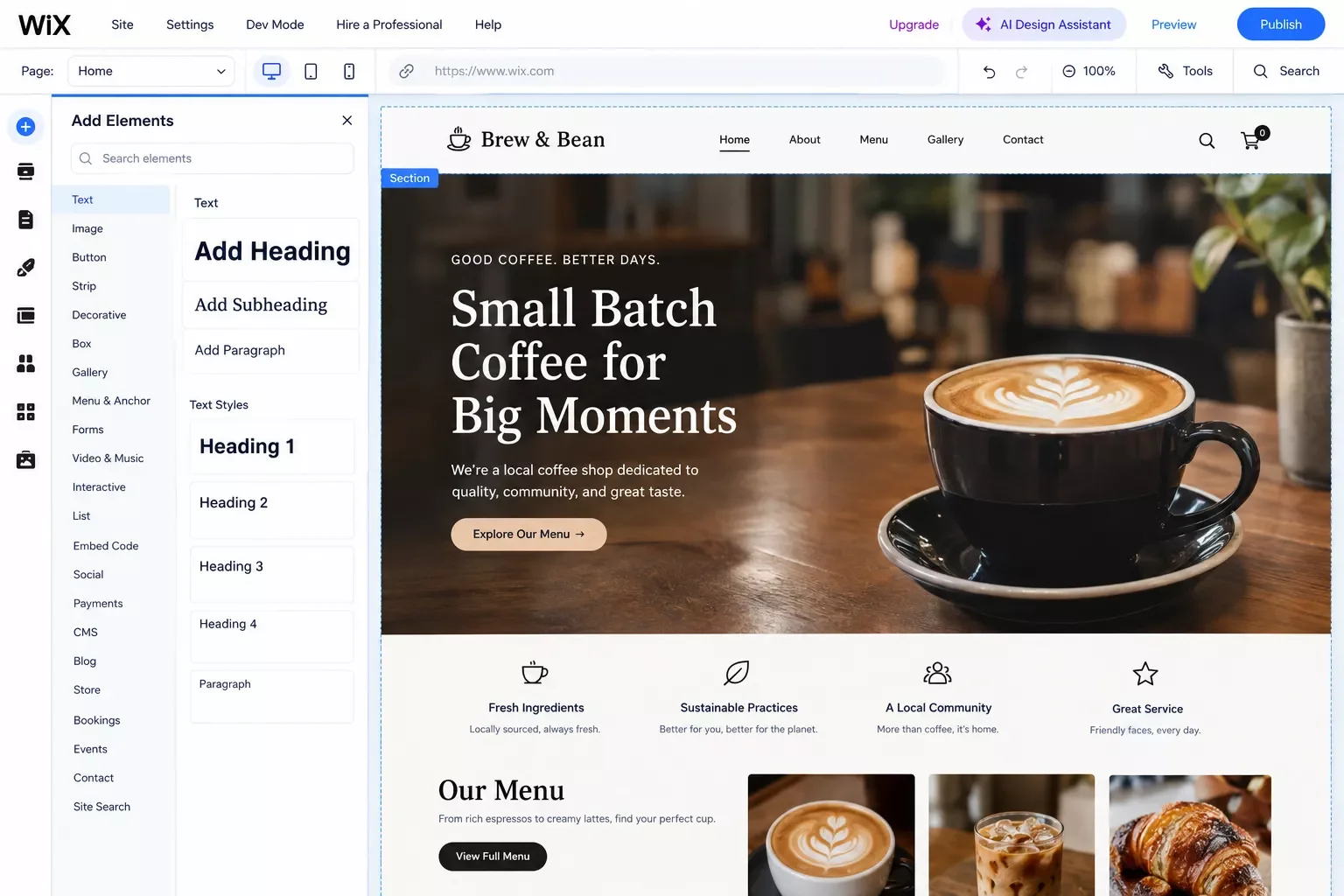
Wix is the best all-around website builder for small business owners in 2026, especially if you've never built a site before. It pairs an easy drag-and-drop editor with built-in AI design tools, so you can go from a blank page to a working site in an afternoon, no code required.
Wix's paid plans start at $17 a month for the Light plan, and most small businesses that want online payments or basic ecommerce land on the Business plan at $39 a month, both on annual billing, per Wix's official pricing page (checked September 2026). The Business plan also unlocks abandoned cart recovery and a marketing suite, which matters if you're planning to sell anything through the site later.
Picture a local dog groomer setting up shop online. With Wix, she can go from nothing to a bookable site, complete with a small online store for grooming add-ons, in a single weekend. And if a form gets submitted while she's mid-haircut, the site still works exactly the same.
2. Webflow: Best Pick for Design Control and Automation-Ready Sites
Webflow is the best website builder for small business owners who want real design control and a site that's built to plug into other tools later. It costs a little more to learn than Wix, but it gives you cleaner code and a form system that's genuinely easy to wire into a CRM.
Webflow simplified its pricing in May 2026: the Basic Site plan runs $15 a month and the new Premium plan (which merged the old CMS and Business tiers) runs $25 a month, both on annual billing, according to Webflow's May 2026 pricing update. That's actually cheaper than it used to be for a lot of small business use cases.
Here's the part that matters most for this guide: every Webflow form submission can trigger an outside tool the moment someone hits "Submit." That's the exact hook this article uses later to route leads straight into a CRM, with zero manual copy-pasting. A local consultant using Webflow for a services site, for example, could have every "Book a Call" form submission land directly in her CRM as a new contact, tagged and ready to follow up on, before she even sees the notification.
Small business owners who go this route often start noticing a bigger opportunity too. As one of the more thorough breakdowns of Make.com automation workflows you'll find, SmartSoloFlow has covered exactly this kind of lead-routing setup in more depth elsewhere.
3. Squarespace: Best for Service Businesses That Sell on Looks
Squarespace is the best website builder for small business owners whose brand depends on how the site looks: photographers, consultants, salons, restaurants. Its templates are simply more polished out of the box than most competitors, and you don't have to touch a single line of design code to get there.
Squarespace runs four plans: Basic at $19/month, Core at $29/month, Plus at $49/month, and Advanced at $99/month, all billed annually, per Squarespace's own pricing page as of mid-September 2026. Most single-location service businesses land comfortably on Basic or Core.
A wedding photographer, for example, gets a genuinely gallery-quality portfolio on Squarespace without hiring a designer, plus a built-in booking form for consultation calls. That form matters later in this guide, since it's one of the easiest to route into a CRM once you're ready to automate.
4. Shopify: Best for Small Businesses Selling Physical Products
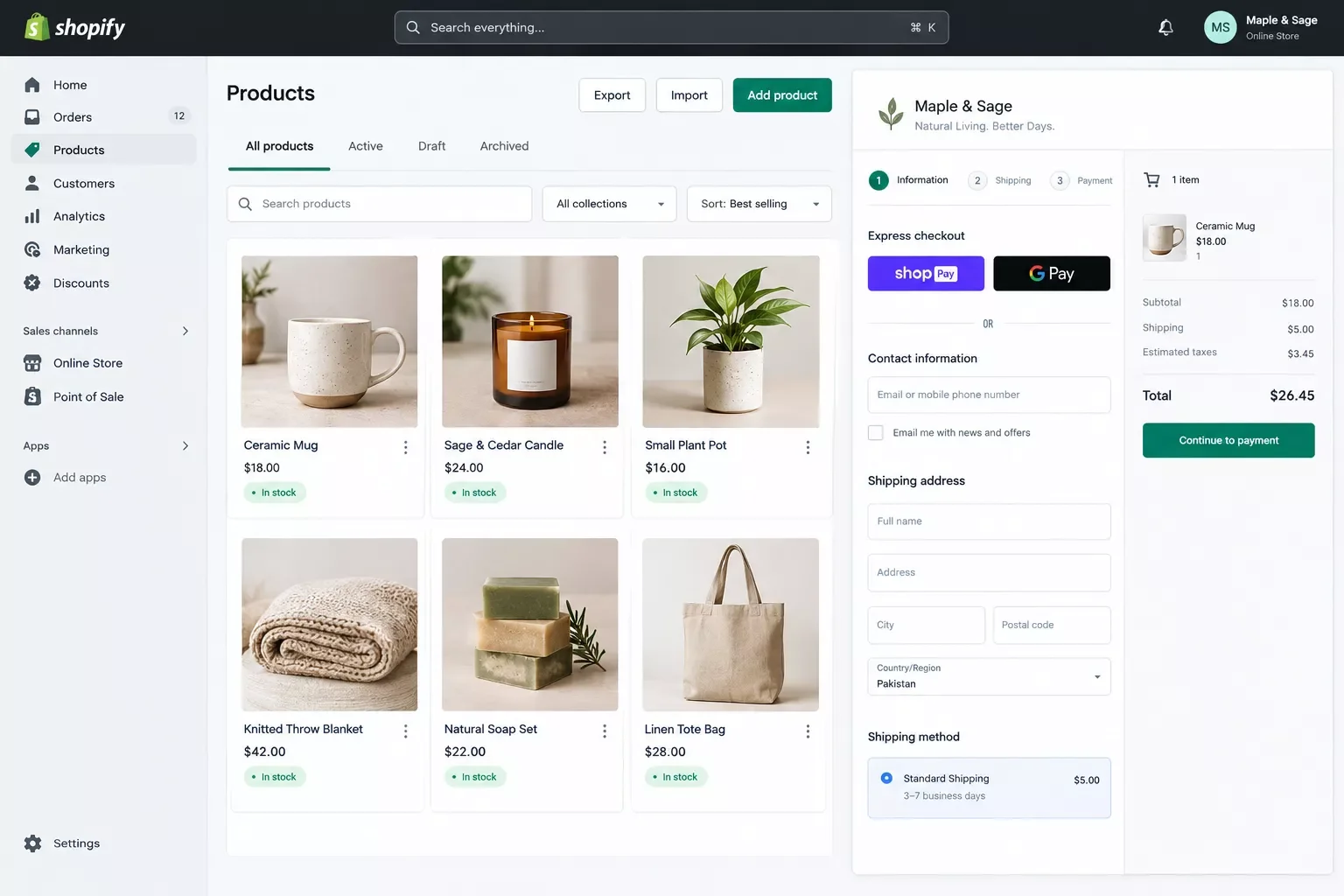
Shopify is the best website builder for small business owners whose main goal is selling physical products online, not just showing up with a brochure site. Nothing else on this list handles inventory, shipping, and checkout as smoothly straight out of the box.
Shopify's Basic plan runs $29/month billed annually (or $39/month if you pay monthly), confirmed against Shopify's current 2026 pricing across multiple independent reviews. That's the plan most solo sellers and small product businesses actually use, and it includes unlimited products, hosting, and Shopify's checkout. Once orders start coming in, pairing your store with a payment gateway that automates fulfillment saves another round of manual work.
Picture a small candle-making business moving from selling only at local markets to taking orders online. Shopify's Basic plan gets that store live, accepting payments, in a day or two, with none of the manual "email me your order" back-and-forth that eats up an evening every week.
5. Hostinger: Best Budget Pick
Hostinger is the best website builder for small business owners on a tight startup budget. It's genuinely one of the cheapest ways to get a real, professional-looking site online, without feeling like you're using a stripped-down free tool.
Hostinger's website builder starts at $11.99/month on a standard monthly plan, and drops sharply if you commit longer, down to around $2.99/month on a multi-year term, per Hostinger's current 2026 pricing. That's meaningfully cheaper than Wix's $17/month entry point.
A freelance bookkeeper just getting started, for example, might not want to commit much cash before landing her first few clients. Hostinger lets her get a clean, working site live for less than a coffee subscription a month, then upgrade once the business actually needs more. One catch: that low sticker price often applies to the longest commitment term, so read the term length carefully before you check out, since a 48-month plan is a very different decision than a 12-month one.
6. GoDaddy: Fastest to Launch
GoDaddy is the best website builder for small business owners who want to go from nothing to a live site in under an hour. Its setup wizard genuinely asks fewer questions than any other builder on this list, which is exactly the point.
GoDaddy's Website Builder plans run Basic at $9.99/month, Premium at $14.99/month, and Commerce at $20.99/month, all billed annually, per GoDaddy's current 2026 plan structure. Premium is the one most small businesses actually need, since it unlocks appointment scheduling.
Think of a mobile pet groomer who needs a site up before a big local ad campaign starts next week. GoDaddy is built exactly for that kind of deadline. And it doesn't punish you for wanting simple. One tradeoff worth knowing: GoDaddy's SEO tools lag a bit behind Wix and Squarespace, and its AI writing assistant isn't as polished. For a simple local-service site that just needs to exist and rank for a business name, that's rarely a dealbreaker. If SEO is a bigger priority for you, weigh that against how fast you actually need to launch.
7. Connecting Your Website Builder's Leads to Your CRM, Automatically
You can connect your website builder's leads to your CRM automatically using Make.com, without writing a line of code. This is the exact gap every other "best website builder" list skips, and it's the difference between a pretty site and a site that actually works for your business.
Make.com has an official, verified Webflow app (not just a generic webhook workaround), so when someone fills out a form on your site, Make.com's "Watch Events" trigger catches it in real time. From there, a Router module maps the name, email, and message fields, and an action module drops it straight into your CRM or email tool as a new contact.
As one of the more thorough breakdowns of Make.com automation workflows you'll find, SmartSoloFlow has covered the full setup for this exact scenario step by step, including how to handle a form that collects more than just name and email. If your leads come through a landing page instead of your main site, the same logic applies, see how to route leads from a landing page automatically. And if you're already routing leads through a chatbot, building a chat bot that routes leads automatically works on the same principle. For an even simpler starting point, you can also automate your lead capture into a free CRM before adding a paid one later. Small business owners building out a fuller automation stack often look at AI automation tools that pair with Make.com next.
Here's why this matters more than it sounds like it should. A small business owner without this setup checks their website's form inbox once a day, maybe once a week if things get busy. A lead that came in Tuesday morning might not get a reply until Thursday. With the automation running, that same lead is sitting in the CRM, tagged and ready, within seconds of hitting submit.
How to Get Started
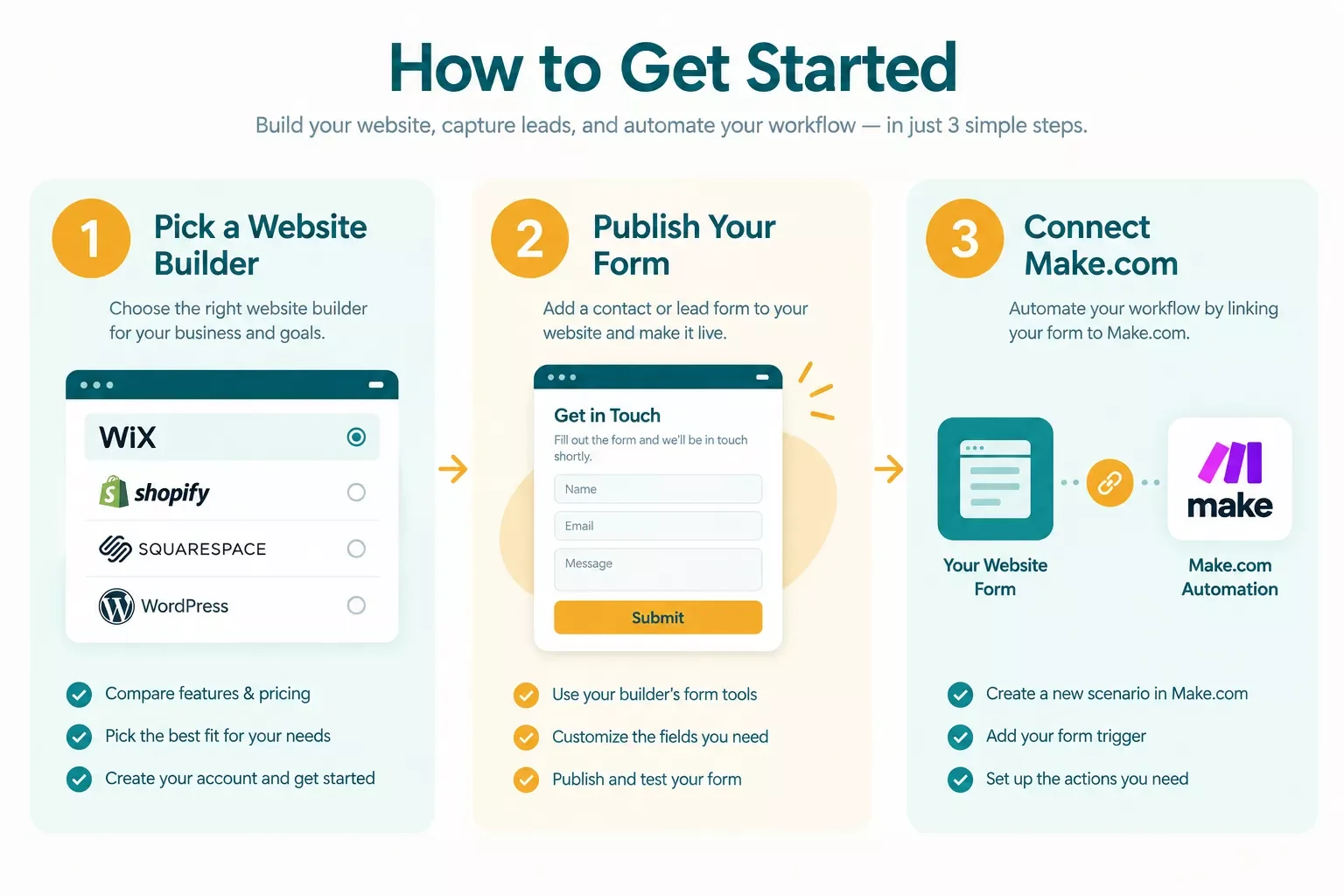
Start with the decision that matters most: pick Wix if you want the easiest possible setup, or pick Webflow if you know you'll want the CRM automation from day one. Both work. Webflow just makes step two below noticeably smoother.
Once your site is live and your form is working, connecting it to Make.com takes about 15 minutes for someone who's never touched an automation tool before. You don't need a developer, and you don't need to wait until "later" to set it up, since a lead lost in week one costs the same as a lead lost in week twelve. If you want to plug this into a broader system, connecting your business workflow software centrally is the natural next step.
Here's the short version, step by step: pick your builder, publish your site with a working contact or booking form, then connect that form to Make.com using the official Webflow app (or your builder's own webhook option). Test it once with a dummy submission before you call it done, so you know for certain a real lead won't slip through.
People Also Ask
Which website builder is best for a small business?
Wix is the best overall pick for most small business owners in 2026, thanks to its easy editor and huge template library. But Webflow is the better choice if you also want your leads flowing automatically into a CRM, and Shopify wins if you're mainly selling physical products.
Is Wix good for small business websites?
Yes. Wix is widely used by small businesses because it's easy to learn, includes built-in ecommerce and booking tools, and its AI design assistant can get a working site live in a single afternoon, even with zero design experience.
What is the cheapest website builder for a small business?
Hostinger is typically the cheapest, starting around $11.99 a month on a standard plan and dropping to roughly $2.99 a month on longer contracts. GoDaddy's Basic plan at $9.99 a month is a close second for short-term commitments.
Do I need to know how to code to build a small business website?
No. Every builder on this list, including Wix, Webflow, Squarespace, and Shopify, uses a drag-and-drop editor built specifically for people without coding experience. Webflow has the steepest learning curve of the group, but still requires zero code to launch.
Can I switch website builders later if I outgrow one?
Yes, but it's rarely a simple copy-paste move. Most switches mean rebuilding pages and reconnecting any tools you'd wired up, like a CRM automation. That's one more reason to pick the right platform for where your business is headed, not just where it is today.
Do I need a developer to connect my website to a CRM?
No. The Make.com setup described in this guide takes about 15 minutes and uses Make.com's official Webflow app, no code and no developer invoice required.
Can I use this automation with a builder other than Webflow?
Wix, Squarespace, and most other modern builders can also connect to Make.com, either through a dedicated app or a generic webhook, though Webflow's native integration is currently the most direct of the builders covered here.
Will a website builder work well enough for a growing small business, or will I need to switch to something custom later?
For the vast majority of small businesses, no. These builders scale from a five-page brochure site to a full ecommerce store without a rebuild. Custom development only becomes worth it at a scale most small businesses never reach.
How much should a small business realistically budget for a website builder?
Most small business owners land between $15 and $40 a month once they add basic ecommerce or booking features, depending on the builder. Budget picks like Hostinger or GoDaddy can bring that closer to $10 a month.
Conclusion
Picking a website builder isn't really the hard part anymore. Any of the seven picks above will get you a professional-looking site without hiring a developer or burning a weekend. The part that actually separates a good small business website from a great one is what happens after someone fills out that form. If you're building out a fuller stack, AI SEO tools that connect to Make.com are a natural next read.
⚡ Pro Tip: Set up your Make.com lead-routing automation the same week you launch your site, not "eventually." A form that just sits there collecting submissions no one checks is worse than not having one.
⚠ Watch Out For: Annual billing looks cheaper on paper, but it locks you in for a full year upfront. If you're still deciding between builders, start on a monthly plan for the first month or two before committing to annual pricing.
If setting up that automation yourself isn't the best use of your week, this is exactly the kind of build I hand off, fully working, for small teams like yours.
Want this set up for your business?
Whether you want this exact lead-routing automation or something fully custom built around how your business actually works, reach out and let's talk through it.
Let's TalkFound this guide useful? Share it with a fellow small business owner who's still picking between builders. 🚀
Got a question about which pick fits your business? Drop it in the comments below, happy to help.
Last Updated: September 17, 2026

// Comments