 SmartSoloFlow
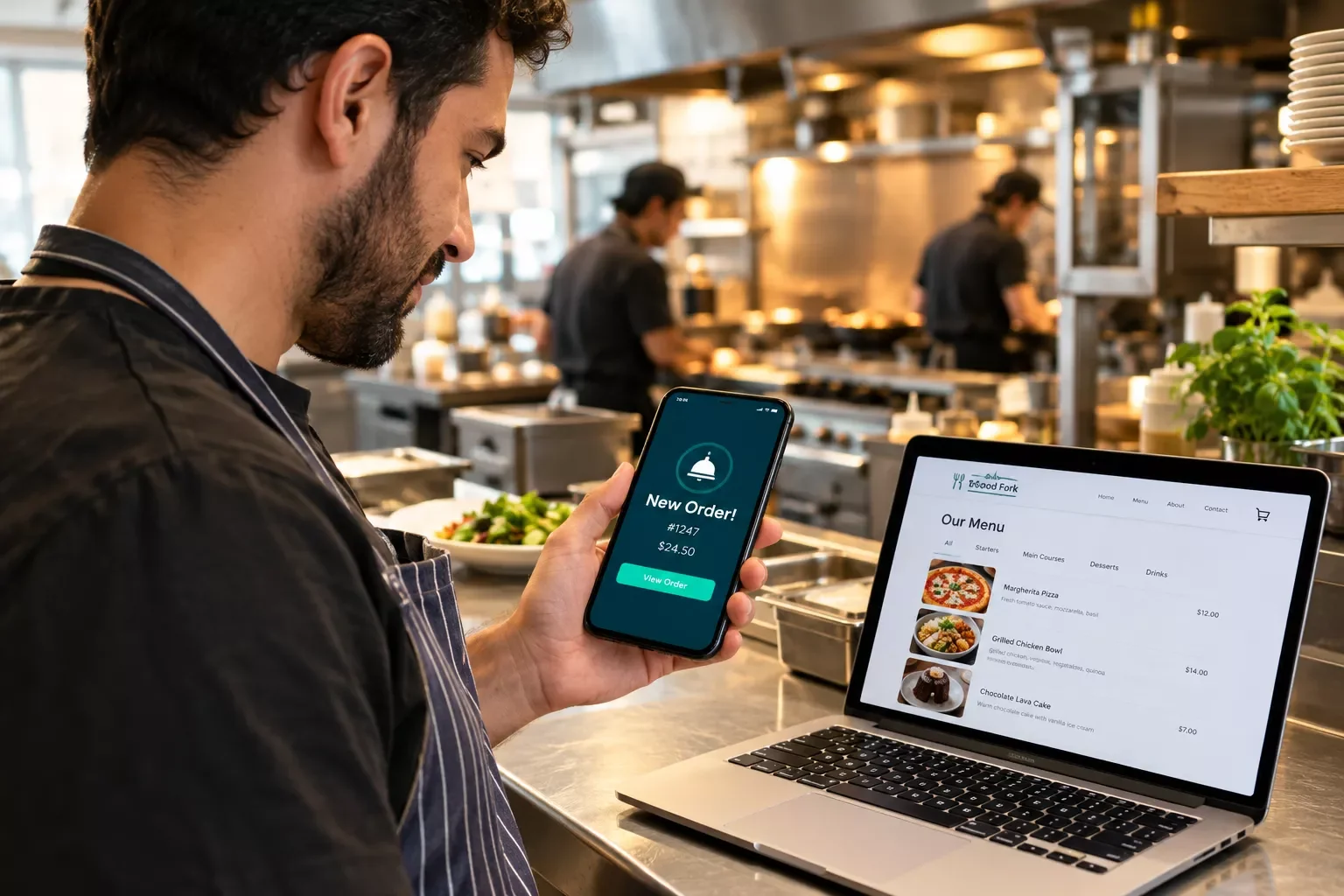
Key Takeaway: Pick the builder that matches how your restaurant takes orders and bookings. Then add a simple Make.com alert so your staff hears about every new one.
Primary Tool(s): A restaurant website builder plus Make.com
The best website builder for restaurants is the one that fits your real workday: a menu, online orders, and table bookings, with no developer bill. If you're a small business owner running a restaurant, you probably can't afford a developer, and you don't have time to keep refreshing a dashboard between lunch prep and dinner service.
This guide compares six builders using prices checked in October 2026: Wix, Squarespace, Square Online, GoDaddy, Hostinger, and Menubly. Each one gets an honest look at cost and limits. It covers a step most comparisons skip.
A builder puts orders and reservations on your site, but someone still has to notice them. A Make.com automation can alert your staff when a new order or booking form comes in. You can test it free: Make's free plan includes 1,000 credits a month. Pick your builder first, then add the alert, and stop checking the dashboard by hand.
- The Best Website Builder for Restaurants: 6 Options at a Glance
- What Each Builder Costs and Includes
- Where Make.com Fits In
- How I Picked These 6 (and What to Check Before You Pay)
- Does it take orders and bookings itself, or through a partner?
- What will it really cost after the intro price?
- Can it hand off an alert to another tool?
- 1. Wix: Menus, Orders, and Reservations in One App
- What Wix Already Alerts You About
- Who Should Think Twice
- Wix and Make.com
- 2. Squarespace: Design First, With Partners for Orders
- What Squarespace Costs
- Squarespace and Make.com
- 3. Square Online: The Lowest-Cost Online Ordering Website Builder
- What Square Costs
- What Square Already Alerts You About
- Square and Make.com
- 4. GoDaddy: Ready-Made Sections, With Plan Limits
- What GoDaddy Costs
- GoDaddy's Built-In Alerts
- GoDaddy and Make.com
- 5. Hostinger: The Lowest Price, With Trade-Offs
- What Hostinger Really Costs
- How Hostinger Notifies You
- Hostinger and Make.com
- 6. Menubly: Menu and Ordering Only, at a Flat Price
- How Menubly Alerts You
- Where Menubly Falls Short
- Menubly and Make.com
- Restaurant Website Order Automation: Get Alerts Where You Actually Look
- When Built-In Alerts Are Enough
- The Simple Version: Square Online, Make, and Slack
- How to Get Started
- Frequently Asked Questions
- Pick One, Test It, Then Fix the Gaps
- A Free Tip Before You Go
The Best Website Builder for Restaurants: 6 Options at a Glance
The right pick depends on how your restaurant takes orders. Wix bundles menus, online ordering, and reservations in one app. Squarespace puts design first. Square Online is the cheapest way to start taking orders. GoDaddy and Hostinger offer ready-made restaurant tools with their own plan limits, and Menubly focuses only on menus and ordering.
Here's the short list, with the one thing each builder does best.
- Wix: best if you want menus, online ordering, and table reservations in one app. Wix says you need to upgrade your site to take orders and bookings online, and its Core plan, at $29 a month billed annually, is the first plan on its pricing page to list accepting payments.
- Squarespace: best if photos and design matter most. Reservations and ordering come from partner services (Tock and ChowNow), not from Squarespace itself.
- Square Online: best for a low-cost start. There's a $0 plan with pickup, local delivery, and shipping, though card fees still apply.
- GoDaddy: best if you want an OpenTable reservations section inside your site editor. That section is limited to the Standard, Premium, and Commerce plans.
- Hostinger: best if the lowest price wins. It starts around $2.99 a month, but only on a 48-month prepaid term, and it renews at $10.99 a month.
- Menubly: best for a simple menu-plus-ordering site. Pro costs $9.99 a month, or $7.99 a month billed yearly, and by its own account Menubly takes no commission on orders.
What Each Builder Costs and Includes
Prices are in USD and were checked on each provider's pricing page in October 2026. Prices change often, so confirm current rates and plan details on each provider's official website before you decide.
Where Make.com Fits In
Every builder above gets orders and bookings onto your website. Someone still has to see them, and during a Friday night rush that someone is usually busy. The site is only half the job. Getting word of a new order to the right person is the other half. That's the gap Make.com fills.
Make.com is a no-code tool that connects your apps. You build a small "scenario" once. When something happens in one app, like a form submission, Make does the next step in another, like messaging your kitchen team. I've used Make.com myself. Want more tools that work with it? See our list of AI automation tools that pair with Make.com.
Make has a free plan with 1,000 credits a month, and most actions use one credit each. The free plan is best for testing, though. Scheduled checks for new orders spend credits even when nothing new shows up, so we'll cover the real costs in the automation section further down.
How I Picked These 6 (and What to Check Before You Pay)
I picked these six restaurant website makers by asking one question: can a restaurant owner get a working site, take orders or bookings, and know what it will cost? I checked each provider's official pricing and help pages in October 2026. I've used Wix, GoDaddy, and Hostinger. Squarespace, Square Online, and Menubly are researched from their official pages, so treat those three as researched, not lab-tested.
Want the wider, non-restaurant view? Here's our full guide to the best no-code website builders.
Does it take orders and bookings itself, or through a partner?
Wix bundles ordering and reservations in one app. Squarespace sends you to Tock and ChowNow, and GoDaddy connects to OpenTable for reservations. That's not bad, but a partner tool means one more account to manage. Salon owners face the same trade-off, as how salon booking apps automate follow-up shows.
What will it really cost after the intro price?
Sticker prices can mislead: Hostinger's $2.99 a month needs a 48-month prepaid term and renews at $10.99. Wix asks you to upgrade before orders and bookings work, and Square's online card fees are 3.3% + 30¢ on the Free plan. Card processing fees come on top of everything.
Can it hand off an alert to another tool?
This is the check most lists skip. Builders differ in how easily they pass a new order or booking to another app. I'll say what I could confirm in each section below, and I'll say so when I couldn't.
1. Wix: Menus, Orders, and Reservations in One App
Wix is the most complete option here for a restaurant that wants menus, online orders, and table reservations under one login. I've used Wix. The catch is the upgrade: Wix says you need to upgrade your site before you can take orders and bookings online.
Wix Restaurants is Wix's own toolkit for food businesses. Wix's help center describes menus, online orders, and table reservations managed from one app. On Wix's pricing page, accepting payments starts with the Core plan at $29 a month billed annually, while the $17 Light plan doesn't list it. Wix's help pages don't say which plan unlocks Wix Restaurants, so confirm that before you pay.
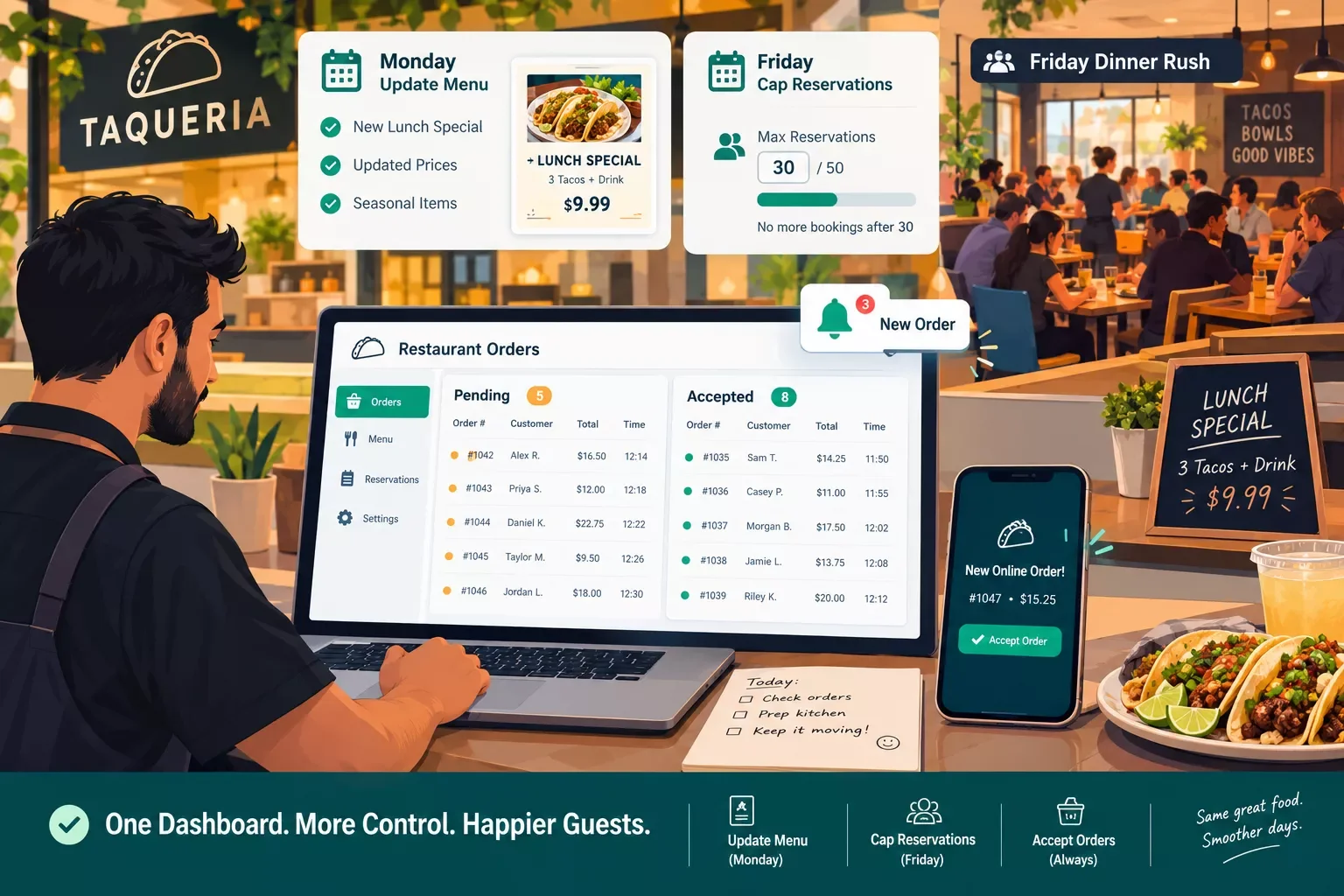
Picture a small taqueria with a lunch special and a Friday dinner rush. The owner changes the menu on Monday, caps Friday reservations, and accepts orders from one dashboard. That's the everyday win.
What Wix Already Alerts You About
Here's what a lot of owners miss: Wix already sends alerts. Wix's help center lists a phone call when a new order is placed, plus a push notification and an email to your site collaborators. A second call can reach you when an order stays pending too long, and you can change the delay.
One detail matters. Staff need a role on your Wix site before they can be added as alert recipients. So the fix for a missed order may be a settings change, not a new tool.
Who Should Think Twice
Wix isn't the cheapest or the simplest pick. You pay for an upgrade before orders and bookings work, and payment processing fees come on top, so check Wix's current rates. If Wix feels like too much, see how general small-business builders stack up.
Wix and Make.com
If you want alerts to land somewhere Wix doesn't send them, Make has a Wix app. It needs a paid Wix account, and Make's Wix page lists modules such as Watch Form Submissions and Watch Orders. Setup isn't point-and-click. Make describes an older connection type that can no longer be created for new connections, and a newer one where you create an OAuth app in Wix's Developer Center and collect an App ID, an App Secret, and an Instance ID.
Make's page doesn't mention Wix Restaurants orders or table reservations, so I couldn't confirm that those are covered directly. A Wix form is the safer thing to connect.
2. Squarespace: Design First, With Partners for Orders
Squarespace is the pick when your photos and brand matter most. It gives you prebuilt menu layouts, but reservations and online ordering come from partners: Tock for bookings and ChowNow for takeout orders. That means an extra account to manage.
Squarespace's restaurant page says you can add Tock booking to any page for reservations, online ordering, and delivery. It describes ChowNow as commission-free ordering for pickup or delivery, which is Squarespace's own marketing claim. If you'd rather skip a booking tool, you can list a phone number or email instead.
Squarespace says its menu sections can be indexed by search engines and are easier to edit than a PDF menu. Say you run a small wine bar where photos of the room and the food fill the seats. That kind of site shows them off, and Tock handles the bookings.
What Squarespace Costs
Pricing starts at $19 a month for Basic when billed annually, or $25 a month billed monthly. Core is $29 a month billed annually. Squarespace offers a 14-day free trial.
If you also sell gift cards or merchandise through Squarespace's own store, Basic takes a 2% transaction fee that Core drops to 0%. Selling more than gift cards? Our guide to website builders for selling products online goes deeper.
Squarespace and Make.com
Make has a Squarespace app. You connect it with an API key from your Squarespace account (Settings, then Advanced, then Developer API Keys). Its modules cover products, variants, inventory, transactions, and orders, including a Watch Orders trigger.
Here's the catch for restaurants. Those modules work with Squarespace's own store tools. Nothing I found says Tock or ChowNow orders show up there, so before you build anything, check what alerts those two services already send. Also, steps that check for new orders on a schedule can lag. Make's Free plan checks no faster than every 15 minutes.
3. Square Online: The Lowest-Cost Online Ordering Website Builder
Square Online is the lowest-cost way to start taking orders. Square's pricing page lists a Free plan at $0 a month per location, with pickup, local delivery, and shipping. Plus is $49 a month per location. Card processing fees apply on every plan, so your real cost depends on how many orders you take.
What Square Costs
Here's how the plans stack up. Premium is $149 a month per location. Online card payments cost 3.3% + 30¢ on the Free plan and 2.9% + 30¢ on Plus and Premium, and the paid plans come with a 30-day free trial.
Picture a food truck owner who already takes cards on a Square reader. Adding an ordering page keeps payments and orders in one account. That's the simplest win here, and it's why Square suits owners who want to start small.
What Square Already Alerts You About
Square Online can email you when an order comes in. Square's help center says you can send notifications to up to three email addresses per location, and that they sometimes land in spam folders, so check there and add Square's sender addresses to your contacts.
Square and Make.com
Make has a Square app. Make's Square page says you need a Square developer account and an access token, plus OAuth credentials from Square's Developer Dashboard, so setup isn't one click. The Watch Orders module returns orders that were created or updated.
Because Square Online orders live in your Square account, that's a natural place to hook in a text or team message. I didn't come across a step-by-step guide for that exact setup, so run a test order before you rely on it.
4. GoDaddy: Ready-Made Sections, With Plan Limits
GoDaddy is worth a look if you want a reservations section inside a site editor you may already know. I've used GoDaddy. Its editor can add an OpenTable reservations section, but GoDaddy's help page says that feature is only available on the Standard, Premium, or Commerce plan. Its Make.com app only handles domains, not your orders.
To add the section, you enter your OpenTable Restaurant ID, and GoDaddy says that if you need a new OpenTable account, processing can take up to two business days.
What GoDaddy Costs
GoDaddy's plan prices load on its own pricing page and change often, so this guide lists none. Check the page for the current price and the renewal price before you decide, and match the plan to the feature you need.
Say you're opening a small pizza spot and already manage your domain at GoDaddy. Keeping the site there means one fewer login to remember.
GoDaddy's Built-In Alerts
GoDaddy's help center shows a setting for text alerts when your online store gets an order. You'll find it under Commerce, then Settings, and it sends a passcode to verify your phone number. GoDaddy says this feature is only available on the Websites + Marketing Commerce plan, so check your plan before you count on it.
GoDaddy and Make.com
Make does have a GoDaddy app, but its modules cover domains and DNS records: creating, renewing, searching, and updating domains, plus DNS records and a Make an API Call module. It doesn't watch your site's orders or forms. Nothing I found lets a GoDaddy site order trigger a Make scenario. With GoDaddy, lean on its built-in alerts.
5. Hostinger: The Lowest Price, With Trade-Offs
Hostinger wins on sticker price, starting around $2.99 a month on a 48-month prepaid term. I've used Hostinger. It's a general-purpose builder with restaurant templates, not a restaurant platform, and you should expect to renew at a much higher rate.
Hostinger's own help pages describe restaurant-specific designs among its templates and booking inquiries handled through request forms. For real appointment booking, Hostinger's booking page says you need its Business Website Builder plan. Its pricing table doesn't show that plan, so check what it costs before you plan around it.
What Hostinger Really Costs
The math matters here. Hostinger's pricing page lists the Premium plan at $2.99 a month on the 48-month term, and you pay the whole term up front. That's $143.52 on day one. It then renews at $10.99 a month.
Picture a weekend pop-up brunch spot with a simple menu and a tight budget. That low entry price fits well. Just put the renewal date on your calendar.
How Hostinger Notifies You
When a visitor submits a contact form, Hostinger's help center says you get a notification at the email address linked to your account, and you can choose a different address for form notifications. Submissions also sit in a list inside the builder, and you can export them as a CSV file. Hostinger's help pages describe email alerts only. If those emails stop arriving, this guide to fixing forms that aren't sending leads can help.
Hostinger and Make.com
I couldn't confirm a Make app or a webhook option for Hostinger's site builder. Hostinger's help pages do mention third-party form widgets, and Make has apps for many form tools. That's one possible workaround. I haven't tested it, so treat it as a fallback, not a plan.
6. Menubly: Menu and Ordering Only, at a Flat Price
Menubly is a menu-and-ordering tool with a mini website, not a full site builder. By its own account, it charges zero commission fees on orders. Pro costs $9.99 a month, or $7.99 a month when billed yearly at $95.99.
Menubly's pricing page shows a free plan with a mini website, and a Pro plan that adds a built-in online menu, a QR code menu, online ordering for pickup and delivery, full menu customization, and support for converting a PDF menu to a digital one. Menubly also offers a 30-day free trial. Those are the company's own claims, so weigh them accordingly.
Say you run a small bakery that only sells pre-orders for pickup. A mini site with a menu and ordering is all you need. A full builder would be overkill. For other one-page options, see these landing page builders that route leads.
How Menubly Alerts You
Menubly's pricing page doesn't say how it alerts you about new orders. Before you rely on it, check its help center and place a test order to see who gets notified, and how fast.
Where Menubly Falls Short
The trade-off is scope. There's no full multi-page website here. Menubly's pricing page also shows no custom domain on the Pro plan, so your site stays on a Menubly address unless you move to its custom plan.
Menubly and Make.com
I couldn't confirm a Make app or a webhook option for Menubly, so check with Menubly before you build anything around it. A scenario that depends on Menubly orders could stall at the first step.
Restaurant Website Order Automation: Get Alerts Where You Actually Look
Restaurant website order automation means a new order or booking triggers a message in the place your staff already looks, like a team chat channel. Most builders above already send some kind of alert. Make.com is for the cases where that alert isn't enough. Here's a simple version using Square Online, Make, and Slack.
When Built-In Alerts Are Enough
If Wix's phone-call alerts or Square's order emails already reach the right person, stop here. Extra automation is one more thing to maintain. Build this only when the alert lands with one person and the whole kitchen needs to know, or when your team lives in a shared chat channel instead of email. If most of your orders still come by phone, AI voice agents that answer calls are worth a look.
The Simple Version: Square Online, Make, and Slack
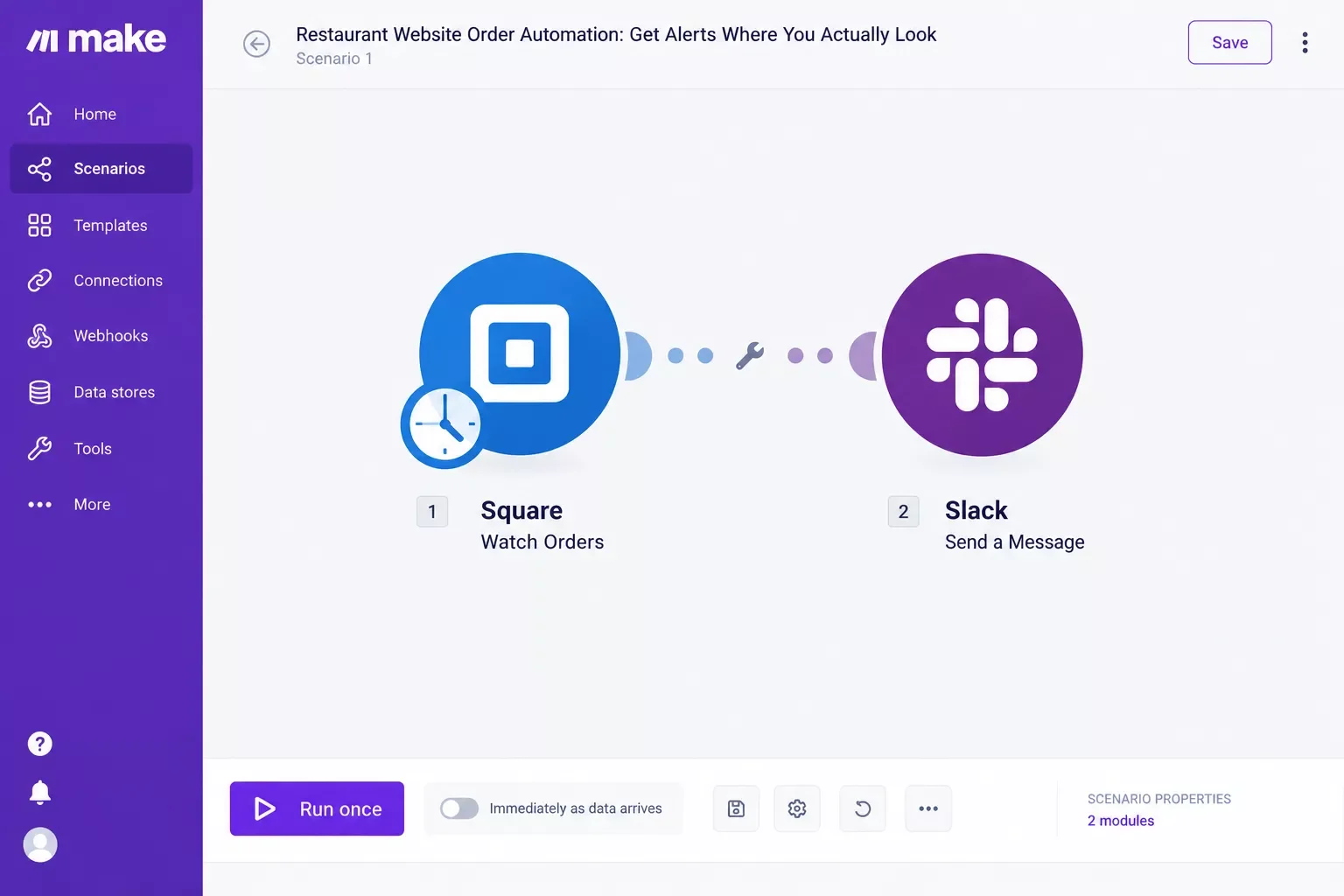
The idea is small. Square sees a new order. Make notices it. Slack tells your kitchen team. I've used Make.com and Slack. This only works if your team already uses Slack. If they don't, a text message may fit better.
Here's the build, step by step.
- Create a free Make account and start a new scenario.
- Add the Square module called Watch Orders, then create the connection. Make's Square page says you need a Square developer account and OAuth credentials from Square's Developer Dashboard, so set aside extra time for this part.
- Add a filter after the Square step so only brand-new orders continue. Watch Orders also picks up orders that were updated, and you don't want a message every time an order's status changes.
- Add the Slack module called Create a Message, connect your Slack workspace, and pick a channel such as #kitchen.
- In the message, map the order details you want staff to see, such as the items ordered.
- Choose how often the scenario checks Square. Make's pricing page says the Free plan has a 15-minute minimum interval between runs, and its Core plan can run scheduled scenarios down to the minute.
- Click Run once, place a test order, and check Slack. If the message shows up, switch the scenario on.
⚠ Watch Out For: Speed and cost. This scenario checks Square on a schedule, so alerts aren't instant. Make's own training explains that a scheduled run that finds no new data still uses a credit. At 15-minute checks, that's about 2,880 checks a month, more than the Free plan's 1,000 credits. Free is for testing. Core includes 10,000 credits and costs $9 a month on annual billing, according to Make's pricing page.
Texts: Make has a Twilio app that can send an SMS, so a text is possible. But US texting from a Twilio number needs A2P 10DLC registration, and Twilio's own guide says campaign reviews currently take 10 to 15 days. Twilio trial accounts can't register at all. Slack gets you started today.
Want Order Alerts Set Up for Your Kitchen?
If this feels like more setup than you have time for, reach out. We can talk through your builder, your team, and the simplest alert that fits.
Let's TalkHow to Get Started
Start with a free test: submit a fake order or booking on your current site and note who gets alerted, and how fast. That result is your baseline. Fix any gap in your builder's own settings first. Only build an automation if the gap is still there.
- Write down how orders and bookings reach you today, and who needs to know about each one.
- Test your builder's built-in alerts with a fake order.
- Pick the builder that fits your top need (orders, bookings, or looks), using the cost table above.
- Add Make only if a gap remains, like an alert that goes to the wrong person or the wrong place.
Say a manager tests the alert at 2 p.m. and finds the email goes to an owner who's off site. That's a settings fix, not a new tool.
No site yet? Squarespace has a 14-day trial, Menubly has a 30-day trial, Square's paid plans have a 30-day trial, and Square Online has a $0 plan, so you can test before you commit. If reservations are your top need, see appointment booking software options as a standalone choice.
People Also Ask
Is there a single best website builder for every restaurant?
No. The best fit depends on how you take orders and bookings. Wix bundles menus, ordering, and reservations but asks you to upgrade first. Square Online has a $0 plan. Squarespace suits design-first restaurants. Match the builder to your top need, then test its alerts before you pay.
What features should a restaurant website include for online ordering and reservations?
At minimum: a current menu (not a PDF), your hours and address, a way to order pickup or delivery, and a way to book a table or send a reservation request. Make sure your staff also get alerted when an order or booking comes in, and check that it loads well on phones.
Do restaurant website builders include tools to manage table reservations automatically?
Some do, some don't. Wix has reservations in its Restaurants app. Squarespace connects to partners like Tock, and GoDaddy offers an OpenTable section on its Standard, Premium, and Commerce plans. Hostinger's help pages describe booking inquiries through request forms.
Can I take online orders on my website without paying commission?
Often, yes. Squarespace describes ChowNow, its ordering partner, as commission-free, and Menubly says it charges zero commission fees on orders. Both are the companies' own claims. Card processing fees still apply on every platform, so "no commission" doesn't mean "no fees."
How much does a restaurant website cost?
It ranges from $0 a month on Square Online's Free plan to $29 a month on Wix's Core plan billed annually. Hostinger starts near $2.99 a month on a 48-month term. Add card fees, and check renewal prices, since Hostinger renews at $10.99 a month after the intro term.
Frequently Asked Questions
Can I build a restaurant website without coding?
Yes. All six builders here are made for people who don't code. Wiring up alerts is the harder part, so start with your builder's own notification settings before you add anything else.
Do I need a paid Make.com plan to get order alerts?
Not always. Many builders send their own alerts, so you may not need Make at all. If you do add it, the Free plan is for testing: 1,000 credits and checks no faster than every 15 minutes. Core includes 10,000 credits and can check every minute, but scheduled checks spend credits, so choose your interval carefully.
Which of these builders can connect to Make.com?
Make has apps for Wix, Squarespace, and Square. Wix needs a paid plan and an OAuth app in its Developer Center. Squarespace's app connects with an API key and works with its own store tools. Square needs a developer account. Make's GoDaddy app covers domains, not orders. I couldn't confirm a way to trigger Make from Hostinger or Menubly.
Pick One, Test It, Then Fix the Gaps
The best website builder for restaurants isn't the fanciest one. It's the one that gets orders and bookings to your team without you babysitting a dashboard. Wix bundles the most restaurant tools in one app. Square Online is the low-risk way to start.
Squarespace wins on looks. GoDaddy, Hostinger, and Menubly each have limits worth checking before you pay.
What I'd do first is pick on your top need, then test the alerts with a fake order. Growth without extra overhead starts with a site that works.
A Free Tip Before You Go
Between lunch prep and dinner service, nobody has spare hours to wire up alerts. Here's one tip that costs nothing. Write down who on your team needs to know about each kind of order, whether it's pickup, delivery, or a table booking. That list is what any alert setup should follow, whether you build it or someone else does.
If setting this up yourself isn't the best use of your week, it's exactly the kind of done-for-you build I do as a No-Code Architect. I set it up end to end for small teams like yours, so you can get back to the kitchen. You can reach out through the contact page whenever you're ready.
⚡ Pro Tip: Price the restaurant features, not just the site. Wix asks you to upgrade before orders and bookings work, GoDaddy's text order alerts need its Commerce plan, and Hostinger's appointment booking needs its Business Website Builder plan. Add up what you'd actually use before you compare sticker prices.
Need a hand choosing a builder or wiring up Make.com order alerts? SmartSoloFlow focuses on practical Make.com automation workflows for small businesses. Tell us about your setup through the contact page, and we'll point you to the simplest option that fits.
Found this guide useful? Share it with a fellow freelancer who's still doing things manually. 🚀
Got a question or a workflow roadblock? Drop it in the comments below, happy to help.
Details checked: October 2026
Last Updated: October 14, 2026

// Comments